What Does a CPU Do for Gaming?
 By Theo LangUpdated
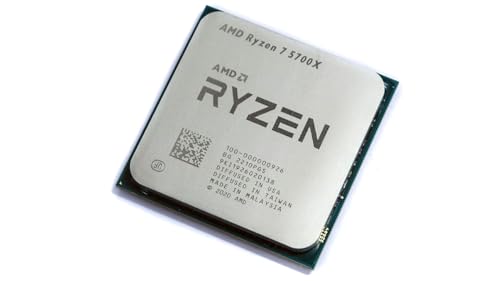
In a game, the CPU runs the rules of the world: it tracks players, opponents, physics and input, decides what happens each moment, and prepares each frame for the graphics card to draw. The graphics card then turns that frame into the picture on your screen.
What the CPU does in a game
The CPU handles the parts of a game that are decisions rather than pictures. It reads your keyboard, mouse or controller input, works out where characters and objects move, runs opponent behavior, and calculates collisions and other physics. For every frame, it then hands the graphics card a list of what to draw and where. If the CPU takes longer to prepare frames than the graphics card takes to draw them, the CPU sets the pace of the game.
Cores and threads explained
A core is a processing unit that can work on one stream of instructions at a time, and threads are the streams of work the processor juggles. More cores let the CPU split separate jobs, such as physics, audio and background tasks, across different units at the same time. Games differ in how much of their work they split this way, so core counts alone do not tell you how a game will run. Compare the processor a game lists in its requirements with the one in your PC.
Clock speed and boost clocks
Clock speed, measured in GHz, describes how many instruction cycles a core completes each second. A higher clock speed means each core finishes its stream of work sooner, which matters for game tasks that run on a single core. The boost clock in a processor's specs is the highest speed a core can reach under the right conditions, not a speed it holds at all times. Heat, power limits and the workload itself decide how close it gets.
How the CPU and graphics card share work
The CPU prepares each frame and the graphics card draws it, so both parts affect the frame rate you see. At higher resolutions such as 1440p or 4K, the graphics card has more pixels to draw in every frame, while the CPU's share of the work changes far less. That is why the same processor can be the limiting part in one setup and not in another. Check the requirements published for your games before changing either part.
Matching a CPU to your motherboard
A processor only fits motherboards with the right socket and chipset support, so check both before you buy. The processor's specs name its socket, and the motherboard maker lists which processors each board supports, sometimes after a BIOS update. Memory support matters too: a processor and board built for DDR5 do not take DDR4 sticks. If you open your PC to change parts, shut it down and unplug it first, and follow the maker's manual.
What you need

Intel Core i9-14900K Desktop Processor
A 24-core, 32-thread desktop processor with a 6 GHz max boost clock, integrated UHD Graphics 770 and DDR4 and DDR5 platform support.
View on Amazon
Intel Core Ultra 9 Desktop Processor 285K
A 24-core desktop processor with up to 5.7 GHz max turbo frequency, 36 MB of cache, DDR5 support and integrated graphics.
View on Amazon
AMD Ryzen 9 9950X3D 16-Core Processor
A 16-core AM5 desktop processor with up to 5.7 GHz boost clock and a 4.3 GHz base clock.
View on Amazon
AMD Ryzen 9 9950X 16-Core
A 16-core, 32-thread AM5 processor with 5.7 GHz max boost, 80 MB cache and DDR5-5600 support; cooler not included.
View on AmazonThese come from our ranked list Best CPU for Fortnite, which compares them spec by spec.
FAQ
Does a faster CPU raise frame rates?
Only when the CPU is the part holding frames back. If the graphics card takes longer to draw each frame than the CPU takes to prepare it, a faster CPU changes little. Compare your parts with the requirements published for your games.
Do more cores help in games?
It depends on the game. Some games split work such as physics and audio across many cores, while others lean on a few cores and their clock speed. The requirements a game publishes name the processor class it expects.
Do I need integrated graphics with a graphics card?
No. When a graphics card is installed, it draws the picture and drives your monitors. Integrated graphics can run a display on their own in a PC without a card, which suits basic desktop use and troubleshooting.