
What Is an SD Card Slot?
 By Theo LangUpdated
An SD card slot is the opening in a camera, laptop or other device where an SD memory card slides in so the device can read and write files on the card. The slot connects the card to the device, and the card holds the photos, video or other files you save.
What an SD card slot does
The slot is a card reader built into the device. When you push an SD card into it, the device can save new files to the card and open files already stored on it. Cameras use the slot to store photos and video as you shoot, and computers use it to copy those files off the card. The elecacc cards state plug and play operation with SDHC devices, which describes this insert-and-use connection.
Which card size fits the slot
A standard SD card slot takes a full-size SD card. The Gigastone cards state a full-sized SD card size of 32mm by 24mm, and the INLAND card states standard full size SD. Match the card shape to the slot before you push it in, and follow the markings on the device for which way the card faces. A card that needs force is facing the wrong way or is the wrong size for that slot.
Check SDHC and SDXC support
The card type and the host device have to match. The INLAND card states that SDHC memory cards can only be used with SDHC or SDXC host devices and will not work with SD host devices, and it advises looking for the SDHC or SDXC logo on the host device. The elecacc cards state compatibility with SDHC devices and SDHC enabled UHS devices. Check your device manual for the card types its slot accepts before you buy cards for it.
Read the speed markings on the card
Cards carry speed markings that describe their rated transfer speed. The elecacc cards state up to 90MB/s with UHS-I V30 U3 Class10 markings. The Gigastone 5-pack states up to 80 MB/s with Class 10 and U1 markings, and the Gigastone 2-pack states up to 100 MB/s with Class 10 and U1 markings. The INLAND card states a 60MB/s read speed and 10MB/s write speed with a Class 10 rating. Compare the stated figures on the card with the requirements published for your camera or device.
Use the slot without losing files
Let the device finish writing before you remove the card. Taking a card out while the device is saving can leave the file being written incomplete. Use the device menu or the computer eject option where one is offered, then slide the card out. Store spare cards in their cases: the Gigastone sets state mini cases in the box, with 5 mini cases in the 5-pack and 2 mini cases in the 2-pack.
What you need

32GB SD Card (3 Pack)
A 3 pack of 32GB SDHC cards rated up to 90MB/s with UHS-I V30 U3 Class10 markings for cameras and camcorders.
View on Amazon
GIGASTONE 32GB SD Card 5-Pack UHS-I U1
A 5 pack of 32GB full-size SDHC cards rated up to 80 MB/s with Class 10 and U1 markings and 5 mini cases.
View on Amazon
GIGASTONE 32GB SD Card 2-Pack
A 2 pack of 32GB full-size SDHC cards rated up to 100 MB/s with Class 10 and U1 markings and 2 mini cases.
View on Amazon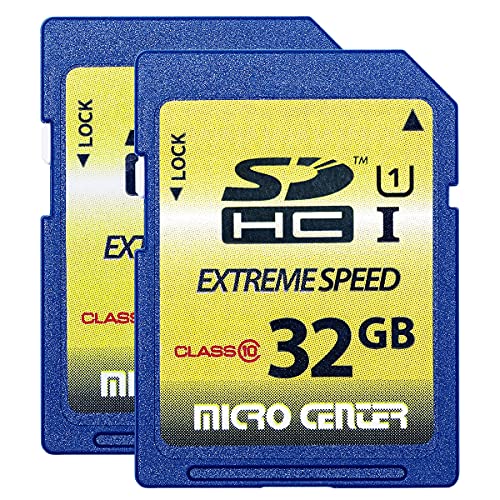
INLAND 32GB SDHC Flash Memory Card Standard
A 2 pack of 32GB full-size SDHC cards rated at 60MB/s read and 10MB/s write with a Class 10 rating.
View on AmazonThese come from our ranked list Best Sdhc, which compares them spec by spec.
FAQ
What devices have an SD card slot?
The elecacc 3-pack and the Gigastone 5-pack state use with digital cameras, DSLR cameras, HD camcorders and PCs. The Gigastone 2-pack states digital camera use only, and the INLAND card states trail and hunting camera, digital camera, ILDC and DSLR use. Check your device manual for the slot type it has.
Will an SDHC card work in every SD slot?
No. The INLAND card states SDHC cards work only with SDHC or SDXC host devices and not with SD host devices. Look for the SDHC or SDXC logo on the host device, as that card advises.
What do Class 10 and U1 markings mean?
They are speed grades printed on the card. The Gigastone cards pair Class 10 and U1 markings with stated transfer speeds of up to 80 MB/s and up to 100 MB/s. Compare the stated speed on the card with your device requirements.


