
What Is a FAT32 Memory Card?
 By Theo LangUpdated
FAT32 is a file system, the method a memory card uses to organize and find files. A card formatted with FAT32 can be read by many older cameras, players and computers that cannot read newer file systems. The trade-off is a limit on the size of a single file, so check the format your device lists before you format a card.
What a file system does
A file system is the index a device uses to store files on a card and find them again. When you format a card, you choose that index and erase the files on the card. FAT32 is an older index that many devices understand, which is why older cameras, game consoles, car stereos and computers can read cards formatted with it. The card hardware stays the same; only the index changes.
Why FAT32 has a file size limit
FAT32 was designed when storage cards held far less data, so it caps how large a single file can be. Long video recordings can hit that cap and stop or split, even when free space remains on the card. Newer file systems raise that cap for large cards and long recordings. If your device records long video files, check the file system the device manual lists for its cards.
Check what your device expects
Devices list the card types and formats they accept in the manual or spec sheet. Format the card in the device itself when the manual offers that option, since the device then writes the index it expects. Formatting erases the card, so copy files you want to keep to a computer first. If a device cannot read a card, check the format before you assume the card has failed.
Match the card to the device
Card size and speed marks still matter alongside format. Capacity in GB states how much the card holds, and speed marks such as V30 and U3 describe sustained writing for video recording. Read speed in MB/s describes how fast files copy off the card. Compare capacity and speed marks with the requirements published for your camera or recorder, and keep the format the device lists.
What you need

SanDisk 512GB Extreme PRO SD Memory Card
A 512GB SD card rated V30, U3 and C10 with read speeds up to 250MB/s and write speeds up to 170MB/s.
View on Amazon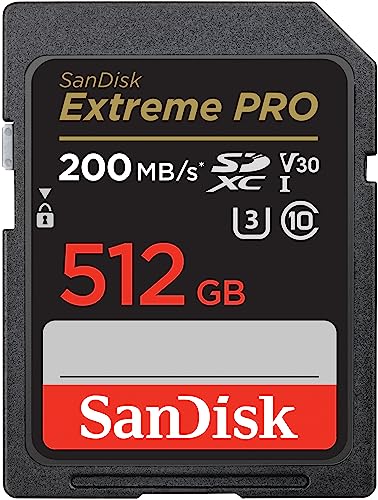
SanDisk 512GB Extreme PRO SD Memory Card
A 512GB SD card rated V30, U3 and C10 with read speeds up to 200MB/s and write speeds up to 140MB/s.
View on Amazon
Lexar 256GB SILVER SD Memory Card
A 256GB SD card rated V30 and U3 with read speed up to 225MB/s and write speed up to 160MB/s.
View on AmazonLexar 128GB SILVER SD Memory Card
A 128GB SD card rated V30 and U3 with read speed up to 225MB/s and write speed up to 160MB/s.
View on AmazonThese come from our ranked list Best Sdxc Memory Card, which compares them spec by spec.
FAQ
Can I format a large card as FAT32?
Some format tools limit which file systems they offer for large cards. Check the format options your device and computer show, and follow the format the device manual lists. Formatting erases the card, so copy your files to a computer first.
Why does my device not read my card?
The device may not support the card format, the card type or the card capacity. Check the manual for the formats and capacities it lists, then format the card in the device if it offers that option. Copy files off the card first, since formatting erases it.
Does FAT32 change how fast a card is?
No. Format is the index, while speed marks such as V30 and U3 and read speed in MB/s describe how fast the card writes and copies data. Compare those marks with the requirements published for your device.


