
What Is a 4K Computer Monitor?
 By Theo LangUpdated
A 4K monitor is a display with a resolution of 3840 by 2160 pixels, which packs more pixels into the screen than a 1080p display. The extra pixels show finer detail in text, photos and video, and screen size decides how sharp the picture looks from your desk. A 4K monitor needs a cable and a port that carry the full resolution, such as HDMI or DisplayPort.
What 4K means for the picture
The 3840 by 2160 resolution puts more pixels on the screen than 1080p or 1440p, so text looks sharper and photos show finer detail. On a 27 inch screen the pixels sit close together, while on a 32 inch screen the same pixel count spreads wider, so the picture looks a little less dense. The Dell 27 inch model has 163 PPI, which is the pixel density for that size. Pick the screen size for your desk, then check the resolution on the monitor.
Check the refresh rate and the panel
Refresh rate is how many times the screen draws a new picture each second. The Dell models state a 120Hz refresh rate, and the ASUS model states 160Hz with a 1ms response time on a Fast IPS panel. A higher refresh rate shows motion with less blur. The panel type shapes the picture too: the ASUS Fast IPS panel has wide viewing angles, while the Dell 32 inch model uses a VA panel. Match the refresh rate and the panel to what you watch and play, and check the requirements published for your software or game.
Match the ports to your computer
A 4K monitor needs a port and a cable that carry the full resolution. The monitors here have HDMI and DisplayPort, and the Dell 27 inch model adds a USB-C port with up to 65W power delivery for charging a laptop through the same cable. Check that your computer has a matching port, and that the cable you use is rated for the resolution you want. The ASUS model has HDMI 2.1 for up to 4K 120Hz from a console, and it includes a DisplayPort cable in the box.
Color coverage and HDR
Color coverage tells you how much of a color space the screen can show. The Dell monitors have 99% sRGB, the ASUS has 95% DCI-P3, and the Samsung has HDR10 for contrast with darker shadows and brighter highlights. A wider color space matters when you edit photos or video, so check the coverage against the work you do. The Samsung Display Manager adds split screen setup, brightness adjustment, KVM and PIP/PBP controls.
What you need

Dell 32 Monitor S3225QS
A 31.5 inch 4K VA monitor with a 120Hz refresh rate, 99% sRGB, HDMI and DisplayPort, and an anti-glare screen.
View on Amazon
Dell 27 Monitor S2725QC
A 27 inch 4K IPS monitor with a 120Hz refresh rate, 99% sRGB, USB-C with up to 65W power delivery, HDMI and DisplayPort.
View on Amazon
ASUS TUF Gaming VG27UQ1A 27-inch 4K Gaming Monitor
A 27 inch 4K Fast IPS monitor with a 160Hz refresh rate, 1ms response time, 95% DCI-P3, G-SYNC Compatible and HDMI 2.1.
View on Amazon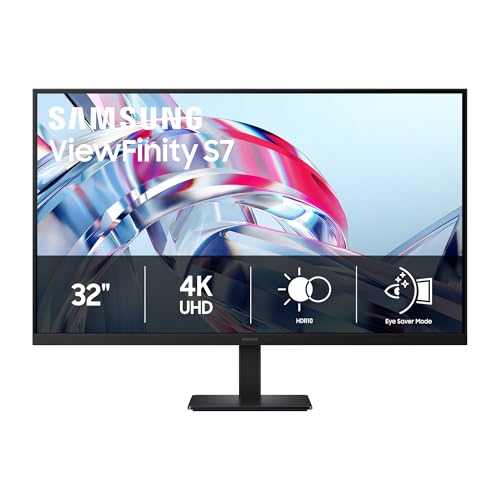
Samsung 32-inch ViewFinity S7 (S70H) High-Resolution Monitor
A 32 inch 4K monitor with HDR10, a 178° wide viewing angle, HDMI and DP ports, and a Display Manager for split screen and KVM.
View on AmazonThese come from our ranked list Best 4K Monitor, which compares them spec by spec.
FAQ
Do I need a 4K monitor for office work?
No. A 4K monitor shows sharper text and finer detail, but a 1080p or 1440p monitor also works for office work. Pick the resolution that fits your desk size and the ports your computer has.
What cable do I need for a 4K monitor?
Use an HDMI or DisplayPort cable that is rated for 4K at the refresh rate you want. The ASUS model includes a DisplayPort cable in the box.
Is a 160Hz monitor better than a 120Hz monitor?
A higher refresh rate shows motion with less blur, so a 160Hz monitor draws a new picture more often than a 120Hz monitor. Whether you notice the difference depends on what you watch and play, so check the requirements published for your software or game.
Does a 4K monitor need a special graphics card?
A 4K monitor needs a port and a cable that carry the full resolution, and a computer that can drive it. Check the requirements published for your software or game, and check that your computer has an HDMI or DisplayPort output.


