What Is 1800R on a Monitor?
 By Theo LangUpdated
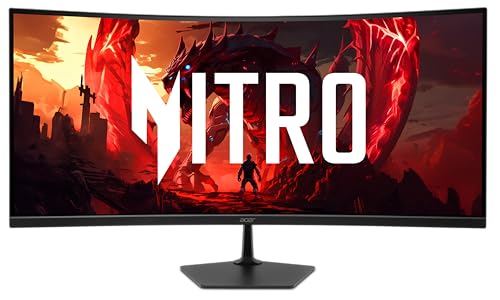
1800R on a monitor is a measure of how curved the screen is. The number is the radius of the curve in millimeters, so an 1800R screen follows the arc of a circle with a radius of 1800 millimeters. A smaller number means a tighter curve, and 1800R is a gentle curve that bends the edges of the screen slightly toward you.
What the R number means
The R stands for radius, and the number gives that radius in millimeters. Picture a circle with a radius of 1800 millimeters and take a short arc from its edge: that arc is the shape of an 1800R screen. A screen with a smaller R number follows a tighter arc, while a screen with a larger R number follows a flatter arc. The R number says nothing about the size, resolution or refresh rate of the screen, so read those figures on their own.
How a curved screen changes the view
On a flat screen the edges sit farther from your eyes than the center does. A curved screen bends the edges toward you, so the distance from your eyes to each part of the screen is more even. That even distance can make the picture feel more wrapped around you when you sit directly in front of the screen. The effect grows on wide screens, where the edges of a flat panel sit farthest away.
When a curved screen helps
A curved screen suits a single viewer who sits centered in front of it, such as one person at a desk playing a game or watching a film. The curve keeps the corners of a wide screen in view without turning your head as far. If two people watch from the sides, the person off to one side sees the screen at an angle, so a flat screen may suit shared viewing better. Think about where you sit before you choose.
What to check before you choose
Check the screen size, resolution and refresh rate listed for the monitor, and check which ports it has for your computer. Sit directly in front of the screen at your normal desk distance and check that you can see the whole screen without moving your head from side to side. If you share the screen with someone sitting beside you, check the view from that seat too. A curved screen is a matter of taste, so the view from your own seat is what counts.
What you need

Dell 24 Monitor SE2426H
A 23.8-inch IPS monitor with 1920x1080 resolution, a 144 Hz refresh rate, AMD FreeSync and two HDMI ports.
View on Amazon
Dell 27 Gaming Monitor SE2726HG
A 27-inch IPS monitor with 1920x1080 resolution, a 240 Hz refresh rate, AMD FreeSync Premium, HDMI and DisplayPort 1.4.
View on Amazon
Acer 23.8-inch Office Monitor KB242Y G0bi
A 23.8-inch IPS monitor with 1920x1080 resolution, a 120 Hz refresh rate, Adaptive-Sync, HDMI, VGA and a blue light filter.
View on Amazon
Sceptre 24-inch Gaming Monitor 1ms E248W-FW100T
A 24-inch gaming monitor with 1920x1080 resolution, a 100 Hz refresh rate, AMD FreeSync, built-in speakers, DisplayPort and HDMI ports.
View on AmazonThese come from our ranked list Best PC with Monitor, which compares them spec by spec.
FAQ
Does a higher R number mean a flatter screen?
Yes. A higher R number means a larger radius, and a larger radius gives a gentler curve. A lower R number means a smaller radius and a tighter curve.
Is a curved monitor good for office work?
It can be. The curve keeps the edges of a wide screen at a more even distance from your eyes, which suits documents and spreadsheets spread across the screen. Sit centered in front of it and check that text at the edges stays easy to read.
Do curved monitors need a special desk setup?
No. Place the monitor at your normal desk distance with the center of the screen in front of you and at eye level. Keep the screen facing you straight on, since the curve is made for a viewer sitting centered in front of it.