What Is a 1440p Monitor?
 By Theo LangUpdated
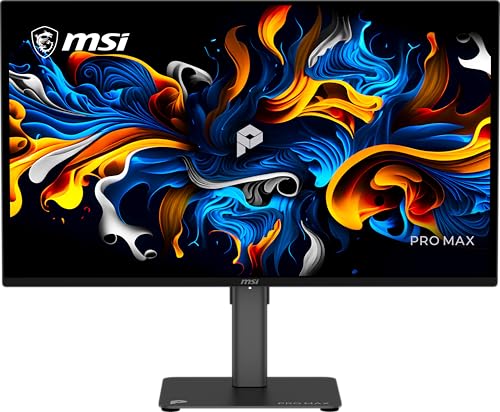
A 1440p monitor is a display with a resolution of 2560 by 1440 pixels, also called QHD or Quad HD. It shows more detail than a 1080p screen and fits more on screen at once, while using fewer pixels than a 4K display. Common sizes are 27 and 32 inches, and common refresh rates are 144 or 240 Hz.
What 1440p means
1440p refers to the 1440 horizontal lines of pixels on the screen. The full resolution is 2560 by 1440 pixels, and makers also call it QHD or Quad HD. Compared with 1080p, the extra pixels make text and images look sharper and leave more room for windows side by side. That is the whole meaning: a pixel count, not a screen size or a panel type.
1440p against 1080p and 4K
A 1080p screen has fewer pixels, so the same picture looks softer and holds less at once. A 4K screen has more pixels again and shows finer detail, and it puts more work on the graphics card at the same refresh rate. A 1440p monitor sits between the two: sharper than 1080p and easier to drive than 4K. Pick the resolution that fits your computer and the size of screen you want.
Screen size and panel type
A 1440p monitor comes in sizes such as 24, 27, 32 and 34 inches, and the same resolution looks sharper on a smaller screen because the pixels sit closer together. Panels also differ: IPS panels offer wide viewing angles, while QD-OLED panels show deep blacks and fast response times. Check the panel type and the size before you buy.
Refresh rate and ports
Refresh rate is how many times the screen draws a new image each second, and Common refresh rates are 60, 120, 144 or 240 Hz. A higher rate shows motion more often, which matters most for fast games, so match the rate to what you play and what your computer can drive. For ports, look for HDMI and DisplayPort on the monitor, and check that your computer has a matching output before you buy.
What you need

AOC 27-inch Gaming Monitor Q27G41ZE
A 27-inch QHD IPS monitor with a 2560 by 1440 resolution, a 240 Hz refresh rate, DisplayPort and HDMI ports and a 3-year warranty.
View on Amazon
ASUS ROG Strix 26.5-inch Gaming Monitor (XG27ACDNG)
A 26.5-inch QHD QD-OLED monitor with a 2560 by 1440 resolution, a 360 Hz refresh rate and a 3-year warranty with burn-in coverage.
View on Amazon
Samsung 27-inch Odyssey G6 (G61SH)
A 27-inch QD-OLED QHD monitor with a 240 Hz refresh rate, glare-free screen, height-adjustable stand and a 3-year warranty.
View on Amazon
Samsung 32-inch Odyssey G5 (G50F) Gaming Monitor
A 32-inch QHD IPS monitor with a 2560 by 1440 resolution, a 180 Hz refresh rate and a height-adjustable stand.
View on AmazonThese come from our ranked list Best 1440p Monitor, which compares them spec by spec.
FAQ
Is 1440p the same as QHD?
Yes. QHD stands for Quad HD and means a resolution of 2560 by 1440 pixels. The two names describe the same screen, so a monitor sold as QHD is a 1440p monitor.
Is a 1440p monitor good for gaming?
It can be. A 1440p screen shows more detail than 1080p, and monitors at this resolution come with 144 or 240 Hz. Check the refresh rate and the ports, and check the requirements published for the games you play.
What size is best for a 1440p monitor?
There is no single best size. A 27-inch screen is a common match for 1440p, while a 32-inch screen shows the same pixels larger. Pick the size that fits your desk and the distance you sit from the screen.