What Does CPU Core Count Mean?
 By Theo LangUpdated
Core count is the number of processing cores inside a CPU. Each core is a separate unit that can work on its own task, so a processor with more cores can handle more tasks at the same time. A core count of 8 means 8 cores, and a count of 16 means 16 cores.
What a core does
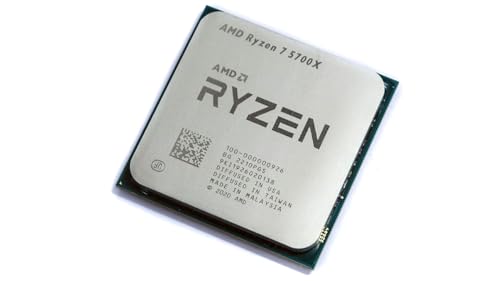
A core is one processing unit inside the CPU, and it runs the instructions a program sends it. A thread is a stream of work that a core runs. The AMD Ryzen 7 5700X lists 8 cores and 16 processing threads, and the AMD Ryzen 9 9900X lists 12 cores and 24 processing threads. More threads let a processor juggle more streams of work at once, while the core count sets how many of those streams run on separate units.
Where more cores help
More cores help when work splits into parallel streams. Video editing, 3D rendering, compiling code and running several programs at once all spread work across cores. A processor with 16 cores, like the AMD Ryzen 9 9950X3D, has more units to share that work than a processor with 8 cores. For a single program that runs one stream of work, extra cores sit idle while one core does the job.
Core count is not the whole story
Clock speed, cache and architecture also shape how fast a processor feels. The Ryzen 7 5700X lists a 4.6 GHz max boost and 36 MB cache on the Zen 3 architecture, while the Ryzen 9 9900X lists a 5.6 GHz max boost and 76 MB cache on Zen 5. A processor with fewer cores can still run a single task quickly if it boosts higher and holds more data in cache. Compare the full spec list instead of judging by core count alone.
Match the core count to the work
Start from the software, not the spec sheet. Check the requirements published for the programs and games you run, and note whether they split work across many cores or lean on a small number of them. Then compare the processors in the list below: socket, boost clock, cache and memory support all matter alongside core count. A cooler is not included with the Ryzen 7 5700X, the Ryzen 7 5800X3D or the Ryzen 9 9900X, so plan for cooling when you choose.
What you need

AMD Ryzen 7 5700X 8-Core
An 8-core, 16-thread desktop processor with a 4.6 GHz max boost, 36 MB cache and DDR4-3200 support on Socket AM4.
View on Amazon
AMD Ryzen 7 5800X3D 8-core
An 8-core, 16-thread desktop processor with AMD 3D V-Cache technology, a 4.5 GHz max boost and 100 MB cache on Socket AM4.
View on Amazon
AMD Ryzen 9 9950X3D 16-Core Processor
A 16-core processor with a max boost clock of up to 5.7 GHz, a 4.3 GHz base clock and Socket AM5, built for gaming and content creation.
View on Amazon
AMD Ryzen 9 9900X 12-Core
A 12-core, 24-thread unlocked desktop processor with a 5.6 GHz max boost, 76 MB cache and DDR5-5600 support on Socket AM5.
View on AmazonThese come from our ranked list Best CPU for Computer, which compares them spec by spec.
FAQ
Does a higher core count always mean a faster CPU?
No. Clock speed, cache and architecture also shape speed. A processor with fewer cores can run a single task faster if it boosts higher, so compare the full spec list and the requirements of the software you run.
What is the difference between cores and threads?
A core is a processing unit, and a thread is a stream of work that runs on a core. The Ryzen 7 5700X lists 8 cores and 16 processing threads, so each core can run two threads at once.
How many cores do I need for gaming?
There is no count that fits every game. Check the requirements published for the games you play, and compare core count with clock speed and cache before choosing.