
What Does an SD Card Do for a Tablet?
 By Theo LangUpdated
An SD card adds removable storage to a tablet. It holds photos, videos, music, documents and downloaded files outside the tablet's built-in storage, so you can keep more on the device and move files between devices. Some tablets also let apps store data on the card, and the card can be removed to use in another device or to swap in a different card.
What an SD card stores
An SD card is extra storage that sits outside the tablet's built-in memory. It holds photos, videos, music, documents and files you download, which keeps the built-in storage free for the system and apps. You can also take the card out and read it in a computer or another device, so it works as a way to move files around. Files stay on the card until you delete them, and removing the card takes those files with it.
Check the slot your tablet has
Tablets take different card sizes, so check the tablet's manual or spec sheet before buying a card. Look for the slot type and for the SDHC or SDXC logo, which shows which card formats the tablet accepts. The cards shown here are full-size SD cards, and the INLAND card notes it is not compatible with mobile phones because of its physical size. A card that does not fit the slot cannot be used, even if its capacity matches.
Match the card to what you record
Speed ratings tell you what the card handles. The elecacc card is rated V30 with up to 90 MB/s, and the two GIGASTONE cards are rated U1 Class 10, with up to 80 MB/s for the 5-pack and 100 MB/s for the 2-pack. The INLAND card is Class 10 with 60 MB/s read and 10 MB/s write. Class 10 and U1 cards are listed for full HD video recording. Pick a card whose rating matches the video and photo files you plan to keep on it.
Insert the card and check it works
With the tablet off or as its manual directs, slide the card into the slot until it sits flat. Turn the tablet on and open its storage settings to confirm the card is recognised and shows its 32 GB capacity. If the tablet offers to format the card, read the prompt first: formatting erases what is on the card. Copy a small file to the card first to confirm it reads and writes before you move anything important.
What you need

32GB SD Card (3 Pack)
A 32 GB SDHC card in a 3-pack, rated V30 with up to 90 MB/s, for full HD video recording and file transfers.
View on Amazon
GIGASTONE 32GB SD Card 5-Pack UHS-I U1
A 32 GB SDHC card in a 5-pack with 5 mini cases, rated U1 Class 10 with up to 80 MB/s and a 5-year limited warranty.
View on Amazon
GIGASTONE 32GB SD Card 2-Pack
A 32 GB SDHC card in a 2-pack with 2 mini cases, rated U1 Class 10 with up to 100 MB/s and a 5-year warranty.
View on Amazon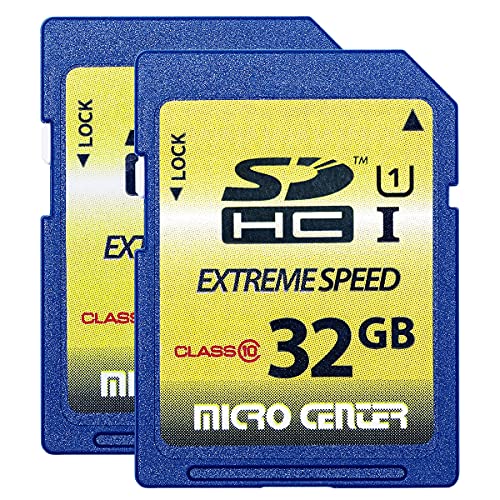
INLAND 32GB SDHC Flash Memory Card Standard
A 32 GB SDHC card in a 2-pack, Class 10 with 60 MB/s read and 10 MB/s write, with a 3-year limited warranty.
View on AmazonThese come from our ranked list Best Sdhc, which compares them spec by spec.
FAQ
Can an SD card hold apps on a tablet?
Some tablets let you move app data to the card, but the setting depends on the tablet and its software. Check the tablet's storage settings for a move-to-card option, and keep apps you use daily on the built-in storage if the tablet does not offer it.
Does an SD card work in any tablet?
No. The tablet needs a card slot that accepts the card's size and format, so check for the SDHC or SDXC logo and the slot type in the tablet's manual. The INLAND card, for example, works only with SDHC and SDXC host devices.
What happens if I remove the SD card?
Files stored on the card leave with it, so photos, videos and documents on the card stop being available on the tablet until you put the card back. Eject the card through the tablet's settings first, so a file being written is not cut off.


