What Does a Faster Processor Do?
 By Theo LangUpdated
A faster processor finishes each calculation sooner, so programs open sooner and files convert sooner. Speed comes from the clock rate, the core count and the cache working together, not from one number alone. The chip still has to match the socket on the motherboard, and the graphics card still handles the picture.
What clock speed does
Clock speed is how many cycles the processor runs each second, measured in gigahertz (GHz). A higher clock finishes a single chain of work sooner, so a program that waits on one core feels more responsive. The Ryzen 9 9950X3D lists a max boost clock up to 5.7 GHz, while the Ryzen 7 5700X lists 4.6 GHz. Boost clocks are maximums, not constant speeds, so compare the listed boost figures and the core counts together.
What cores and threads do
Cores are the workers inside the processor, and threads are the streams of work each core handles. More cores let the computer run more programs at once and split heavy work across the chip. The Ryzen 9 9900X has 12 cores and 24 threads, while the Ryzen 7 5800X3D has 8 cores and 16 threads. A program that uses one core gains little from extra cores, so check what your software uses before you choose.
What cache does
Cache is fast memory on the processor that holds data the cores use again and again. A larger cache means the cores wait less for data from main memory. The Ryzen 9 9900X lists 76 MB of cache, the Ryzen 7 5800X3D lists 100 MB with 3D V-Cache, and the Ryzen 7 5700X lists 36 MB. Cache helps most when the same data is used over and over, as in games and editing.
Match the socket and memory
A processor only fits one socket, so check your motherboard before you buy. The Ryzen 7 5700X and the Ryzen 7 5800X3D fit Socket AM4 boards and support DDR4 memory, while the Ryzen 9 9950X3D and the Ryzen 9 9900X fit Socket AM5 boards. The Ryzen 9 9900X supports DDR5 memory. If you open the case, shut the PC down and unplug it first, and follow the maker's manual.
When a faster chip helps
A faster processor helps most when the processor is the slow part: converting files, opening large programs and running many programs at once. It helps less when the graphics card, the drive or the network is the slow part. Check the requirements published for your software or game, and compare the clock, core count and cache of the chips you are choosing between.
What you need

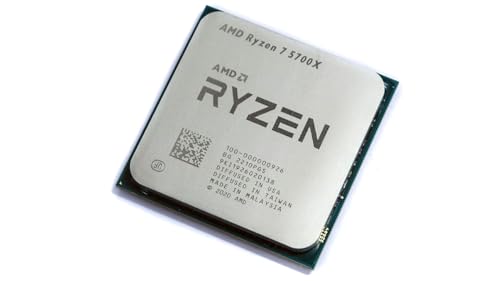
AMD Ryzen 7 5700X 8-Core
An 8-core, 16-thread desktop processor with a 4.6 GHz max boost clock, 36 MB cache and DDR4 support, without a cooler.
View on Amazon
AMD Ryzen 7 5800X3D 8-core
An 8-core, 16-thread desktop processor with a 4.5 GHz max boost clock, 100 MB cache and 3D V-Cache, without a cooler.
View on Amazon
AMD Ryzen 9 9950X3D 16-Core Processor
A 16-core desktop processor with a max boost clock up to 5.7 GHz and a 4.3 GHz base clock, for Socket AM5 boards.
View on Amazon
AMD Ryzen 9 9900X 12-Core
A 12-core, 24-thread desktop processor with a 5.6 GHz max boost clock, 76 MB cache and DDR5 support, without a cooler.
View on AmazonThese come from our ranked list Best CPU for Computer, which compares them spec by spec.
FAQ
Does a faster processor help with games?
It can help when the processor is the slow part, but the graphics card handles the picture. Check the requirements published for your game, and compare the processor, graphics card and memory together.
Is more cores always better?
No. More cores help when programs use them, and a program that uses one core gains little from extra cores. Compare the clock, core count and cache together, and check what your software uses.
Do I need a new motherboard for a faster processor?
It depends on the socket. The Ryzen 7 chips here fit Socket AM4 boards, and the Ryzen 9 chips here fit Socket AM5 boards, so check your motherboard manual before you buy.