What Does a CPU Actually Do?
 By Theo LangUpdated
A CPU is the part of a computer that runs instructions. It reads each instruction from memory, works out what it asks for, and carries it out, then moves to the next one. Every program you open, every file you save, and every key you press ends up as instructions for the CPU.
Fetch, decode, then execute
The CPU works through a repeating cycle. First it fetches an instruction from memory, then it decodes the instruction to work out the operation it describes, then it executes that operation. The result can go back to memory, to storage, or to another part of the computer, such as the screen. The CPU then fetches the next instruction and starts again. This cycle runs for the operating system and for every program at the same time, switching between them so each one makes progress.
What cores and threads do
A core is a unit inside the CPU that can run instructions. A CPU with more cores can work on more instructions at the same time, so separate programs and separate parts of one program can move forward together. Threads are the separate lines of work a core can handle. When a program is split into threads, the CPU can switch between them and keep more work moving instead of waiting on one line.
Clock speed and cache
Clock speed sets how many cycles the CPU runs in a set time, and each cycle can complete part of an instruction. A higher clock speed means the CPU can move through its cycle faster, but it is only one part of how fast a computer feels, because the number of cores and the work each instruction needs also matter. Cache is fast memory built into the CPU that holds instructions and data the CPU needs right now, so it does not have to wait for main memory as often.
The CPU and the rest of the computer
The CPU does not work alone. Memory holds the instructions and data the CPU is working on, storage keeps programs and files when the computer is off, and the graphics processor draws pictures on the screen. When you open a program, the CPU asks storage for the program, loads it into memory, and then runs its instructions. If the CPU waits for storage or memory, the computer feels slow even though the CPU itself is still working through its cycle.
What you need

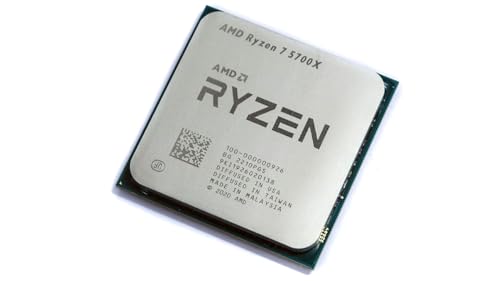
AMD Ryzen 7 5700X 8-Core
An 8-core, 16-thread AMD Ryzen 7 5700X with a 4.6 GHz max boost, 36 MB cache, DDR4-3200 support and Socket AM4.
View on Amazon
AMD Ryzen 7 5800X3D 8-core
An 8-core, 16-thread AMD Ryzen 7 5800X3D with AMD 3D V-Cache, a 4.5 GHz max boost, 100 MB cache and Socket AM4.
View on Amazon
AMD Ryzen 9 9950X3D 16-Core Processor
A 16-core AMD Ryzen 9 9950X3D with a 5.7 GHz max boost, a 4.3 GHz base clock, Zen 5 architecture and Socket AM5.
View on Amazon
AMD Ryzen 9 9900X 12-Core
A 12-core, 24-thread AMD Ryzen 9 9900X with a 5.6 GHz max boost, 76 MB cache, DDR5-5600 support and Socket AM5.
View on AmazonThese come from our ranked list Best CPU for Computer, which compares them spec by spec.
FAQ
What is the difference between a CPU and memory?
Memory holds instructions and data, while the CPU runs the instructions. The CPU fetches instructions from memory, works on them, and sends results back to memory or storage.
Do more cores make a computer faster?
More cores let the CPU work on more instructions at the same time, which helps when several programs run together or one program is split into threads. A single program that runs one line of work at a time gains less from extra cores.
Why does a CPU need a cooler?
A CPU makes heat as it runs, and a cooler moves that heat away from the chip. A high-performance cooler is recommended for the AMD Ryzen 7 5800X3D, so check the maker's guidance for the processor you choose.