What You Need for a Gaming PC Setup
 By Theo LangUpdated
A gaming PC setup starts with the PC itself, then a monitor, keyboard, mouse and a headset or speakers, all linked and set up on a desk with room for airflow. The PC runs the games, the monitor shows them, and the keyboard and mouse are how you play. Check the published requirements for each game you want to play before choosing parts, since they decide which hardware fits.
Start with the PC itself
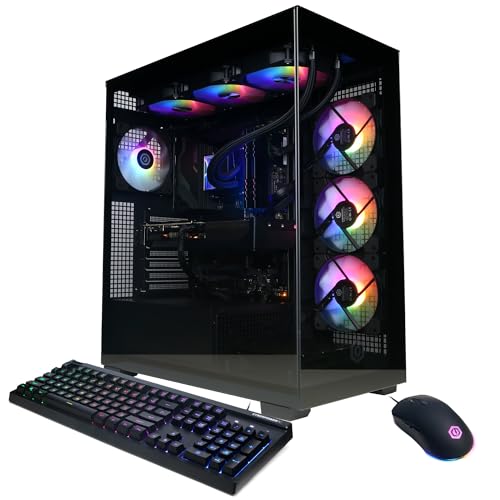
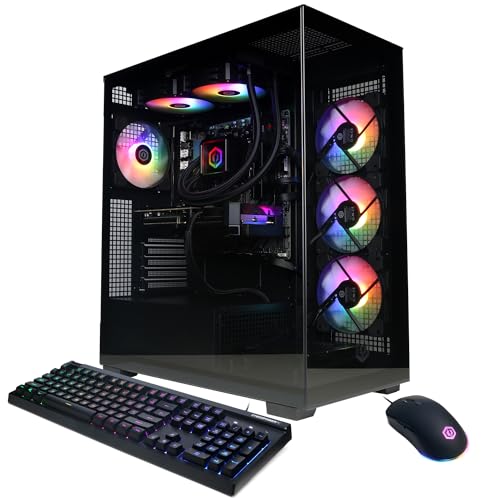
The PC is the center of the setup. It holds the processor, graphics card, memory and storage, and it runs Windows 11 Home on each of the machines shown here. The iBUYPOWER machine pairs a Ryzen 9 7900X with an RTX 5070 12GB, 32GB DDR5 and a 1TB NVMe SSD. The KOTIN desktop with a Ryzen 7 8700F and an RTX 5060 Ti 8GB is listed for 1080p and 1440p gaming and streaming. Match the machine to the games you play, and check each game's published requirements before you choose.
Add a monitor, keyboard and mouse
A monitor connects to the graphics card ports on the back of the PC, not the motherboard ports above them, or the screen stays blank. Use the graphics card ports in the horizontal row, and use an HDMI or DisplayPort cable; VGA or DVI monitors need an adapter. The iBUYPOWER machine includes a gaming keyboard and mouse in the box, and the CyberPowerPC machine includes a keyboard and mouse too, so check what comes with your PC before buying more gear.
Connect the network and power
Every machine shown here has Wi-Fi, and the iBUYPOWER and CyberPowerPC machines also have an Ethernet port for a wired connection. Plug the PC into a wall outlet, then connect the monitor and the keyboard and mouse before switching it on. The KOTIN machine with the 11.3 inch smart display shows CPU and GPU temperatures and usage on its built-in screen, so you can see how the machine is running while you play.
Keep the case vents clear
Place the PC where air can move around it, with the case vents clear of walls, books and bedding. The KOTIN desktop with the Ryzen 7 8700F uses a CPU air cooler with 6 copper heat pipes and five 120mm ARGB fans, and the KOTIN machine with the Ryzen 7 9700X uses a 360mm liquid cooler, so keep the fans and vents free of dust and clutter. If the PC feels hot or the fans grow loud, shut it down, unplug it and check the maker's manual before opening anything.
What you need

iBUYPOWER Element Gaming PC
An iBUYPOWER desktop with a Ryzen 9 7900X, RTX 5070 12GB, 32GB DDR5 and a 1TB NVMe SSD, with a gaming keyboard and mouse included.
View on Amazon
KOTIN Prebuilt Gaming PC RTX
A KOTIN desktop with a Ryzen 7 9700X, RTX 5070 12GB, 32GB DDR5 and a 1TB SSD, plus an 11.3 inch smart display and a 360mm liquid cooler.
View on Amazon
KOTIN Gaming PC
A KOTIN desktop with a Ryzen 7 8700F, RTX 5060 Ti 8GB, 16GB DDR5 and a 1TB SSD, with WiFi 7 and a 650W Gold power supply.
View on Amazon
CyberPowerPC Gaming PC
A CyberPowerPC desktop with a Ryzen 5 5500, Radeon RX 6500 XT 4GB, 8GB DDR4 and a 500GB PCIe 4.0 SSD, with a keyboard and mouse included.
View on AmazonThese come from our ranked list Best Gaming PC Setup, which compares them spec by spec.
FAQ
What parts does a gaming PC setup include?
A PC, a monitor, a keyboard and a mouse, plus a headset or speakers and a desk with room for the tower and its cables. Some PCs include a keyboard and mouse in the box, so check what comes with yours first.
Can I use a TV as a gaming monitor?
Yes, if the TV has an HDMI input and the PC has an HDMI port. Connect the cable to the graphics card ports on the back of the PC, then set the TV to the right input and check the PC's display settings.
Do I need Wi-Fi for a gaming PC?
No. Every machine shown here has Wi-Fi, and two of them also have an Ethernet port, so a wired connection is an option when your router sits near the desk.