What Do You Mean by Processor in a Computer?
 By Theo LangUpdated
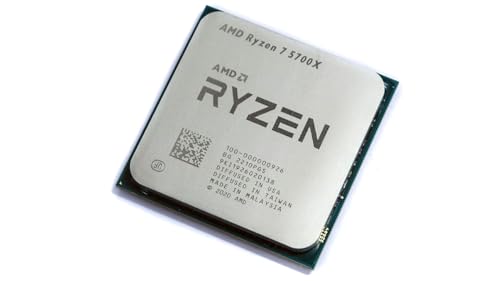
A processor, also called a CPU, is the chip inside a computer that runs programs and carries out instructions. It does the calculations behind everything you see on screen, from opening a file to running a game, and it tells the other parts of the computer what to do. When a listing names a processor, it is naming this chip and its speed, core count and socket.
What a processor does
The processor reads instructions from a program and carries them out one step at a time. It handles the maths behind opening files, playing video and running apps, and it passes results to memory, storage and the graphics card. Every part of the computer waits on the processor to tell it what to do next, so the processor sits at the centre of how the computer works.
Cores and threads explained
A core is one processing unit inside the chip, and a thread is a stream of work that a core can handle. The processors here have 8, 12 or 16 cores: the Ryzen 7 5700X and 5800X3D have 8 cores and 16 threads, the Ryzen 9 9900X has 12 cores and 24 threads, and the Ryzen 9 9950X3D has 16 cores. More cores let the chip work on more streams at once, which helps when you run several programs together.
Clock speed and cache
Clock speed, measured in GHz, says how fast a core runs its instructions. The Ryzen 7 5700X boosts up to 4.6 GHz, the Ryzen 7 5800X3D up to 4.5 GHz, the Ryzen 9 9900X up to 5.6 GHz and the Ryzen 9 9950X3D up to 5.7 GHz, with a 4.3 GHz base clock. Cache is fast memory on the chip that holds data the cores use often: the 5700X has 36 MB, the 9900X has 76 MB and the 5800X3D has 100 MB.
Socket and memory support
A processor fits only a motherboard with the matching socket. The Ryzen 7 5700X and 5800X3D use Socket AM4 and support DDR4-3200 memory and PCIe 4.0 on X570 and B550 motherboards. The Ryzen 9 9900X and 9950X3D use Socket AM5, and the 9900X supports DDR5-5600 memory and PCIe 5.0 on select motherboards. Check the socket and memory type on your motherboard before choosing a processor.
What you need

AMD Ryzen 7 5700X 8-Core
An 8-core, 16-thread Ryzen 7 5700X with a 4.6 GHz max boost, 36 MB cache and DDR4-3200 support for the Socket AM4 platform.
View on Amazon
AMD Ryzen 7 5800X3D 8-core
An 8-core, 16-thread Ryzen 7 5800X3D with AMD 3D V-Cache technology, a 4.5 GHz max boost and 100 MB cache for Socket AM4.
View on Amazon
AMD Ryzen 9 9950X3D 16-Core Processor
A 16-core Ryzen 9 9950X3D with a max boost clock up to 5.7 GHz and a 4.3 GHz base clock, built on Zen 5 for Socket AM5.
View on Amazon
AMD Ryzen 9 9900X 12-Core
A 12-core, 24-thread Ryzen 9 9900X with a 5.6 GHz max boost, 76 MB cache and DDR5-5600 support for the Socket AM5 platform.
View on AmazonThese come from our ranked list Best CPU for Computer, which compares them spec by spec.
FAQ
Is the processor the whole computer?
No. The processor is one part of the computer. It works with memory, storage, a motherboard and a graphics card, and the computer cannot run without all of them.
What does unlocked mean on a processor?
Unlocked means the processor can be overclocked. The Ryzen 7 5700X and Ryzen 9 9900X are both listed as unlocked for overclocking.
Does any processor fit any motherboard?
No. The processor must match the motherboard socket. The Ryzen 7 models here use Socket AM4, while the Ryzen 9 models here use Socket AM5.