What Do More CPU Cores Actually Do?
 By Theo LangUpdated
Each core in a CPU is a processing unit that runs one task at a time, so more cores let the CPU run more tasks side by side. That helps when you edit video, render, compile code or run many apps at once, since that work splits across cores. For one task that runs on a single core, clock speed matters as much as core count.
What one core does
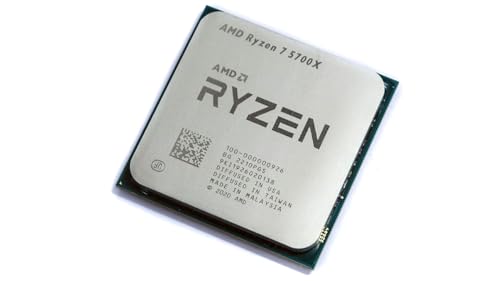
A core is the part of the CPU that runs instructions, and a thread is one stream of work for a core to follow. A CPU with 8 cores and 16 threads, like the Ryzen 7 5700X, can follow 16 streams at once. A CPU with 12 cores and 24 threads, like the Ryzen 9 9900X, can follow 24 streams. More cores and threads mean more streams run at the same time instead of waiting in line.
Where more cores help
More cores help most with work that splits into many parts. Video editing, 3D rendering, compiling code and running a game while you stream all spread across cores. The Ryzen 9 9950X3D has 16 cores and a 5.7 GHz max boost, and it is sold as a gaming and content creation processor. If your day is one app at a time, extra cores sit idle while the work waits on a single core.
Where more cores do not help
Some work runs on one core and gains nothing from the rest. A single task that cannot split waits on the speed of one core, so clock speed and cache matter there too. The Ryzen 7 5800X3D has 8 cores, a 4.5 GHz max boost and 100 MB cache with 3D V-Cache technology. Check the requirements published for your software before you judge a CPU by its core count alone.
Match cores to your work
Start from the work you do, not the core count. List the apps you run at the same time and check the requirements published for each one. Look at whether your work splits across cores, since work that splits gains from more cores and work that does not gains from clock speed. Also check the socket: the Ryzen 7 5700X and 5800X3D use AM4, while the Ryzen 9 9950X3D and 9900X use AM5.
What you need

AMD Ryzen 7 5700X 8-Core
An 8-core, 16-thread processor with a 4.6 GHz max boost, 36 MB cache and DDR4-3200 support on the AM4 platform.
View on Amazon
AMD Ryzen 7 5800X3D 8-core
An 8-core, 16-thread processor with 3D V-Cache technology, a 4.5 GHz max boost and 100 MB cache on the AM4 platform.
View on Amazon
AMD Ryzen 9 9950X3D 16-Core Processor
A 16-core processor with a 5.7 GHz max boost and a 4.3 GHz base clock, built on Zen 5 for the AM5 platform.
View on Amazon
AMD Ryzen 9 9900X 12-Core
A 12-core, 24-thread processor with a 5.6 GHz max boost, 76 MB cache and DDR5-5600 support on the AM5 platform.
View on AmazonThese come from our ranked list Best CPU for Computer, which compares them spec by spec.
FAQ
Do more cores make games run faster?
Not on their own. A game that runs on a few cores gains little from the rest, so clock speed and the graphics card matter too. More cores help when you game while you stream, record or run other apps at the same time.
How many cores do I need for video editing?
It depends on your software and your projects. Check the requirements published for your editor, since some tools split work across many cores and others do not. Your editor's published requirements state how it uses cores, so use them to compare core counts.
Is a higher core count always better?
No. A CPU with more cores and a lower boost clock can lose to fewer, faster cores on work that runs on one core. Compare the core count with the boost clock and the cache, and check the requirements published for your software.