
Which Devices Have SD Card Readers?
 By Theo LangUpdated
SD card readers are built into many laptops, cameras, printers and desktop PCs. A laptop with a built-in reader takes a full-size SD card straight into a slot on its side, while cameras read the card inside the camera itself.
Laptops and desktop PCs
Many laptops have a full-size SD card slot on the side, and some desktop PCs have one on the front panel or on the monitor. Check the side and front of your machine for a thin slot marked with the SD logo. If the slot is smaller, it may be a microSD slot, which takes a microSD card; an adapter lets that smaller card fit a full-size SD slot.
Cameras and camcorders
Digital cameras, DSLRs and HD camcorders read SD cards in a slot inside the camera, often behind a small door on the side or base. Trail cameras also take SD cards, and the card slot sits inside the case. The card stores your photos and video, and you remove it to copy files to a computer.
Printers and other devices
Some printers have an SD card slot on the front so you can print photos straight from the card. Game consoles, TVs and car stereos sometimes have a slot too, so check the front panel or the manual for the SD logo. Other devices with a slot include some tablets with a card tray and some monitors with a reader built into the side.
Add a reader over USB
A USB card reader plugs into a USB port and adds an SD slot. Pick a reader with a full-size SD slot and check that it takes SDHC cards if your card is one. Plug the reader in, insert the card into the slot, and the card appears as a drive on your computer.
What you need

32GB SD Card (3 Pack)
A 32 GB SD card in a 3-pack, rated up to 90 MB/s with a V30 speed rating and a 1 year warranty.
View on Amazon
GIGASTONE 32GB SD Card 5-Pack UHS-I U1
A 32 GB SD card in a 5-pack, rated up to 80 MB/s with a U1 speed rating, and the pack holds 5 mini cases.
View on Amazon
GIGASTONE 32GB SD Card 2-Pack
A 32 GB SD card in a 2-pack, rated up to 100 MB/s with a U1 speed rating, and the pack holds 2 mini cases.
View on Amazon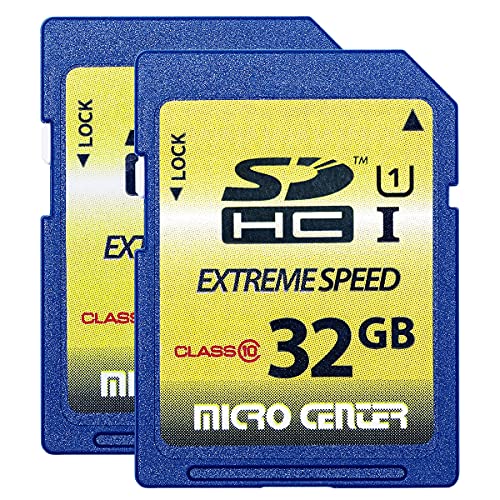
INLAND 32GB SDHC Flash Memory Card Standard
A 32 GB SDHC card in a 2-pack, rated up to 60 MB/s read with a Class 10 speed rating and a 3-year limited warranty.
View on AmazonThese come from our ranked list Best Sdhc, which compares them spec by spec.
FAQ
Do all laptops have an SD card slot?
No. Some laptops have a full-size SD slot, some have a microSD slot, and others need a USB card reader for SD cards. Check the side of your laptop or its spec sheet for the SD logo before you buy a card.
Can I use an SD card in a microSD slot?
A full-size SD card does not fit a microSD slot. You can use a microSD card in a full-size slot with an adapter, or use a USB card reader with a full-size SD slot.
What is the difference between SD, SDHC and SDXC cards?
SDHC and SDXC are newer types of SD card, and older devices may only accept one type. Look for the SDHC or SDXC logo on your device and match it to the card you buy.


