
What Are SD Memory Cards?
 By Theo LangUpdated
An SD memory card is a small removable card that stores photos, videos and files, and you can move the card from a camera to a computer and read the same files. Cards come in different capacities and speed ratings, and the rating on the card tells you how fast it reads files and how fast it records video.
What an SD card stores
An SD card holds the photos, videos and files you save to it, and you can move the card from a camera to a computer and read the same files. The cards below hold 128 GB, 256 GB or 512 GB, and a larger capacity holds more photos and video before the card fills up. A card reader or a built-in SD slot connects the card to a computer for backup and transfer.
Read and write speeds
Read speed is how fast files move off the card, and write speed is how fast the card records new photos and video. The SanDisk 512GB Extreme PRO lists read speeds up to 250MB/s and write speeds up to 170MB/s, while the other SanDisk 512GB Extreme PRO lists read speeds up to 200MB/s and write speeds up to 140MB/s. The Lexar 256GB and 128GB SILVER cards list 225MB/s read and 160MB/s write speeds. Faster write speeds suit burst photos and 4K video, since the card must keep up while the camera records.
Speed classes V30, U3 and C10
Speed classes mark the slowest speed a card sustains while recording video. V30 means a sustained video capture rate of 30MB/s, and U3 marks a card that supports 4K UHD video recording. C10 is the Class 10 rating. All four cards here carry V30 and U3, and the SanDisk 512GB Extreme PRO with read speeds up to 250MB/s also lists C10. Match the class to the video you record: a card with too low a class can drop frames while recording.
Picking a capacity
Capacity is how much the card holds, and the cards below hold 128 GB, 256 GB or 512 GB. A 512 GB card holds more photos and video than a 128 GB card, so pick the size that fits the shoots you plan before you need to empty the card. Check the camera or device manual for the capacity it accepts before you buy.
Care and backup
The Lexar SILVER cards list wearproof, drop-proof, temperature-proof, x-ray-proof, shockproof, magnetic-proof and vibration-resistant builds, and the SanDisk 512GB Extreme PRO is engineered to perform in rough handling and extreme conditions. Even so, copy your files to a computer with the SanDisk Memory Zone desktop app or a card reader, so a lost or damaged card does not take the only copy of your photos with it. A card that reports errors or loses files should be replaced.
What you need

SanDisk 512GB Extreme PRO SD Memory Card
A 512 GB SanDisk Extreme PRO with read speeds up to 250MB/s, write speeds up to 170MB/s, V30, U3 and C10 ratings, and a lifetime limited warranty.
View on Amazon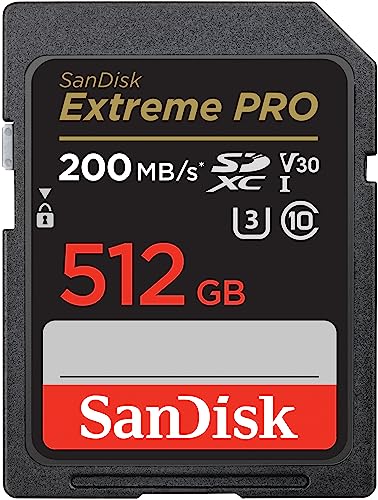
SanDisk 512GB Extreme PRO SD Memory Card
A 512 GB SanDisk Extreme PRO with QuickFlow Technology, read speeds up to 200MB/s, write speeds up to 140MB/s, and V30 and U3 ratings for 4K UHD video.
View on Amazon
Lexar 256GB SILVER SD Memory Card
A 256 GB Lexar SILVER card with 225MB/s read and 160MB/s write speeds, V30 and U3 ratings, and a wearproof, drop-proof and shockproof build.
View on AmazonLexar 128GB SILVER SD Memory Card
A 128 GB Lexar SILVER card with 225MB/s read and 160MB/s write speeds, V30 and U3 ratings, and a wearproof, drop-proof and shockproof build.
View on AmazonThese come from our ranked list Best Sdxc Memory Card, which compares them spec by spec.
FAQ
What does V30 mean on an SD card?
V30 means the card sustains a video capture rate of 30MB/s while recording. It marks a card built for steady video recording, including 4K UHD video.
Do SD cards work in any camera?
No. Check the camera manual for the card type and capacity it accepts. The Lexar cards here list compatibility with Canon, Sony and Nikon cameras.
How do you move photos off an SD card?
Put the card in an SD slot or a card reader, then copy the files to a computer. The SanDisk Memory Zone desktop app backs up, organizes and transfers files from the card.


