What Does GHz Mean in a Laptop?
 By Theo LangUpdated
GHz in a laptop is the processor clock speed, measured in gigahertz. It tells you how many cycles the processor runs per second. A higher GHz figure means more cycles per second, but cores, threads and other parts of the design also shape how the laptop handles work.
What GHz measures
GHz is short for gigahertz. It measures clock speed, which is how many cycles a processor runs per second. Each cycle is a step where the processor can carry out work. A processor at a higher GHz runs more cycles per second than one at a lower GHz. That figure describes the clock only. It does not describe the whole processor, and it does not by itself tell you how a program will behave.
Base clock and boost clock
A processor can show more than one clock figure. A base clock is the clock speed given for the processor in its standard specification. A max boost clock is a higher clock figure given for the same processor. Read both figures as clock speeds, and note which figure is being shown. When you compare two processors, compare base clock with base clock and max boost clock with max boost clock, so you are matching the same kind of figure.
Why GHz alone is not enough
Two processors can show different GHz figures and still handle work in different ways. Cores are separate processing units inside one processor, and threads are paths for work that a processor can handle. Cache and the processor design also differ between models. Because of that, a higher GHz figure on its own does not settle a comparison. Look at the clock figure together with the core count, thread count, cache and design for that processor.
How to read processor figures
Start with the processor model, then read its base clock and max boost clock figures. Next, read the core count and thread count for that same processor. Then check the requirements published for the software or game you plan to use, and match the processor model and its figures to those requirements. Use the GHz figure as one part of that check, along with the other figures for the processor, rather than as a single deciding number.
What you need

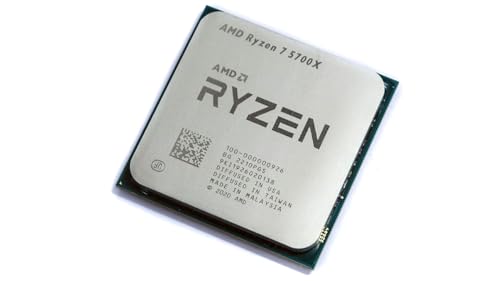
AMD Ryzen 7 5700X 8-Core
An 8-core desktop processor with 16 threads, a 4.6 GHz max boost clock, 36 MB cache and an AM4 socket.
View on Amazon
AMD Ryzen 7 5800X3D 8-core
An 8-core desktop processor with 16 threads, a 4.5 GHz max boost clock, 100 MB cache and an AM4 socket.
View on Amazon
AMD Ryzen 9 9950X3D 16-Core Processor
A 16-core desktop processor with a 4.3 GHz base clock, a 5.7 GHz max boost clock and an AM5 socket.
View on Amazon
AMD Ryzen 9 9900X 12-Core
A 12-core desktop processor with 24 threads, a 5.6 GHz max boost clock, 76 MB cache and an AM5 socket.
View on AmazonThese come from our ranked list Best CPU for Computer, which compares them spec by spec.
FAQ
Is a higher GHz figure always better?
No. A higher GHz figure means more cycles per second, but cores, threads, cache and processor design also differ. Compare the full set of figures for each processor, and check the requirements published for your software.
What is the difference between base and boost clock?
A base clock is the standard clock figure given for a processor. A max boost clock is a higher clock figure given for that processor. Compare base with base and boost with boost when you read two processors.
Does GHz tell you how a game will run?
No. GHz tells you the clock speed only. Check the requirements published for the game and match the processor model, clock figures, core count and thread count to those requirements before you decide.