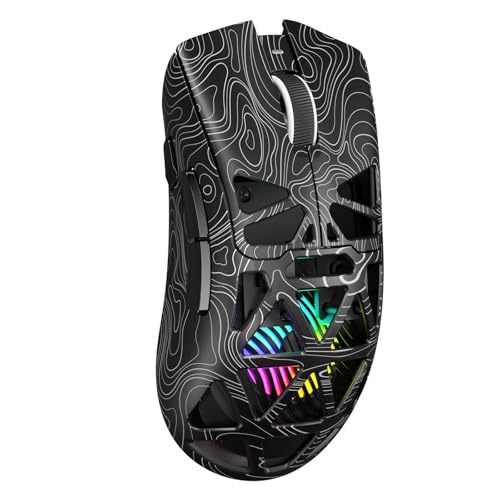
How to Set Up a Gaming Mouse
 By Theo LangUpdated
To set up a gaming mouse, plug in the receiver or cable, install the maker's software, set your DPI and polling rate, then assign the buttons. A wireless mouse needs a charged battery and a free USB port for its receiver, while a wired mouse needs a free USB port for its cable. The steps below cover wireless and wired mice.
Connect the receiver or cable
For a wireless mouse, plug the nano receiver into a free USB port on your computer and switch the mouse on. The Logitech G305 keeps its nano receiver stored in the mouse body, so pull it out before you plug it in. For a wired mouse, plug the cable into a free USB port. The Redragon M908 uses a 6 ft braided-fiber cable with a USB connector, and the Redragon M913 works wired through USB-C as well as wireless on 2.4 GHz. Wait for your computer to recognize the mouse before moving on.
Install the maker's software
Download the software for your mouse from the maker's site and install it. Logitech G HUB controls the G305, including its Endurance mode, and the Redragon mice use their own software for keybinding and lighting. The software is where you change DPI, polling rate, button assignments and lighting, so install it before you change any settings. Keep the mouse connected while the software detects it.
Set DPI and polling rate
Pick a DPI level that fits your screen and your game. The G305 reaches up to 12,000 DPI, the Redragon M908 up to 12400 DPI with 5 adjustable levels, and the Redragon M913 has 5 onboard DPI levels from 1000 to 16000. The M908 also lets you adjust DPI by plus or minus 100 from 200 to 12400 through software, and it runs a 1000 Hz polling rate. Start in the middle of the range and move up or down after a few sessions.
Assign buttons and check the battery
Use the software to assign the extra buttons. The G305 has 6 programmable buttons, the M908 has 18 programmable buttons with 5 memory profiles, and the M913 has 16 buttons including 12 side buttons. For wireless mice, check the battery before a long session: the G305 runs up to 250 hours on one AA battery, and the M913 runs 45 hours with backlighting on and 80 hours in Eco mode. Charge or swap the battery when the software warns you.
What you need

Logitech G305 LIGHTSPEED Wireless Gaming Mouse
A wireless Logitech G305 with a HERO sensor, up to 12,000 DPI, 6 programmable buttons and up to 250 hours on one AA battery.
View on Amazon
Logitech G305 LIGHTSPEED Wireless Gaming Mouse
A wireless Logitech G305 in blue with a HERO sensor, up to 12,000 DPI, 6 programmable buttons and on-board memory.
View on Amazon
Redragon M908 Wired MMO RGB Gaming Mouse 12400 DPI Remapping Keys
A wired Redragon M908 with up to 12400 DPI, 18 programmable buttons, 5 memory profiles and a 6 ft braided-fiber cable.
View on Amazon
Redragon M913 Wireless RGB MMO Gaming Mouse 16000 DPI Remapping Keys
A wireless Redragon M913 with 2.4 GHz and USB-C wired modes, up to 16000 DPI, 12 side buttons and 16.8 million color lighting.
View on AmazonThese come from our ranked list Best Gaming Mouse, which compares them spec by spec.
FAQ
Do I need software to set up a gaming mouse?
For basic use, no: the mouse works once you plug it in. For DPI, button assignments and lighting, install the maker's software, such as Logitech G HUB for the G305.
What DPI should I use for gaming?
There is no single right figure. The mice here reach up to 12,000 DPI on the G305, up to 12400 DPI on the M908 and up to 16000 DPI on the M913, so start in the middle of the range and adjust after a few sessions.
Can I use a wireless gaming mouse wired?
The Redragon M913 works both ways: 2.4 GHz wireless and USB-C wired. The G305 connects through its LIGHTSPEED wireless receiver, and the M908 is a wired mouse with a 6 ft cable.