
How to Connect Two Game Controllers to a PC
 By Theo LangUpdated
Connect each controller to your PC one at a time, using a USB-C cable or Bluetooth, then check that Windows sees both before you start a game. Wired controllers connect through a USB port, while wireless controllers pair through Bluetooth or their own 2.4G receiver. Once both appear in Windows, set the player order in your game or in Steam.
Connect the first controller
Plug the first controller into a USB-C cable connected to a free USB port on your PC, or pair it over Bluetooth through Windows Settings. Windows installs the driver for the controller and lists it under Bluetooth and devices. Wait until the controller shows up there and its light or vibration confirms the connection. If the controller uses a 2.4G receiver, plug the receiver into a USB port and switch the controller to its 2.4G mode.
Connect the second controller
Repeat the same steps with the second controller, using a different USB port or a separate Bluetooth pairing. Each controller needs its own connection, so do not try to share one cable or one receiver between two controllers. Check that Windows lists two controllers under Bluetooth and devices before you open a game. If only one appears, unplug the second controller, plug it into another port, and pair it again.
Check both controllers in Steam
Open Steam, go to Settings, then Controller, and confirm that two controllers are detected. Steam lets you set the order of controllers, so press a button on each controller and watch which one responds. If a game uses its own controller menu instead of Steam, open that menu and check that both controllers are listed there. Close other controller software first if a controller does not respond, since two programs can fight over the same controller.
Set the player order in your game
Start a local multiplayer game and check the player slots on the character or controller screen. A game assigns the first connected controller to player one and the second to player two, in the order Windows detected them. If the order is wrong, disconnect both controllers and reconnect them in the order you want, with the player-one controller first. Some games also let you swap controllers in their settings, so check the game's controller menu before you restart it.
Fix a controller Windows does not see
If a controller fails to appear in Windows, try a different USB port or a different USB-C cable, and check that the cable carries data and not only charging. For Bluetooth, remove the controller from Bluetooth and devices and pair it again. Update Windows and restart the PC if the controller still does not appear, then connect it again. Check the controller maker's support page for a driver or firmware update if the problem continues.
What you need
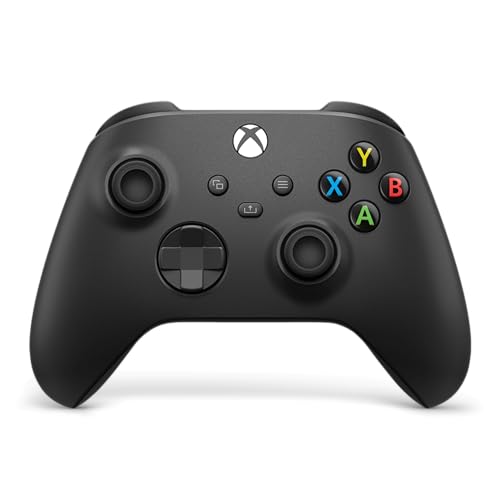
XBOX Wireless Gaming Controller
A wireless controller with a hybrid D-pad, textured triggers and bumpers, a Share button, and USB-C, Bluetooth and Xbox Wireless connections.
View on Amazon
GameSir G7 Pro Wired Controller for Xbox X
A wired and 2.4G controller for PC with TMR sticks, Hall Effect triggers, four extra buttons, and a 1000Hz polling rate on PC.
View on Amazon
GameSir G7 SE Wired Controller for Xbox X
A USB wired controller with Hall Effect joysticks and triggers, two custom back keys, and a 3.5mm audio jack for headsets.
View on Amazon
8Bitdo Ultimate 2C Wireless Controller for
A wireless controller for Windows PC with Hall Effect joysticks and triggers, extra R4 and L4 bumpers, and a 1000Hz polling rate.
View on AmazonThese come from our ranked list Best Gamepad, which compares them spec by spec.
FAQ
Can I connect two wireless controllers at the same time?
Yes. Pair each controller separately over Bluetooth or through its own 2.4G receiver, then check that Windows lists both under Bluetooth and devices before you start a game.
Do both controllers need to be the same brand?
No. You can mix controllers from different brands, since Windows treats each one as its own device. Check that each controller lists Windows support and connect them one at a time.
Why does my game only see one controller?
The second controller may not be paired, or another program may hold it. Check Bluetooth and devices for two controllers, close other controller software, then reconnect the second controller and check the game's controller menu.


