How to Choose a Mobile Processor
 By Theo LangUpdated
A mobile processor is the chip that runs a laptop, and it sets how fast the laptop opens apps, edits files and handles several tasks at once. To choose one, compare core and thread counts, boost clock, cache size and the memory it supports, then match those figures to the software you plan to run.
Start with what the laptop will run
Write down the software you use most, such as a browser, an office suite, a photo editor or a video editor, and check the requirements each one publishes for its processor. A laptop that only runs a browser and documents asks less of its processor than one that edits video or renders 3D scenes. Your requirements set the bar, and the specs below tell you which processors clear it.
Compare cores and threads
Cores do the work, and threads let each core handle more than one task at a time. More cores help when you run several heavy apps at once or work with video and large files, while fewer cores suit lighter daily use. Check the software requirements you wrote down to see how many cores they call for, and compare that figure with the core and thread counts each processor shows.
Look at boost clock and cache
Boost clock is the top speed a processor reaches for short bursts of work, and cache is fast memory on the chip that holds data the cores use often. A higher boost clock helps with single tasks that need a quick burst, such as opening a large file, while a larger cache helps when the processor works through a lot of data. Compare both figures across the processors you shortlist, and weigh them against the software requirements you wrote down.
Check memory and platform support
A processor works with a set of memory types and a platform, and the laptop you buy must match them. The AMD Ryzen 7 5700X supports DDR4-3200 and PCIe 4.0 on X570 and B550 motherboards, while the AMD Ryzen 9 9900X supports DDR5-5600 and PCIe 5.0 on select motherboards. Check the memory type and platform the laptop has and confirm they match the processor.
Compare the shortlist side by side
Put the processors you shortlist next to each other and compare their core and thread counts, boost clock, cache, memory support and socket. Note which figures matter for the software you use most and which do not. Pick the processor whose figures line up with those requirements, and check the laptop's own spec sheet for the rest of the system before you buy.
What you need

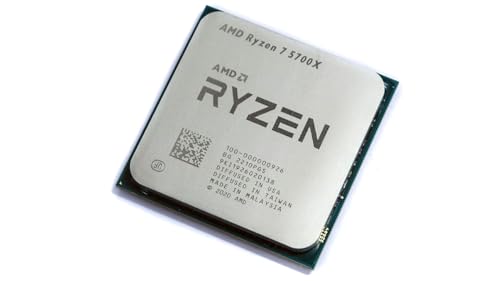
AMD Ryzen 7 5700X 8-Core
An 8-core, 16-thread processor with a 4.6 GHz max boost, 36 MB cache, DDR4-3200 support and a 3 year manufacturer warranty.
View on Amazon
AMD Ryzen 7 5800X3D 8-core
An 8-core, 16-thread processor with 3D V-Cache technology, a 4.5 GHz max boost, 100 MB cache and DDR4-3200 support.
View on Amazon
AMD Ryzen 9 9950X3D 16-Core Processor
A 16-core processor with a 5.7 GHz max boost and a 4.3 GHz base clock, built on Zen 5 for the AM5 socket.
View on Amazon
AMD Ryzen 9 9900X 12-Core
A 12-core, 24-thread processor with a 5.6 GHz max boost, 76 MB cache, DDR5-5600 support and a 3 year manufacturer warranty.
View on AmazonThese come from our ranked list Best CPU for Computer, which compares them spec by spec.
FAQ
Can I swap the processor in my laptop later?
A laptop processor is often soldered to the board, so it cannot be swapped like a desktop chip. Check your laptop's manual to see whether the processor is socketed or soldered before you buy.
Do more cores always mean a faster laptop?
No. More cores help with several heavy tasks at once, but boost clock, cache and the software you run matter too. Compare the full spec sheet against the requirements of the software you use most.
What does cache do in a mobile processor?
Cache is fast memory on the chip that holds data the cores use often, so a larger cache can cut the time the processor waits for data. It is one figure to compare alongside core count and boost clock.