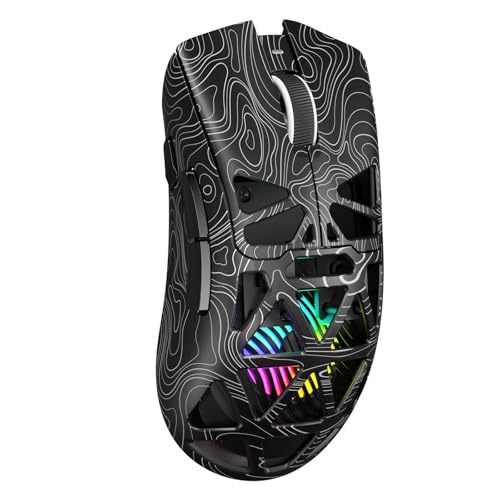
How Does a Gaming Mouse Work?
 By Theo LangUpdated
A gaming mouse works like any optical mouse: a sensor under the mouse reads the surface as you move it and turns that movement into pointer movement on screen. What sets a gaming mouse apart is a higher-sensitivity sensor with adjustable DPI, a faster polling rate, and extra buttons you can program for game commands.
The sensor reads the surface
An optical sensor under the mouse takes quick pictures of the desk or pad and compares them to work out how far and in which direction the mouse moved. The mouse sends that movement to the computer, which moves the pointer on screen. A gaming sensor reads the surface the same way, with finer steps and less delay between the hand moving and the pointer following.
DPI sets the pointer speed
DPI sets how far the pointer travels for a given movement of your hand. A higher DPI moves the pointer farther with the same hand movement, so small wrist movements cover the screen, while a lower DPI gives finer control for aiming. Gaming mice let you switch DPI through software or onboard levels, so you can drop to a low setting for a careful shot and raise it to cross the screen quickly.
Polling rate sets how often it reports
The polling rate is how often the mouse tells the computer where it is. A higher rate means the pointer follows your hand with smaller steps between updates, which matters in fast games where the mouse never stops moving. A wired connection and a wireless connection both carry these updates, and some gaming mice switch between wireless and wired with a cable.
Extra buttons and software
Gaming mice add buttons beyond left, right and middle click, and software lets you assign game commands or macros to them. Side buttons suit actions you reach for often, such as reloading or switching weapons, without moving your hand off the mouse. Profiles store these assignments, so the same mouse can carry a setup for a game and a different setup for everyday work.
What you need

Logitech G305 LIGHTSPEED Wireless Gaming Mouse
A white wireless gaming mouse with a HERO sensor, LIGHTSPEED wireless, 6 programmable buttons, on-board memory and a 2-year warranty.
View on Amazon
Logitech G305 LIGHTSPEED Wireless Gaming Mouse
A blue wireless gaming mouse with a HERO sensor, LIGHTSPEED wireless, 6 programmable buttons, on-board memory and a 1 year warranty.
View on Amazon
Redragon M908 Wired MMO RGB Gaming Mouse 12400 DPI Remapping Keys
A wired MMO gaming mouse with a Pixart PAW3327 sensor, up to 12400 DPI, 18 programmable buttons and RGB backlight.
View on Amazon
Redragon M913 Wireless RGB MMO Gaming Mouse 16000 DPI Remapping Keys
A wireless MMO gaming mouse with a Pixart 3335 sensor, 2.4GHz wireless and USB-C wired modes, 12 side buttons and RGB backlight.
View on AmazonThese come from our ranked list Best Gaming Mouse, which compares them spec by spec.
FAQ
What does DPI mean on a gaming mouse?
DPI is the sensitivity of the sensor. A higher DPI moves the pointer farther for the same hand movement, so you raise DPI to cross the screen with small movements and lower it when you want fine control for aiming.
Is a wireless gaming mouse slower than a wired mouse?
Not by itself. A wireless mouse with a dedicated receiver reports movement just as often as a wired mouse, so check the polling rate the maker lists rather than assuming wireless means delay.
Do I need a gaming mouse for everyday work?
No. A standard mouse handles browsing and office work, and a gaming mouse earns its place when you want adjustable DPI or extra programmable buttons.