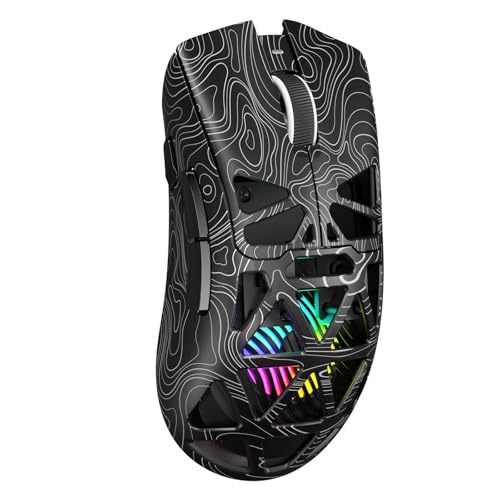
Choosing a Mouse Size by Hand Size
 By Theo LangUpdated
Measure your hand, then compare those measurements with the length, width and height each maker lists for the mouse. A mouse that fits lets your fingers rest on the buttons without stretching or bunching up. Grip style matters as much as size, so check how you hold the mouse before you choose.
Measure your hand first
Lay your hand flat on paper and mark the tip of your middle finger and the base of your palm where it meets your wrist. Measure between the marks for hand length, then measure across your palm at its widest point for hand width. Write both measurements down and keep them beside you while you shop. Compare them with the mouse length and width the maker lists, since a longer, wider mouse fills more of the palm and a shorter, narrower mouse leaves more room for your fingers to curl.
Match the mouse to your grip
Notice how you hold a mouse now. In a palm grip your whole palm rests on the mouse, so length and height decide whether your fingers reach the front buttons without stretching. In a claw grip your fingers arch and your palm lifts at the back, so a shorter mouse can still work. In a fingertip grip only your fingers touch the mouse, so width and button placement matter more than length. Pick a size that supports the grip you already use, and check the maker photos for shape before you buy.
Check weight and button reach
Size and weight are separate checks. A mouse can match your hand on paper and still feel heavy or light when you move it, so read the stated weight beside the dimensions. Then check button reach: your index and middle fingers should land on the main buttons, and your thumb should reach any side buttons without shifting your grip. If you have to stretch or squeeze to reach a control, try a different length or width. Side buttons help only when your thumb finds them without looking down.
Compare dimensions before you buy
Put your hand measurements next to the listed mouse dimensions and read all three figures: length, width and height. Length decides finger reach, width decides how the mouse fills your palm, and height decides how much your fingers arch. Read the stated weight, button count and grip description beside the dimensions, and keep your hand measurements as the reference. When two sizes look close, choose by grip: palm grips suit the longer option, fingertip grips suit the shorter option.
What you need

Logitech G305 LIGHTSPEED Wireless Gaming Mouse
A compact wireless mouse at 4.6 by 2.4 by 1.5 inches and 3.4 oz, with a HERO sensor and 6 programmable buttons.
View on Amazon
Logitech G305 LIGHTSPEED Wireless Gaming Mouse
A compact wireless mouse in blue at 4.6 by 2.4 by 1.5 inches and 3.4 oz, with a HERO sensor and 6 programmable buttons.
View on Amazon
Redragon M908 Wired MMO RGB Gaming Mouse 12400 DPI Remapping Keys
A wired mouse with 18 programmable buttons and an 8-piece weight tuning set, so you can change the weight to suit your grip.
View on Amazon
Redragon M913 Wireless RGB MMO Gaming Mouse 16000 DPI Remapping Keys
A wireless mouse with 16 buttons including 12 side buttons, wireless and USB-C wired modes, and 5 DPI levels up to 16000.
View on AmazonThese come from our ranked list Best Gaming Mouse, which compares them spec by spec.
FAQ
How do I measure my hand for a mouse?
Measure from the base of your palm to the tip of your middle finger for length, and across your palm at its widest point for width. Compare both figures with the length and width the maker lists for each mouse.
Can a small mouse work for large hands?
It can, if you use a claw or fingertip grip where your palm lifts off the back of the mouse. Check that your fingers still reach the main buttons and your thumb reaches the side buttons without stretching.
Does mouse weight matter for hand size?
Weight does not change fit, but it changes how the mouse feels to move. Read the stated weight beside the dimensions, and pick a weight you can move and stop with control for the games and work you do.
Should I choose wired or wireless for fit?
Fit comes from dimensions and shape first. A wired mouse adds a cable to manage on the desk, while a wireless mouse carries its battery or receiver in the body, so check the stated weight for each type.