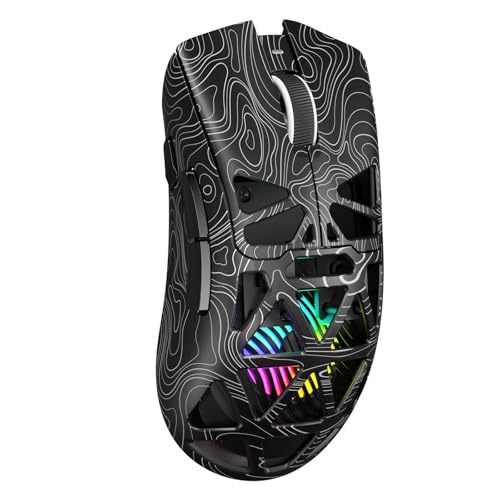
Do You Need a Gaming Mouse?
 By Theo LangUpdated
You need a gaming mouse when your games call for fast, precise aiming or extra buttons a regular mouse does not have. A gaming mouse adds a higher-sensitivity sensor, adjustable DPI settings and extra programmable buttons, so you can change sensitivity on the fly and bind in-game actions to the mouse. If you only browse, write documents and play casual games, a regular mouse already does the job.
What a gaming mouse adds
A gaming mouse pairs a sensor with a higher DPI range with extra buttons you can program. DPI sets how far the cursor moves for each inch the mouse travels, so a higher setting covers more screen with less hand movement. Extra buttons sit under your thumb and can hold reload, crouch or ability keys. Some models also let you change the weight or switch between wired and wireless use.
When a regular mouse is enough
For browsing, email, documents and casual games, a regular mouse does everything a gaming mouse does. The extra buttons and high DPI settings only matter when a game asks for quick aiming or many keybinds at once. If your current mouse feels comfortable and your games do not ask for more buttons, there is no reason to replace it.
Pick wired or wireless
A wired mouse draws power from the cable, so you never charge it or swap a battery. A wireless mouse removes the cable from your desk, but it needs a battery or a charge. The Logitech G305 runs on one AA battery, while the Redragon M913 runs in 2.4GHz wireless or USB-C wired mode. Pick the setup that fits your desk and how you feel about charging.
Match buttons and size to your games
Count the actions your games put on the mouse before you buy. Fast-paced shooters need a light mouse with a few buttons in easy reach, while MMO games make use of a row of side buttons for spells and items. Check the grip shape and the weight in the listing, and check the software needs if you want to remap buttons, since some features need the maker's software.
What you need

Logitech G305 LIGHTSPEED Wireless Gaming Mouse
A white Logitech G305 with a HERO sensor, up to 12,000 DPI, 6 programmable buttons and a listed 250 hours of battery life on one AA battery.
View on Amazon
Logitech G305 LIGHTSPEED Wireless Gaming Mouse
A blue Logitech G305 with the same HERO sensor, up to 12,000 DPI, 6 programmable buttons and 250 hours of battery life on one AA battery.
View on Amazon
Redragon M908 Wired MMO RGB Gaming Mouse 12400 DPI Remapping Keys
A wired Redragon M908 with up to 12400 DPI, a Pixart PAW3327 sensor, 18 programmable buttons including 12 MMO side buttons and an 8-piece weight tuning set.
View on Amazon
Redragon M913 Wireless RGB MMO Gaming Mouse 16000 DPI Remapping Keys
A wireless Redragon M913 with up to 16000 DPI, a Pixart 3335 sensor, 2.4GHz wireless and USB-C wired modes, 16 buttons and up to 80 hours in Eco mode.
View on AmazonThese come from our ranked list Best Gaming Mouse, which compares them spec by spec.
FAQ
Can I use a gaming mouse for office work?
Yes. The extra buttons work in any program once you assign them, and the adjustable DPI settings let you move the cursor across large screens with less hand travel.
Does a higher DPI make me aim better?
No, it only changes how far the cursor moves per inch. Pick a DPI setting that feels steady, then adjust the sensitivity inside each game until your aim feels controlled.
Is a wireless gaming mouse slower than a wired one?
The Logitech G305 lists a 1 ms report rate over its LIGHTSPEED wireless connection. The Redragon M913 offers 2.4GHz wireless and a USB-C wired mode, so you can switch to a cable when you want one.