Best Pen Display for Craft Show (2026): 6 Picks Compared
 By Theo LangUpdated
You draw live at a craft show and want visitors to see your work on a large screen, so choose the XP-Pen Drawing Tablet with Screen XPPen Artist 22R pro Computer Graphics. Its 21.5-inch screen and 178° viewing angle let onlookers watch from the side, and its anti-glare film keeps the image clear in bright hall light. 20 shortcut keys and 2 red dials keep tool changes fast.
Your shortlist at a glance
PCKitHQ scores range from 9.2 to 9.8. See how we pick.
| Product and key specifications | Score and retailer |
|---|---|
01 Best Overall Drawing Tablet | 9.8PCKitHQ scoreView on Amazon |
02 | 9.7PCKitHQ scoreView on Amazon |
03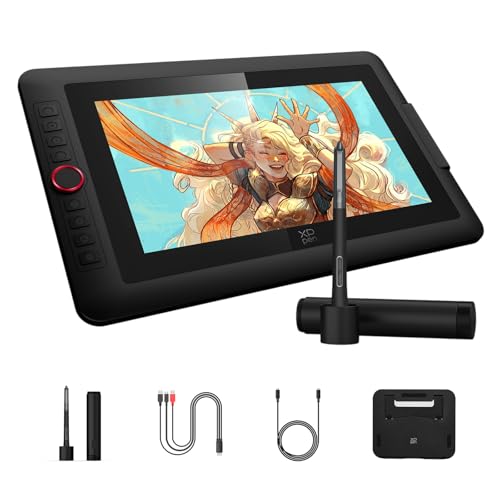 Also Consider XPPen Artist 13.3 Pro V2 Drawing Tablet | 9.6PCKitHQ scoreView on Amazon |
04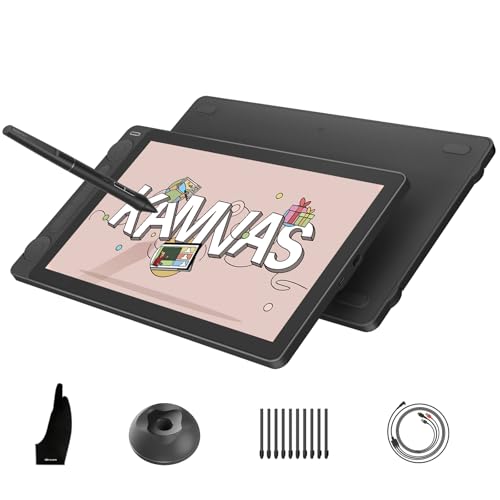 Also Consider HUION Kamvas 13 (Gen 3) Drawing Tablet | 9.4PCKitHQ scoreView on Amazon |
05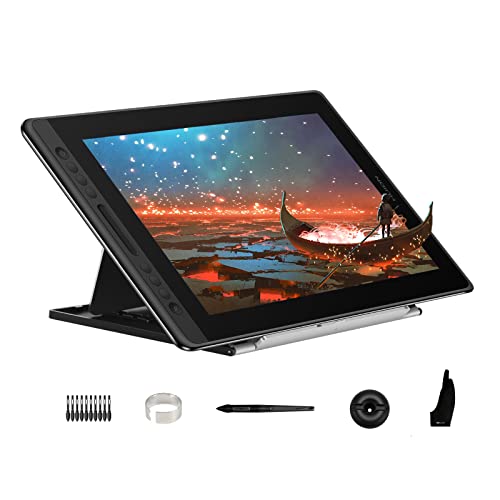 Also Consider HUION Kamvas Pro 16 Drawing Tablet | 9.3PCKitHQ scoreView on Amazon |
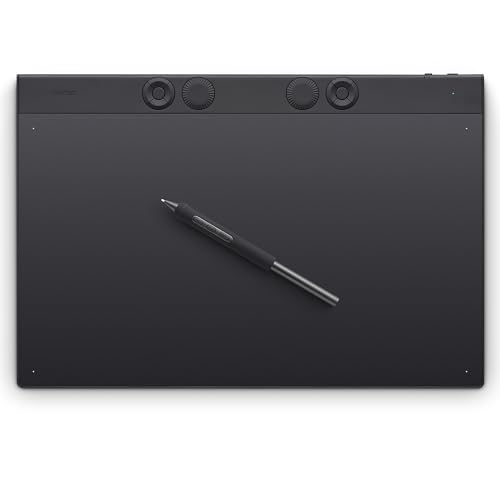
06 Also Consider VEIKK VK1200 V2 Drawing Tablet | 9.2PCKitHQ scoreView on Amazon |
A closer look at each configuration
Drawing Tablet
score
The 21.5-inch screen, 20 shortcut keys and 2 red dials suit live drawing at a craft show table.
- Screen size
- 21.5 in
- Weight
- 15.43 lb
- Warranty
- 1 Year Warranty
This XP-Pen display has a 21.5-inch FHD screen at 1920 x 1080 with 120% sRGB, 90% Adobe RGB and 88% NTSC coverage. The battery-free stylus gives 8192 pressure levels with 60° tilt and a 220 RPS report rate. 2 red dials and 20 shortcut keys sit on both sides, and the stand adjusts from 16° to 90°. It connects by full-featured Type-C or HDMI and mounts on a 100x100mm VESA mount. It weighs 15.43 lb, carries a 1 Year Warranty, and needs a computer.
Choose it if
- You want a 21.5-inch screen visitors can watch
- You need 20 shortcut keys and 2 red dials
Consider another if
- You need a display that works without a computer
- You need the 10.1-inch standalone display of the Frunsi
Frunsi RubensTab T11 Pro standalone Drawing Tablet
score
The 10.1-inch standalone display with up to 5 hours of continuous use suits drawing away from a power outlet.
- Screen size
- 10.1 in
- Warranty
- 12-month warranty
This Frunsi tablet works on its own with no computer. Its 10.1-inch Full HD IPS screen shows 1920×1200, and an Octa-Core CPU runs the pre-installed drawing apps. The 5800mAh battery gives up to 5 hours of continuous use, with USB-C charging. The pen needs no battery, and multi-touch handles zooming, panning and scrolling. An adjustable stand case is included, and Wi-Fi reaches online resources. It is certified GMS, FCC and CE and carries a 12-month warranty.
Choose it if
- You want a tablet that works without a computer
- You want a 10.1-inch FHD screen at 1920×1200
Consider another if
- You need the 21.5-inch screen of the XP-Pen 22R Pro
- You need 16384 levels of pressure sensitivity
XPPen Artist 13.3 Pro V2 Drawing Tablet
score
The 13.3-inch screen with 16K pressure levels and a red dial suits detailed drawing at a smaller table.
- Screen size
- 13.3 in
- Weight
- 2.5 lb
- Warranty
- 1 Year Warranty
This XP-Pen display has a 13.3-inch full-laminated screen with AG film, 125% sRGB, 107% Adobe RGB and 95% Display P3 coverage, with 16.7 million colors. Brightness is 250 cd/m² with a 1000:1 contrast ratio and a 178° viewing angle. The X3 Pro pen gives 16K pressure levels, and a red dial with 8 keys handles brush size, navigation and zoom. The AC42 stand measures 266.3mm x 222.9mm and adjusts to 90°. It weighs 2.5 lb, carries a 1 Year Warranty, and needs a computer.
Choose it if
- You want a 13.3-inch screen with 16K pressure levels
- You want a red dial and 8 shortcut keys
Consider another if
- You need the 21.5-inch screen of the XP-Pen 22R Pro
- You need a tablet that works without a computer
HUION Kamvas 13 (Gen 3) Drawing Tablet
score
The 13.3-inch screen with 16384 pressure levels and dual dials suits precise line work at a compact table.
- Screen size
- 13.3 in
- Warranty
- 1 Year
This HUION display has a 13.3-inch full-laminated screen with anti-glare Canvas Glass 2.0, covering 99% sRGB and 90% Adobe RGB. Each unit is factory-calibrated to ΔE under 1.5, with a calibration certificate. PenTech 4.0 gives 16384 pressure levels with 2g IAF and tilt auto-alignment. 2 dial controllers and 5 silent press keys adjust canvas, brushes and sliders. The profile is 11.7mm and the weight is 865g, with a dual-interface USB-C connection. It carries a 1 Year warranty and needs a computer.
Choose it if
- You want 16384 levels of pressure sensitivity
- You want dual dials and 5 silent press keys
Consider another if
- You need the 21.5-inch screen of the XP-Pen 22R Pro
- You need a tablet that works without a computer
HUION Kamvas Pro 16 Drawing Tablet
score
The 15.6-inch screen with 120% sRGB and a touch bar suits color work at a mid-size table.
- Screen size
- 15.6 in
- Weight
- 2.98 lb
This HUION display has a 15.6-inch full-laminated screen with anti-glare glass, covering 120% sRGB and 92% Adobe RGB with 16.7 million colors and a 1000:1 contrast ratio. 6 express keys and a touch bar reach shortcuts for zooming in and out and adjusting brush size, saving time and keystrokes. The battery-free pen gives 60° tilt recognition with 2 programmable side buttons. The ST200 stand moves between 20 and 60 degrees. It connects with a 3-in-1 USB-C cable and weighs 2.98 lb.
Choose it if
- You want a 15.6-inch screen with 120% sRGB
- You want 6 express keys and a touch bar
Consider another if
- You need the 21.5-inch screen of the XP-Pen 22R Pro
- You need a tablet that works without a computer
VEIKK VK1200 V2 Drawing Tablet
score
The 11.6-inch active area with 2 pens and 6 shortcut keys suits a light, portable setup at a small table.
- Active area
- 11.6-inch
- Weight
- 1.78 lb
- Warranty
- 1 year
This VEIKK display has an 11.6-inch active area with a 1920×1080 IPS screen and 72% NTSC color gamut, under full-laminated anti-glare glass. 2 battery-free pens give 8192 levels of pressure sensitivity with 60-degree tilt recognition, and 6 shortcut keys take custom assignments. A single USB-C cable carries data, power and display signals, with HDMI and USB-A to C cables included. The all-metal body has an anti-slip back. It weighs 1.78 lb, carries a 1 year warranty, and needs a computer.
Choose it if
- You want an 11.6-inch active area at 1.78 lb
- You want 2 pens and 28 replacement nibs
Consider another if
- You need the 21.5-inch screen of the XP-Pen 22R Pro
- You need a tablet that works without a computer
Make the choice for your setup
Choose the screen size for your table
Screen size sets how much of your drawing visitors can follow. The XP-Pen 22R Pro has a 21.5-inch screen, the HUION Kamvas Pro 16 has a 15.6-inch screen, the XP-Pen 13.3 Pro V2 and the HUION Kamvas 13 (Gen 3) each have a 13.3-inch screen, the VEIKK VK1200 V2 has an 11.6-inch active area, and the Frunsi RubensTab T11 Pro has a 10.1-inch screen. The 22R Pro lists a 178° viewing angle, which lets onlookers watch from the side, and an anti-glare film rated to improve visibility by up to 95% in bright light. The Kamvas 13 (Gen 3) and the VEIKK use anti-glare glass. Match the screen to your table space and your visitors' distance from it.
Standalone or computer-connected
Only the Frunsi RubensTab T11 Pro works without a computer. It is a standalone tablet with pre-installed drawing apps and a 5800mAh battery giving up to 5 hours of continuous use, charged by USB-C or a mobile power bank. The other 5 displays need a computer or laptop. The XP-Pen 22R Pro connects by full-featured Type-C or HDMI. The XP-Pen 13.3 Pro V2 includes a full-featured USB-C cable. The HUION Kamvas 13 (Gen 3) uses a dual-interface USB-C connection. The HUION Kamvas Pro 16 uses a 3-in-1 USB-C cable. The VEIKK VK1200 V2 uses a single USB-C cable with HDMI and USB-A to C cables included. Bring the laptop and cables it needs. Shoppers with a related need can compare our guide to the Best Graphics Tablet to Draw Mac.
Pressure levels, dials and shortcut keys
Pressure levels and controls differ across these displays. The XP-Pen 13.3 Pro V2 lists 16K pressure levels, and the HUION Kamvas 13 (Gen 3) lists 16384 levels with 2g IAF and tilt auto-alignment. The XP-Pen 22R Pro and the VEIKK VK1200 V2 each list 8192 levels of pressure sensitivity with 60° tilt. For controls, the 22R Pro has 20 shortcut keys and 2 red dials, the Kamvas 13 (Gen 3) has 2 dial controllers and 5 silent press keys, the Kamvas Pro 16 has 6 express keys and a touch bar, the 13.3 Pro V2 has a red dial and 8 customizable keys, and the VEIKK VK1200 V2 has 6 shortcut keys. The Frunsi pen lists adjustable pressure sensitivity.
Comparing more options? See Best Pen Display for Vendor Events.
FAQ: Pen Display for Craft Show
Which of these displays work without a computer?
Only the Frunsi RubensTab T11 Pro works without a computer. It is standalone, with pre-installed drawing apps and a 5800mAh battery giving up to 5 hours of continuous use. The other 5 displays need a computer or laptop to work.
What screen sizes do these pen displays have?
The XP-Pen 22R Pro has a 21.5-inch screen, the HUION Kamvas Pro 16 has a 15.6-inch screen, the XP-Pen 13.3 Pro V2 and the HUION Kamvas 13 (Gen 3) each have a 13.3-inch screen, the VEIKK VK1200 V2 has an 11.6-inch active area, and the Frunsi RubensTab T11 Pro has a 10.1-inch screen.
Which displays include a stand?
The XP-Pen 22R Pro has an adjustable stand from 16° to 90°. The XP-Pen 13.3 Pro V2 includes the AC42 stand, the HUION Kamvas Pro 16 includes the ST200 stand, and the Frunsi RubensTab T11 Pro includes an adjustable stand case.