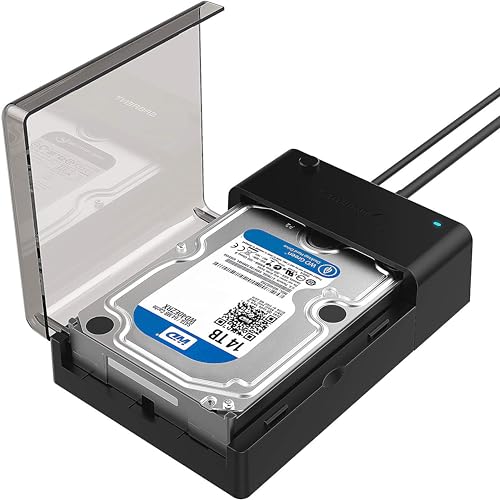
Best Internal Hard Drive Docking Station (2026): 8 Picks Compared
 By Theo LangUpdated
Buy the SABRENT 4-Bay USB 3.0 Hard Drive Docking Station if you want four 2.5-inch or 3.5-inch SATA bays with offline cloning over USB 3.0 at 5Gbps. Its trayless design takes drives without tools, and no drivers or software are needed. The ICY BOX triple-bay adds M.2 NVMe slots at 10Gbps, while the second ICY BOX 4-bay dock holds up to 48TB with individual power switches.
Your shortlist at a glance
PCKitHQ scores range from 9.2 to 9.8. See how we pick.
| Product and key specifications | Score and retailer |
|---|---|
01 Best Overall SABRENT 4-Bay USB 3.0 Hard Drive Docking Station | 9.8PCKitHQ scoreView on Amazon |
02 | 9.7PCKitHQ scoreView on Amazon |
03 | 9.6PCKitHQ scoreView on Amazon |
04 | 9.5PCKitHQ scoreView on Amazon |
05 Also Consider WAVLINK Dual Bay Hard Drive Docking Station | 9.5PCKitHQ scoreView on Amazon |
06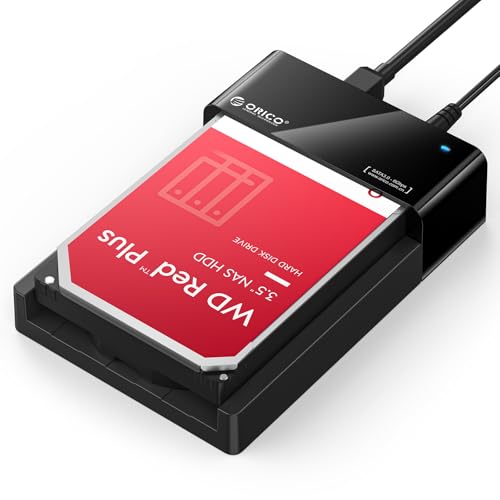 | 9.4PCKitHQ scoreView on Amazon |
07 Also Consider BENFEI Hard Drive Docking Station | 9.3PCKitHQ scoreView on Amazon |
08 Also Consider FIDECO External Hard Drive Docking Station | 9.2PCKitHQ scoreView on Amazon |
A closer look at each configuration
SABRENT 4-Bay USB 3.0 Hard Drive Docking Station
score
The SABRENT gives four trayless SATA bays with offline cloning over USB 3.0 at 5Gbps.
- Interface
- USB 3.0
- Weight
- 1 lb
- Warranty
- 1 Year Limited
This SABRENT supports up to four 2.5-inch or 3.5-inch SATA HDDs and SSDs for backups and multi-drive management. It connects over USB 3.0 for file transfers up to 5Gbps, with backward compatibility for USB 2.0 systems. The trayless design takes drives without trays or tools. Offline cloning copies drive to drive without a computer, with LED indicators showing progress. It needs no drivers or software and includes an external power adapter. It weighs 1 lb, with a 1-year limited warranty.
Choose it if
- You want four 2.5-inch or 3.5-inch SATA bays
- You want offline cloning without a computer
Consider another if
- You want the 10Gbps USB-C of the ICY BOX
- You want M.2 NVMe slots like the ICY BOX
M.2 NVMe & SATA SSD/HDD Hard Drive Docking Station
score
The ICY BOX triple-bay reads M.2 NVMe and SATA drives over USB-C at 10Gbps with one-touch cloning.
- Interface
- USB 3.2 Gen 2
- USB-C
- Yes
- Weight
- 0.65 lb
- Warranty
- 2 year
This ICY BOX has three independent slots for M.2 PCIe NVMe SSDs and 2.5-inch and 3.5-inch SATA SSDs and HDDs for simultaneous access. One-touch offline cloning starts with a single touch and needs no software, cloning NVMe to NVMe or SATA to NVMe. It runs USB 3.2 Gen 2 over USB-C at up to 10 Gbps and includes a dual-purpose USB-C and USB-A combo cable. The tool-free design works with Windows and macOS. It weighs 0.65 lb, with a 24-month warranty.
Choose it if
- You want M.2 NVMe and SATA slots in one dock
- You want one-touch offline cloning between drive types
Consider another if
- You want four SATA bays like the SABRENT
- You want the 0.38 lb weight of the ORICO
4 Bay NVMe M.2 & SATA SSD/HDD Hard Drive Docking Station
score
The ICY BOX 4-bay pairs two NVMe M.2 slots with two SATA bays at 10Gbps and up to 48TB.
- Interface
- USB-C 10Gbps
- USB-C
- Yes
- Weight
- 0.65 lb
- Warranty
- 2 year
This ICY BOX connects up to two NVMe M.2 drives and two SATA drives to one USB-C port, with each drive appearing individually. It runs USB-C at 10Gbps and supports up to 48TB total raw capacity for backups and large media libraries. Each bay has its own on-off switch and LED indicator, for managing drives individually. The tool-free design works with Windows, Mac, and Linux. It works as a pure data transfer dock, keeping the experience simple and driver-free. It weighs 0.65 lb, with a 24-month warranty.
Choose it if
- You want 2 NVMe and 2 SATA bays on one USB-C port
- You want individual power switches for each bay
Consider another if
- You want offline cloning like the SABRENT
- You want four SATA bays like the SABRENT
WAVLINK USB 3.0 and USB C to SATA Dual-Bay External Hard Drive Docking Station for 2.5/3.5-inch HDD/SSD
score
The WAVLINK dual-bay pairs USB 3.0 and USB-C with UASP at 6Gbps and offline cloning.
- Interface
- USB 3.0
- USB-C
- Yes
- Weight
- 0.73 lb
This WAVLINK supports 2.5-inch and 3.5-inch SATA HDDs and SSDs in two bays, with SATA I, II, and III inside and USB 3.0 and USB-C outside. UASP gives transfer speeds up to 6Gbps, with 5Gbps over USB 3.0, 480Mbps over USB 2.0, and 12Mbps over USB 1.1. Offline cloning runs up to 60Mbps from source disk to target disk, and the target must match or exceed the source. A power control switch and a 12V, 3A source run the dock, with automatic sleep after 30 minutes of inactivity. It weighs 0.73 lb and supports 16TB x2.
Choose it if
- You want a dual-bay dock with USB-C and UASP
- You want offline cloning up to 60Mbps
Consider another if
- You want four bays like the SABRENT
- You want M.2 NVMe slots like the ICY BOX
WAVLINK Dual Bay Hard Drive Docking Station
score
The WAVLINK dual-bay with a fixed bezel supports 2x20TB drives with UASP at up to 5Gbps.
- Interface
- USB 3.0
- Weight
- 0.81 lb
This WAVLINK supports all 2.5-inch and 3.5-inch SATA I, II, and III HDDs and SSDs up to 2x20TB, with a fixed bezel for stable drive seating. Offline cloning copies between two drives with no computer involved; press the Clone button for about 5 seconds, with the target drive matching or exceeding the source. USB 3.0 runs up to 5 Gbps with UASP support for a 20% faster transfer speed over conventional USB 3.0. It is tool-free, needs no driver, and supports hot-swapping. The box holds a USB 3.0 cable, a type-A to C adapter, and a 12V/3A adapter. It weighs 0.81 lb.
Choose it if
- You want two 20TB drives in one dock
- You want a fixed bezel for stable drive seating
Consider another if
- You want M.2 NVMe slots like the ICY BOX
- You want four bays like the SABRENT
ORICO Hard Drive Lay-Flat Docking Station [Support UASP]
score
The ORICO lay-flat dock reads one 2.5-inch or 3.5-inch SATA drive up to 24TB over USB 3.0.
- Interface
- USB 3.0
- Weight
- 0.38 lb
- Warranty
- 1-Year Warranty
This ORICO reads one 2.5-inch or 3.5-inch SATA I, II, or III HDD or SSD with a single drive capacity of up to 24TB. It runs USB 3.0 with UASP at up to 5Gbps and stays backward compatible with USB 2.0 and 1.1. The lay-flat design cools by natural convection. Tool-free installation needs no screws or drivers, and the hot-swappable interface allows drive swaps on the fly. It works with Windows XP through 11, Linux, and Mac OS 9.1 and later. The box holds a 12V adapter, a 1M USB 3.0 cable, and a manual. It weighs 0.38 lb, with a 1-year warranty.
Choose it if
- You want a single-bay lay-flat dock up to 24TB
- You want a 0.38 lb dock for one drive
Consider another if
- You want two bays like the WAVLINK dual-bay
- You want the 10Gbps USB-C of the ICY BOX
BENFEI Hard Drive Docking Station
score
The BENFEI dual-bay pairs USB-C with offline cloning at 5Gbps and an 18-month warranty.
- Interface
- USB 3.2 Gen 1
- USB-C
- Yes
- Warranty
- 18-month
This BENFEI works on two 2.5-inch or 3.5-inch HDDs or SSDs at once, reading, writing, and transferring data between them for backups and migration. One-button offline cloning needs no computer: insert both drives, turn on the dock, hold the COPY button for 3 seconds, then click it once more, with indicator lights showing progress. The target drive must match or exceed the source drive. It runs USB 3.2 Gen 1 at up to 5Gbps with UASP support for transfers up to 20% faster than USB 3.0. A 12V/2.5A adapter and a built-in power switch run both bays. An 18-month warranty covers the dock.
Choose it if
- You want one-button offline cloning over USB-C
- You want an 18-month warranty on a dual-bay dock
Consider another if
- You want M.2 NVMe slots like the ICY BOX
- You want four bays like the SABRENT
FIDECO External Hard Drive Docking Station
score
The FIDECO dual-bay pairs USB 3.0 at 5Gbps with offline cloning and UASP support.
- Interface
- USB 3.0
- Weight
- 1.32 lb
- Warranty
- 1 Year Manufacturer
This FIDECO connects two 2.5-inch or 3.5-inch SATA HDDs or SSDs to a computer at once over USB 3.0 at up to 5Gbps, with UASP support. Offline cloning needs no computer: insert two drives in the bays and press the Clone button for 5 seconds until the LED indicator flashes. It is plug and play with no driver needed and supports Windows XP through 10, Mac OS, and Linux. The dock supports SATA HDDs and SSDs only, and a new drive needs initialization before the computer recognizes it. It weighs 1.32 lb, with a 1-year manufacturer warranty.
Choose it if
- You want a dual-bay dock with offline cloning
- You want plug-and-play access to two SATA drives
Consider another if
- You want M.2 NVMe slots like the ICY BOX
- You want four bays like the SABRENT
Make the choice for your setup
Bay count and drive types
Bay count decides how many drives you work with at once. The SABRENT holds four 2.5-inch or 3.5-inch SATA drives in four bays. Two NVMe M.2 drives plus two SATA drives fit the ICY BOX 4-bay dock. The ICY BOX triple-bay dock holds three drives across M.2 NVMe and SATA slots. The two WAVLINK docks, the BENFEI, and the FIDECO each hold two SATA drives, while the ORICO holds one. Total capacity runs up to 48TB on the ICY BOX 4-bay dock, 2x20TB on the WAVLINK dual-bay, 16TB x2 on the other WAVLINK, and 24TB on a single ORICO drive. The SABRENT is the pick with four SATA bays.
Interface speed and UASP
Interface speed runs from 5Gbps to 10Gbps across this page. The two ICY BOX docks connect over USB-C at 10Gbps, with the triple-bay dock using USB 3.2 Gen 2. One WAVLINK dual-bay dock uses UASP at 6Gbps, while the other WAVLINK dual-bay runs USB 3.0 at up to 5Gbps with UASP support, and the BENFEI runs USB 3.2 Gen 1 at up to 5Gbps with UASP support. The SABRENT, ORICO, and FIDECO run USB 3.0 at up to 5Gbps, with the SABRENT backward compatible with USB 2.0 systems. UASP appears on the WAVLINK docks, the ORICO, the BENFEI, and the FIDECO. Only the ICY BOX docks take M.2 NVMe drives. The ICY BOX docks are the picks with a 10Gbps USB-C connection. A related shortlist covers the Best Laptop Cooling Pad Docking Station.
Offline cloning and power
Offline cloning separates the docks that copy drives alone from the one that does not. The SABRENT clones drive to drive without a computer, with LED indicators showing progress. The ICY BOX triple-bay clones with one touch between NVMe and SATA drives. The WAVLINK docks clone offline, one at up to 60Mbps, and the BENFEI and FIDECO clone at the press of a button. The ICY BOX 4-bay dock works as a pure data transfer dock. The WAVLINK docks and the BENFEI state that the target drive must match or exceed the source drive in capacity. The ICY BOX 4-bay dock is the pick without offline cloning.
Before you decide, also read Best Docking Station.
FAQ: Internal Hard Drive Docking Station
How many drives do these docks hold?
The SABRENT and the ICY BOX 4-bay dock each hold four drives. The ICY BOX triple-bay dock holds three. The two WAVLINK docks, the BENFEI, and the FIDECO each hold two drives. The ORICO holds one drive of up to 24TB.
Which docks here clone drives without a computer?
The SABRENT, the ICY BOX triple-bay, both WAVLINK docks, the BENFEI, and the FIDECO all clone drives without a computer. The ICY BOX 4-bay dock works as a pure data transfer dock. The WAVLINK docks and the BENFEI state that the target drive must match or exceed the source drive.
What speeds do these docks use?
The two ICY BOX docks connect over USB-C at 10Gbps. One WAVLINK dual-bay dock uses UASP at 6Gbps, and the other WAVLINK dual-bay runs USB 3.0 at up to 5Gbps with UASP support. The SABRENT, ORICO, and FIDECO run USB 3.0 at up to 5Gbps, and the BENFEI runs USB 3.2 Gen 1 at up to 5Gbps with UASP support.