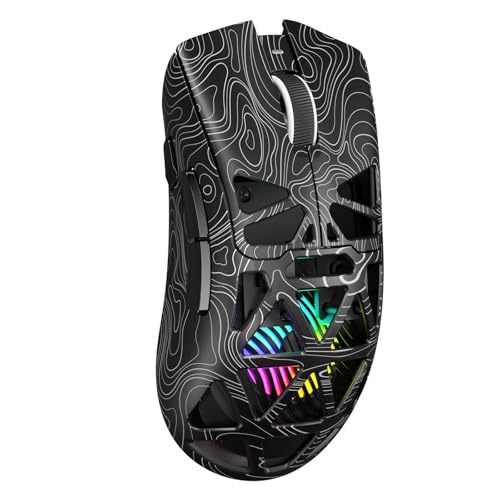
Are Gaming Mice Optical?
 By Theo LangUpdated
Yes, most gaming mice use an optical sensor. An optical sensor takes pictures of the surface under the mouse many times a second and works out how far the mouse moved from the changes between pictures. The four mice below all use optical sensors, and the sections below explain how they differ and what to check before you buy one.
How an optical sensor tracks movement
An optical sensor lights the surface with a small LED and photographs it again and again as you move the mouse. It compares each picture with the one before it and measures how far the pattern moved, then turns that movement into pointer movement on screen. Because it reads the surface itself, it works on most desks and mouse pads.
Optical or laser: what changes
A laser sensor also takes pictures of the surface, but it uses a laser light that reads more surface detail, including glossy or uneven spots. That extra detail can make the pointer less steady on some surfaces, while an optical sensor reads a smoother picture and suits most desks and pads. For a gaming mouse, check which sensor type the maker lists, then check the surface you play on, since the surface matters as much as the sensor.
What DPI means on a gaming mouse
DPI is the number of counts the sensor reports for each inch you move the mouse, so a higher DPI moves the pointer further for the same hand movement. The mice here list 12,000, 12,400 and 16,000 DPI. The two Redragon mice list 5 set DPI levels each that you switch with a button or software, so check the levels on the mouse you are considering before you buy. Pick the level that lets you aim and move the way you play.
Wired or wireless, and what to check
Two of the mice here are wireless only, one is wired only, and one runs both ways, so check the connection the same way you check the sensor. A wireless mouse needs a receiver and a battery or charging, while a wired mouse connects through a USB cable and never needs charging. The Logitech G305 runs on one AA battery, the Redragon M913 runs wireless or wired through USB-C, and the Redragon M908 is wired only. Check that your computer has a free USB port for the receiver or cable before you buy.
What you need

Logitech G305 LIGHTSPEED Wireless Gaming Mouse
A wireless gaming mouse with a HERO optical sensor, 12,000 DPI, 6 programmable buttons and 250 hours of battery life, weighing 0.21 lb.
View on Amazon
Logitech G305 LIGHTSPEED Wireless Gaming Mouse
A wireless gaming mouse with a HERO optical sensor, 12,000 DPI, 6 programmable buttons and 250 hours of battery life, in blue.
View on Amazon
Redragon M908 Wired MMO RGB Gaming Mouse 12400 DPI Remapping Keys
A wired optical gaming mouse with a Pixart PAW3327 sensor, 12,400 DPI, 18 programmable buttons and 5 DPI levels, weighing 0.39 lb.
View on Amazon
Redragon M913 Wireless RGB MMO Gaming Mouse 16000 DPI Remapping Keys
A wireless and wired optical gaming mouse with a Pixart 3335 sensor, 16,000 DPI, 16 buttons and 5 DPI levels, weighing 0.29 lb.
View on AmazonThese come from our ranked list Best Gaming Mouse, which compares them spec by spec.
FAQ
Are all gaming mice optical?
No. Most gaming mice use optical sensors, but some use laser sensors, and a few older mice use a ball. Check the sensor type on the mouse you are considering before you buy.
Is an optical mouse good for gaming?
Yes. An optical sensor tracks the surface directly, and the mice here list DPI figures from 12,000 to 16,000. Check the DPI levels on the mouse you are considering, and match them to the games you play.
Do optical mice work on any surface?
They work on most desks and mouse pads, since the sensor reads the pattern on the surface. Very glossy or glass surfaces can confuse the sensor, so check the surface you play on and use a mouse pad if the pointer skips.