
What Are the Common 4K Monitor Sizes?
 By Theo LangUpdated
The common 4K monitor sizes are 27 inch and 32 inch, and 4K means a resolution of 3840x2160 pixels. A 27 inch 4K screen packs those pixels into a smaller area than a 32 inch screen, so text and images look sharper on the smaller screen. Measure your desk first, then pick the size that fits your space and your work.
What 4K means at any size
A 4K monitor has 3840x2160 pixels, whatever its screen size. The same pixel count spreads across a 27 inch screen and a 32 inch screen, so the pixels are larger on the bigger screen. The Dell 27 Monitor S2725QC lists 163 PPI at 3840x2160, which shows how tightly the pixels sit on a 27 inch screen. Size changes how large text and images look, not how many pixels the monitor has.
27 inch 4K monitors
A 27 inch 4K monitor suits a desk where space is tight and the screen sits close to you. The Dell 27 Monitor S2725QC is a 4K IPS monitor with a 120Hz refresh rate, USB-C, HDMI and DisplayPort. The ASUS TUF Gaming VG27UQ1A is a 27 inch 4K monitor with a 160Hz refresh rate and a Fast IPS panel. Check the refresh rate and the ports on each model against what your PC and your games need.
32 inch 4K monitors
A 32 inch 4K monitor gives you a larger picture with the same 3840x2160 pixels. The Dell 32 Monitor S3225QS has a 31.5 inch screen, a 120Hz refresh rate and a VA panel, with HDMI and DisplayPort. The Samsung 32 inch ViewFinity S7 has a 32 inch screen, 4K UHD resolution and HDR10, with HDMI and DP ports. A larger screen also needs a deeper desk so you can sit far enough back to see the whole picture.
Measure your desk first
Measure the width and depth of your desk before you pick a size. A 27 inch monitor fits a smaller desk, while a 32 inch monitor needs more width and room for its stand. Common sizes also include 24 inch and 34 inch screens, so check the size that fits your desk and your viewing distance. Leave room for a keyboard, a mouse and the cables behind the monitor.
Check ports and refresh rate
Match the monitor ports to the outputs on your PC. The Dell 27 Monitor S2725QC has USB-C, HDMI and DisplayPort, and its USB-C cable carries up to 65W power delivery. The ASUS TUF Gaming VG27UQ1A supports up to 4K 120Hz visuals through HDMI 2.1 for console play. Check that your laptop USB-C port supports video output before you count on a USB-C connection.
What you need

Dell 32 Monitor S3225QS
A 31.5 inch 4K monitor with a 120Hz refresh rate, a VA panel, 99% sRGB and HDMI and DisplayPort.
View on Amazon
Dell 27 Monitor S2725QC
A 27 inch 4K IPS monitor with a 120Hz refresh rate, USB-C with up to 65W power delivery, HDMI and DisplayPort.
View on Amazon
ASUS TUF Gaming VG27UQ1A 27-inch 4K Gaming Monitor
A 27 inch 4K monitor with a 160Hz refresh rate, a Fast IPS panel, 95% DCI-P3 and HDMI 2.1 for console play.
View on Amazon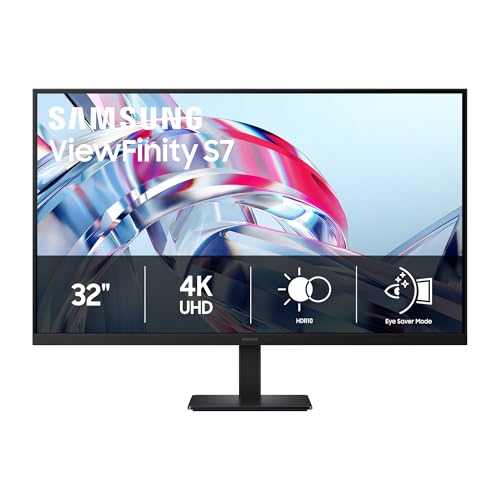
Samsung 32-inch ViewFinity S7 (S70H) High-Resolution Monitor
A 32 inch 4K monitor with HDR10, a 178 degree wide viewing angle and HDMI and DP ports.
View on AmazonThese come from our ranked list Best 4K Monitor, which compares them spec by spec.
FAQ
Is 27 inch or 32 inch better for 4K?
Neither size is better on its own. A 27 inch 4K screen shows smaller, sharper text, while a 32 inch 4K screen shows a larger picture with the same 3840x2160 pixels. Pick the size that fits your desk and your viewing distance.
Do all 4K monitors have the same resolution?
Yes. A 4K monitor has 3840x2160 pixels, and all four monitors here list that resolution. What changes with size is how large those pixels look on screen, not the pixel count.
Can a 27 inch 4K monitor run at 120Hz?
It depends on the model and the cable. The Dell 27 Monitor S2725QC lists a 120Hz refresh rate, and the ASUS TUF Gaming VG27UQ1A lists a 160Hz refresh rate. Check the refresh rate listed for the model and the port you plan to use.


