
4K Monitor Resolution and Size Explained
 By Theo LangUpdated
4K means a resolution of 3840 by 2160 pixels, and the size is the screen measured diagonally in inches. The four monitors here are all 3840 by 2160, in 27 inch and 31.5 and 32 inch sizes. The same pixel count on a larger screen makes each pixel bigger, so size changes how sharp the picture looks.
What 4K resolution means
4K is a resolution name for 3840 by 2160 pixels, which is also written as 2160p. Every monitor in this set has that resolution: the two Dell monitors, the ASUS monitor and the Samsung monitor are all 3840 by 2160. Resolution sets how many pixels make up the picture, while size sets how big the screen is. A higher pixel count shows more detail in text, photos and video.
What screen size changes
Size is the screen measured diagonally, so a 32 inch screen is wider and taller than a 27 inch screen with the same resolution. The Dell 27 inch monitor has 163 PPI, which counts the pixels packed into each inch. On a larger screen the same 3840 by 2160 pixels spread wider, so text and icons look bigger. Pick the size that fits your desk and the distance you sit from the screen.
Refresh rate and panel type
Refresh rate is how many times per second the screen draws a new picture. The two Dell monitors run at 120Hz, and the ASUS monitor runs at 160Hz. Panel type shapes color and viewing angles: the Dell 32 inch monitor uses a VA panel, and the Dell 27 inch monitor and the ASUS monitor use IPS panels. Check the rate and panel against what you watch and play.
Ports and connections
Check the ports before you buy, since they decide what cables you can use. The Dell 32 inch and Dell 27 inch monitors have HDMI and DisplayPort, and the Dell 27 inch monitor also has USB-C with up to 65W power delivery. The ASUS monitor has DisplayPort and HDMI 2.1, and it includes a DisplayPort cable in the box. The Samsung monitor has HDMI.
What you need

Dell 32 Monitor S3225QS
A 31.5 inch 4K VA monitor with a 120Hz refresh rate, HDMI and DisplayPort, 99% sRGB and a 1 year warranty.
View on Amazon
Dell 27 Monitor S2725QC
A 27 inch 4K IPS monitor with a 120Hz refresh rate, USB-C, HDMI and DisplayPort, and 99% sRGB.
View on Amazon
ASUS TUF Gaming VG27UQ1A 27-inch 4K Gaming Monitor
A 27 inch 4K Fast IPS gaming monitor with a 160Hz refresh rate, G-SYNC, 95% DCI-P3 and HDMI 2.1.
View on Amazon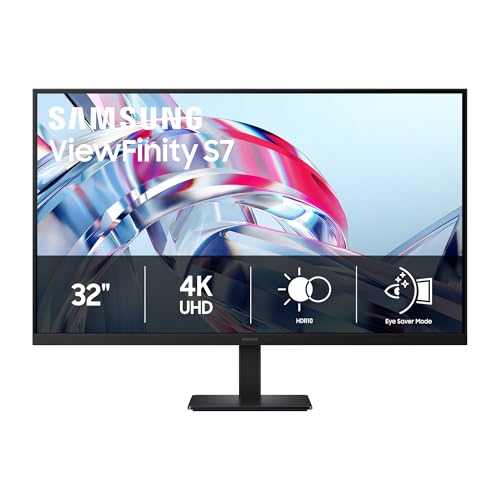
Samsung 32-inch ViewFinity S7 (S70H) High-Resolution Monitor
A 32 inch 4K monitor with HDR10, HDMI ports, and a 1 year warranty.
View on AmazonThese come from our ranked list Best 4K Monitor, which compares them spec by spec.
FAQ
Is a 27 inch 4K monitor better than a 32 inch one?
Neither is better on its own. Both sizes here show 3840 by 2160 pixels, so the 27 inch screen packs them tighter and the 32 inch screen shows them larger. Pick by desk space and how far you sit from the screen.
Does a 4K monitor need a special cable?
Use the ports each monitor lists. The Dell monitors list HDMI and DisplayPort. The ASUS monitor lists DisplayPort and HDMI 2.1. The Samsung monitor lists HDMI. Check the ports on your computer before you buy.
What refresh rate should I look for?
It depends on what you watch and play. The Dell monitors here run at 120Hz and the ASUS monitor runs at 160Hz, so a higher rate is there if your computer supports it. Check the rate your computer's graphics output supports before you choose.


