
What to Look for in a Photo Editing Laptop
 By Theo LangUpdated
For photo editing, look at the display first, then the memory, storage and ports. The display should show accurate color and enough detail to judge a photo, the memory should hold your editing app and open files, and the storage should hold your photo library. The laptops below show how those figures vary from one model to the next.
Start with the display
A photo editing display should show colors as they are, so check the color coverage figure in the spec sheet, such as the share of sRGB it covers. A higher resolution, such as 1440p or 2160p, shows more detail in each photo. If you plan to use an external monitor, check that the laptop's USB-C port supports video output before you buy the monitor.
Check memory and storage
Memory holds the files and apps you have open while you edit, and storage holds the photo library itself. Compare the memory and storage figures on the spec sheet, using capacity names such as 16 GB and 32 GB as a guide to the range on offer. Check the requirements published for your editing software, and make sure the laptop meets them before you buy.
Look at the ports
Photo editing means moving files between a camera, cards and drives, so count the ports on the laptop. The Acer Aspire's included USB hub provides an SD card port, and USB-C and USB-A ports take drives and card readers. Check the laptop's manual for which ports carry video, data or charging, since a port name alone does not prove what it does.
Balance screen size and weight
A larger screen shows more of each photo at once, while a smaller, lighter laptop is easier to carry to a shoot. Compare the screen size and weight figures on the spec sheet, and think about where you will edit most. A laptop that stays on a desk can be larger than one you carry every day.
What you need

Apple MacBook Air 13-inch Laptop
A 13.6-inch laptop with the M5 chip, 16GB of unified memory, 512GB of storage, a Liquid Retina display and Wi-Fi 7.
View on Amazon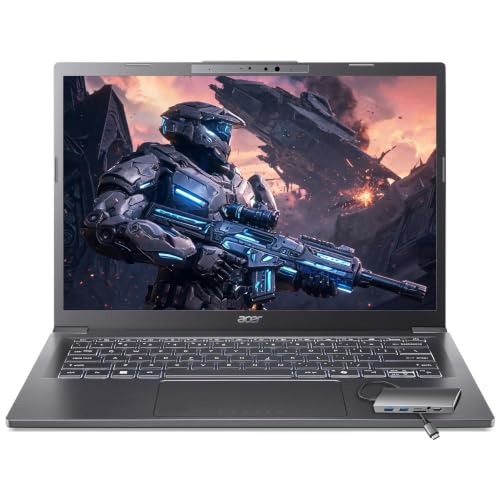
Acer Aspire Laptop
A 14-inch touchscreen laptop with an Intel Core Ultra 7 258V processor, 32GB of memory, 2TB of storage and Wi-Fi 6E.
View on Amazon
Acer Nitro V 16S Gaming Laptop
A 16-inch laptop with a 1920 x 1200 display covering 100% of sRGB, a 180Hz refresh rate, 32GB of memory and 1TB of storage.
View on Amazon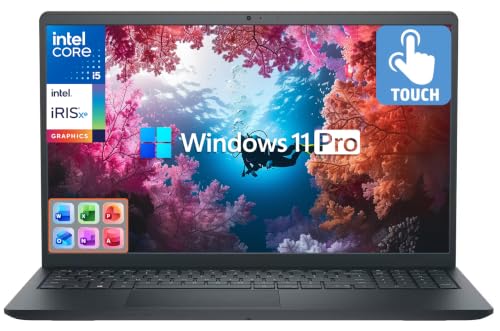
Dell Inspiron Laptop
A 15.6-inch touchscreen laptop with a 10-core Intel i5-1334U processor, 16GB of memory, 512GB of SSD storage and a 500GB external drive and Wi-Fi 6.
View on AmazonThese come from our ranked list Best Laptop Computer for Photo Editing, which compares them spec by spec.
FAQ
Does a photo editing laptop need a dedicated graphics card?
Not always. Check the requirements published for your editing software, and compare them with the graphics listed for the laptop. Integrated graphics are built into the processor, while a separate graphics card is its own part, and your software's requirements show which it calls for.
What should I check about storage for photos?
Look at the storage figure on the spec sheet and think about how many photos you keep. Photo files add up over time, so compare the figure with the size of the library you already have before you buy.
Is a touchscreen useful for photo editing?
It can be. A touchscreen lets you tap and pinch to zoom into a photo, and some editors take stylus input for retouching. Check the spec sheet to see if the laptop has a touchscreen and stylus support.

