What to Look for When Buying a Laptop
 By Theo LangUpdated
When you buy a laptop, match the screen size, memory, storage, ports and operating system to the work you will do on it. A 13-inch laptop takes less room in a bag than a 17-inch one, while a larger screen shows more of a document at once. Check the installed memory and storage, the ports on the sides, and the software the laptop runs before you choose.
Check the screen size and resolution
Screen sizes in this guide run from 13 inches to 17.3 inches. A larger screen shows more of a document or a spreadsheet at once, while a smaller screen takes less room in a bag. The Dell and HP laptops list FHD resolution, so check the resolution figure on the laptop you buy and compare it with the screen you use now.
Compare installed memory and storage
The laptops here list 8GB or 16GB of installed memory and 256GB or 512GB of installed storage. Memory holds the apps and files you have open, while storage holds the files you keep. Check the installed figures on the configuration you buy, and compare them with the requirements published for the software you plan to use.
Check the ports and wireless
Look at the ports on the sides of the laptop before you buy. A USB-C port does not always carry video, so check the manual or spec sheet for video output on that port. The MacBook Air lists two Thunderbolt 4 ports and Wi-Fi 7. The Dell 15.6 Laptop lists Wi-Fi 6. Match the wireless standard to the network you use, and check the port list on the laptop you buy.
Match the operating system to your software
Two laptops here run macOS and two run Windows 11, so start from the software you plan to use. Check the requirements published for each app and confirm the operating system supports it. If you use an iPhone, the MacBook Air and MacBook Neo list features that work with the phone, such as starting an email on one device and finishing it on the other.
What you need

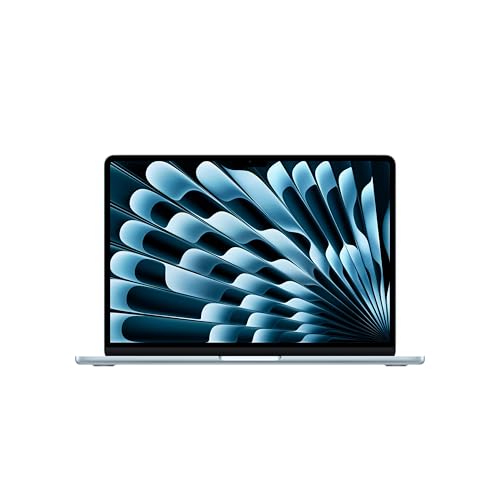
Apple MacBook Air 13-inch Laptop
A 13.6-inch laptop with the M5 chip, 16GB of unified memory, a 512GB SSD, two Thunderbolt 4 ports and Wi-Fi 7, running macOS.
View on Amazon
Apple MacBook Neo 13-inch Laptop
A 13-inch laptop with the A18 Pro chip, 8GB of unified memory, a 256GB SSD and a 1080p FaceTime HD camera, running macOS.
View on Amazon
Dell 15.6 Laptop
A 15.6-inch laptop with the Intel Core Ultra 5 225U, 16GB of RAM, a 512GB SSD, a backlit keyboard and Wi-Fi 6, running Windows 11 Home.
View on Amazon
HP 17-inch Laptop
A 17.3-inch laptop with an AMD Ryzen 5 processor, 16GB of RAM, a 512GB SSD, a numeric keypad and a 720p camera, running Windows 11.
View on AmazonThese come from our ranked list Best Laptop, which compares them spec by spec.
FAQ
How much memory and storage should a laptop have?
It depends on the software you run. The laptops here list 8GB or 16GB of installed memory and 256GB or 512GB of installed storage. Check the requirements published for your software and compare them with the installed figures on the laptop you buy.
Does screen size change what a laptop can do?
Screen size changes how much you see at once, not which software runs. A 17.3-inch screen shows more of a document than a 13-inch screen, while the smaller laptop takes less room in a bag. Pick the size that fits how you carry and use the laptop.
What should I check before I buy a laptop?
Check the screen size, the installed memory and storage, the ports, and the operating system. Compare those figures with the requirements published for the software you plan to use. Also check the warranty the maker lists for the laptop.