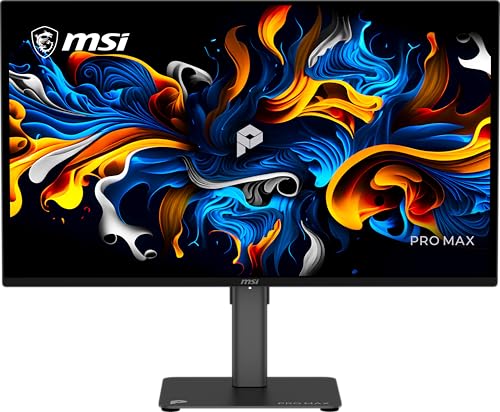
What Size Monitor for a Dual Setup?
 By Theo LangUpdated
For a dual setup, two monitors of the same size and resolution keep windows, text and color consistent as you move between screens. A pair of 24-inch 1080p monitors takes less desk width than a pair of 27-inch monitors, while the 27-inch pair gives more room per screen. Match the two monitors to each other first, then to the desk.
Match the two monitors to each other
Two monitors of the same size, resolution and panel type show the same picture at the same scale, so a window looks the same on either screen. The monitors here are all 1920x1080, with the Dell 24 and the Acer at 23.8 in, the Sceptre at 24 in and the Dell 27 at 27 in. A 23.8 in monitor next to a 27 in monitor shows text at a different size, so buy the same model twice when you can. Check that both screens use the same connections your computer has.
Measure the desk before you buy
Two 24-inch monitors side by side need more desk width than a single screen, and two 27-inch monitors need more still. Measure the desk from edge to edge, then leave room for the stands and for the keyboard in front of them. The Dell 24 weighs 7.43 lb, the Acer 7.72 lb, the Dell 27 8.2 lb and the Sceptre 5.8 lb, so check that the desk and the arms or stands you use hold that weight. A monitor arm or a VESA mount frees desk space, and the Acer and the Sceptre state VESA mounting.
Match resolution and refresh rate
All four monitors here run at 1920x1080, so text and windows match across the pair when you use two of the same model. Refresh rate sets how often the picture updates: the Sceptre runs at 100 Hz, the Acer at 120 Hz, the Dell 24 at 144 Hz and the Dell 27 at 240 Hz. A higher refresh rate suits gaming and fast motion, while 60 Hz covers office work and video. Pick the same refresh rate for both screens so motion looks the same on each.
Check the ports on your computer
Each monitor needs a video output on your computer, so count the outputs before you buy. The Dell 24 has 2x HDMI. The Dell 27 has 2x HDMI and DisplayPort 1.4. The Acer has HDMI and VGA. The Sceptre has DisplayPort and two HDMI ports. If your computer has a single video output, add a dock or a second graphics output that supports two displays, and check that your laptop's USB-C port supports video output.
Keep color and brightness consistent
Two monitors look like a pair when their color and brightness match. The Dell 27 and the Acer state 99% sRGB color coverage, and the Sceptre states 100% sRGB, so screens from the same model will match. The Dell 24 states IPS color accuracy across wide viewing angles, and the Acer states 250 nits of brightness. Set both monitors to the same brightness and color settings after you plug them in.
What you need

Dell 24 Monitor SE2426H
A 23.8-inch 1920x1080 IPS monitor with a 144 Hz refresh rate, 2x HDMI, a tilt stand and a 1-year warranty.
View on Amazon
Dell 27 Gaming Monitor SE2726HG
A 27-inch 1920x1080 IPS monitor with a 240 Hz refresh rate, DisplayPort 1.4, 2x HDMI and a 3-year warranty.
View on Amazon
Acer 23.8-inch Office Monitor KB242Y G0bi
A 23.8-inch 1920x1080 IPS monitor with a 120 Hz refresh rate, HDMI, VGA, VESA mounting and a 3-year warranty.
View on Amazon
Sceptre 24-inch Gaming Monitor 1ms E248W-FW100T
A 24-inch 1920x1080 monitor with a 100 Hz refresh rate, DisplayPort, two HDMI ports, built-in speakers and VESA mounting.
View on AmazonThese come from our ranked list Best PC with Monitor, which compares them spec by spec.
FAQ
Should both monitors be the same size?
Yes, when you can. Two monitors of the same size and resolution keep text and windows at the same scale, so moving between screens feels natural. The Dell 24 and the Acer are both 23.8 in, while the Dell 27 is 27 in.
Is 27 inch too big for a dual setup?
No, if the desk has room for two of them. Two 27-inch monitors need more desk width than two 24-inch monitors, so measure the desk first. The Dell 27 is 27 in with a 1920x1080 picture, and it weighs 8.2 lb.
Do I need two HDMI ports for a dual setup?
You need a video output for each monitor, not two of the same port. The Dell 24 and the Dell 27 each have 2x HDMI, and the Sceptre has DisplayPort and two HDMI ports. The Acer has HDMI and VGA, so mix the outputs your computer has.
What refresh rate should a dual setup have?
Match the two monitors to each other. The Sceptre runs at 100 Hz, the Acer at 120 Hz, the Dell 24 at 144 Hz and the Dell 27 at 240 Hz. Pick the same refresh rate for both screens, and check the requirements published for the software you use.