What Is a Stylus Pen for a Tablet?
 By Theo LangUpdated
A stylus pen for a tablet is a pen-shaped input tool that writes, draws, and taps on the touchscreen with a fine tip. It gives you finer control than a fingertip for handwriting, sketching, and marking documents. Some pens work on any touchscreen, while others only work with specific tablets.
What a stylus pen is
A stylus pen is a handheld pointer shaped like a pen. The tip touches the screen so you can write, draw lines, select small items, and move through menus. A fine tip helps you place marks where you intend them, which is useful for notes in margins, diagrams, and forms with small boxes. You hold and move it like a pen on paper.
How a tablet senses the pen
Tablets sense a pen in different ways. A basic capacitive tip works like a fingertip and needs no pairing. An active pen sends signals that the tablet reads for position and, on supported models, pressure and tilt. The tablet and its apps decide what those signals do, such as changing line width. Check the tablet manual to see which pen type it supports before you buy one.
What you can do with it
You can write handwritten notes, annotate PDFs, sketch ideas, and mark up photos or documents. Many note apps can search handwriting or convert it to typed text, depending on the app. A pen also helps with precise taps in drawing and photo apps. For reading, you can highlight text and add comments without covering the screen with your hand.
Check compatibility before you buy
Compatibility depends on the tablet model, not only on the screen. Look for the pen name listed for your exact tablet and confirm whether a pen is included or sold separately. Check whether the pen needs charging or batteries and how it attaches or stores. If you plan to draw, confirm that your drawing app uses pressure on that tablet. Keep the pen tip clean and replace it if the maker provides spares.
What you need

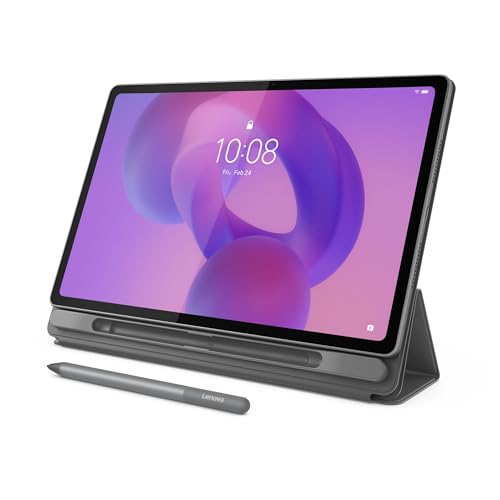
Lenovo Idea Tab
An 11 inch 2.5K IPS tablet with Tab Pen and folio case, plus note apps for writing, organizing, and sketching.
View on Amazon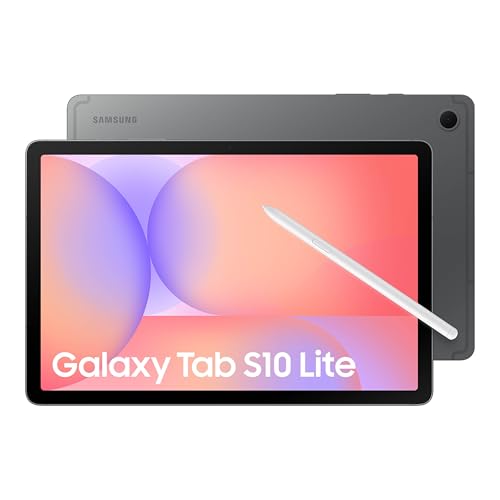
Samsung Galaxy Tab S10 Lite
A 10.9 inch LCD tablet with S Pen for note-taking, drawing, and math work in supported apps.
View on Amazon
Lenovo Idea Tab Pro Gen 2 Tablet Pen & Folio Case
A 13 inch 3.5K IPS tablet with pen and folio case, with tools for reading, margin notes, and PDF work.
View on Amazon
TCL TAB A1 NXTPAPER Tablet
An 11 inch 2.1K tablet with T-Pen 2 support, 4,096 pressure levels, and interchangeable broad and thin tips.
View on AmazonThese come from our ranked list Best Tablet with Pen, which compares them spec by spec.
FAQ
Do I need a stylus to use a tablet?
No. You can tap, type, and scroll with your fingers. A stylus helps when you write by hand, draw, or need fine control for small targets and detailed marks.
Will any stylus work with my tablet?
A basic capacitive stylus works like a fingertip on most touchscreens. An active pen only works with tablets that support that pen system. Check the maker listing for your exact model.
Can I write notes that become typed text?
Some note apps convert handwriting to typed text and let you search your notes. The feature depends on the app and language settings, so check the app description before you rely on it.