
What Is an Ergonomic Monitor?
 By Theo LangUpdated
An ergonomic monitor is a monitor with a stand or mount that lets you change the screen position, such as height, tilt, swivel or pivot. The panel itself can be any type or size. The word describes adjustability and setup options, not a separate display technology.
What ergonomic means on a monitor
On these monitors, ergonomic refers to how the screen can be positioned. The ASUS model has a height adjustable stand, the two Samsung models have tilt only stands, and the HP model has height and tilt adjustment with VESA mounting, so it can go on an arm or wall mount instead of the included stand.
Check which adjustments are included
Read the stand description closely, since models differ. One monitor may offer height adjustment and tilt, while another offers tilt only. Check whether swivel, pivot or VESA mounting is listed for the model you are considering. Choose a model whose stand description includes each movement you want.
Match the stand to your desk
Measure the desk depth and the space behind the screen before you buy. A height adjustable stand needs room to move up and down, and a monitor arm needs a desk edge or wall that can hold its clamp or plate. Check the monitor weight against the mount limit stated by the mount maker.
Set screen height and tilt
Place the screen so the center sits in front of you and the top of the screen is near eye level when you sit upright. Tilt the screen so it faces your eyes rather than the ceiling or desk. Change one adjustment at a time and check the result from your normal sitting position.
Ports and panel still matter
Adjustability does not replace panel and port checks. Match the resolution and refresh rate names to your PC output and the inputs on the monitor, such as HDMI or DisplayPort. Check the requirements published for your software or games, and confirm your PC can output the signal you plan to use.
What you need

ASUS TUF Gaming VG249QML5A 24-inch Gaming Monitor
A 24 inch 1080p IPS gaming monitor with a height adjustable ergonomic stand and 240 Hz refresh rate name.
View on Amazon
Samsung 24-inch (S30GD) Essential Monitor
A 24 inch IPS monitor with a tilt only stand and 100 Hz refresh rate name for desk setups.
View on AmazonSamsung 27-inch (S30GD) Essential Monitor
A 27 inch IPS monitor with a tilt only stand and 100 Hz refresh rate name for larger screens.
View on Amazon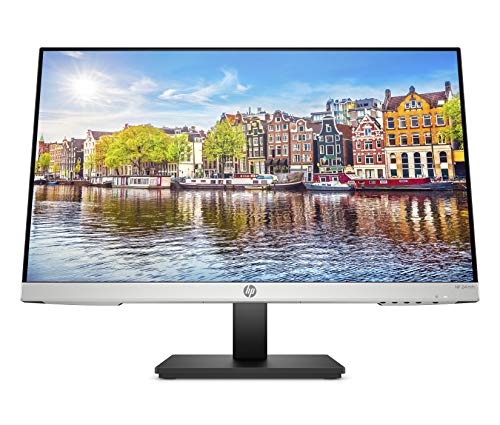
HP 24mh Monitor
A 23.8 inch IPS monitor with height and tilt adjustment, HDMI, DisplayPort and VESA mounting.
View on AmazonThese come from our ranked list Best Monitor Ergonomics, which compares them spec by spec.
FAQ
Does ergonomic mean the panel is different?
No. The word describes the stand or mount adjustments. Panel type, resolution and refresh rate are separate specs to check on each model.
Is tilt only enough for an ergonomic setup?
Tilt only lets you angle the screen. If you need height change, look for a height adjustable stand or a VESA mount that fits the monitor.
Can I use a monitor arm instead of the stand?
Yes, if the monitor supports VESA mounting and the arm limit fits the monitor weight. Check both figures stated by the makers before buying.
What screen size should I pick?
Match size to desk depth and viewing distance. Common example sizes include 24 inch and 27 inch screens, so measure your desk first.


