What Is a Curved Monitor?
 By Theo LangUpdated
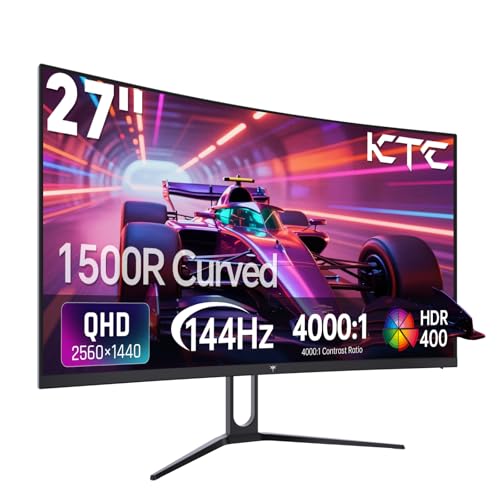
A curved monitor is a display whose screen bends inward toward the viewer instead of staying flat, so the edges sit closer to you than the center. The curve is rated in R: a 1500R curve bends more than an 1800R curve. The bend is meant to match the shape of your field of vision, so the whole screen stays at a similar distance from your eyes.
What the curve number means
The number after the R is the radius of the circle the curve would form, in millimeters, so a smaller number means a tighter bend. A 1500R curve bends more than an 1800R curve. The SANSUI and Sceptre monitors here are 1500R, and the two Samsung monitors are 1800R. A tighter bend wraps the edges of the screen further around your field of vision.
What the curve changes on screen
A curved screen pulls the edges toward you, so the picture fills more of your view than the same size flat screen. The SANSUI monitor is a 34 inch ultrawide screen at 3440 x 1440, and the Sceptre monitor is a 34 inch screen at the same 3440 x 1440 resolution. A wider screen shows more side by side than a standard screen. The Samsung monitors are 24 and 27 inch FHD screens, so they show a standard picture on a curved panel.
Check the size and the resolution
Pick the size for your desk and how far you sit from it. The Samsung monitors are 24 and 27 inch screens, and the SANSUI and Sceptre monitors are 34 inch screens. Then check the resolution: the 34 inch monitors are 3440 x 1440, while the Samsung monitors are FHD (1080p). A higher resolution shows more detail on the same size screen.
Check the refresh rate and the ports
The SANSUI monitor is rated at 200Hz, the Sceptre at up to 240Hz, and the Samsung monitors at 100Hz. Check that your computer and cable support the rate you want. The Sceptre monitor has DisplayPort and HDMI, and the Samsung monitors have HDMI.
What you need

SANSUI 34-inch Curved Gaming Monitor UWQHD 3440 x Ultrawide
A 34 inch curved ultrawide monitor at 3440 x 1440 with a 200Hz refresh rate, a 1500R curve, a Fast VA panel and two HDMI 2.1 ports.
View on Amazon
Sceptre Curved 34-inch Gaming Monitor up to 1500R 1ms 100% sRGB C345B-QU240T
A 34 inch curved monitor at 3440 x 1440 with up to 240Hz refresh, a 1500R curve, 100% sRGB color and built-in speakers.
View on Amazon
Samsung 24-inch Essential S3 (S36GD) 1800R Curved Computer Monitor
A 24 inch curved FHD monitor with a 100Hz refresh rate, an 1800R curve, Game Mode and HDMI and D-sub ports.
View on Amazon
Samsung 27-inch Essential S3 (S36GD) 1800R Curved Computer Monitor
A 27 inch curved FHD monitor with a 100Hz refresh rate, an 1800R curve, Game Mode and HDMI and D-sub ports.
View on AmazonThese come from our ranked list Best Curved Monitor, which compares them spec by spec.
FAQ
Is a curved monitor better than a flat one?
It depends on the size and how you use it. A curve suits wide screens, where it pulls the edges toward you, while a small flat screen keeps the whole picture at a similar distance. Check the size and the curve before you buy.
What does 1500R mean on a curved monitor?
It is the radius of the circle the curve would form, in millimeters. A 1500R curve bends more than an 1800R curve, so its edges wrap further around your field of vision. The SANSUI and Sceptre monitors here are 1500R.
Do curved monitors work for office work?
Yes. The curve pulls the edges of the screen toward you, so a wide document or spreadsheet fills more of your view. The Samsung 24 and 27 inch monitors are FHD screens with a 100Hz refresh rate and an 1800R curve.