What Is a Memory Stick?
 By Theo LangUpdated
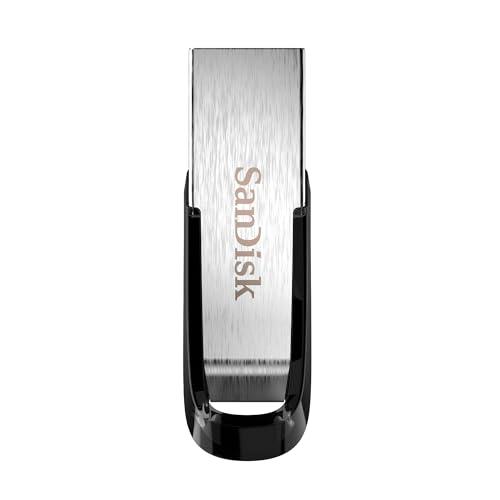
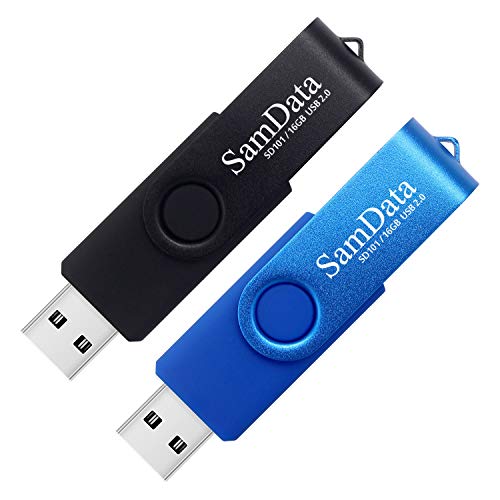
A memory stick is a small portable drive that plugs into a USB port and stores files such as documents, photos, music and videos. It is also called a USB flash drive, a thumb drive or a jump drive. You plug it into a computer, phone or tablet, copy files onto it, and carry them to another device.
What a memory stick is
A memory stick holds files on flash memory inside a small case with a USB connector on one end. It needs no battery and no separate power cable, since it runs on power from the USB port. When you plug it in, the computer or phone shows it as a drive, and you copy files to it or open files from it just as you would from a folder on the device. Unplug it when you finish, and the files stay on the stick until you delete them or copy them elsewhere.
USB-A and USB-C connectors
Memory sticks come with a USB-A connector, a USB-C connector, or both on the same stick. The Lexar D40E has both, with a 360-degree swivel design that switches between the two connectors without a cap to lose. Check which port your computer, phone or tablet has before you buy, and pick a stick with a matching connector so it plugs straight in.
Speed and capacity
Capacity is how much the stick holds, and the sticks here hold 128 GB or 256 GB. The Lexar D40E and the PNY Turbo Attaché 3 both list a rated read speed of up to 100 MB/s, and the PNY 256 GB stick holds about 47,349 songs. Rated speed is a maximum, and the speed you see depends on the host device, the interface and what you copy. Both PNY sticks use USB 3.0 and stay backwards compatible with USB 2.0 ports.
Using a memory stick
Plug the stick in and wait for the device to show it before you copy files. Copy the files you want to move, then use your device's eject option before you pull the stick out, so a file does not end up half copied. Keep the stick in a pocket or bag where the connector stays clean, and keep a second copy of files that matter, since a small stick is easy to lose.
What you need

Lexar D40E 256GB Dual USB 3.2 Gen
A 256 GB Lexar D40E with USB-A and USB-C connectors, a rated read speed of up to 100 MB/s, a metal housing and a 360-degree swivel design.
View on Amazon
Lexar D40E 128GB Dual USB 3.2 Gen
A 128 GB Lexar D40E with USB-A and USB-C connectors, a rated read speed of up to 100 MB/s and a 3-year limited warranty.
View on Amazon
PNY 256GB Turbo Attaché 3 USB 3.0
A 256 GB PNY Turbo Attaché 3 with USB 3.0, a rated read speed of up to 100 MB/s and a sliding collar capless design with an integrated loop.
View on Amazon
PNY 128GB Turbo Attaché 3 USB 3.0
A two-pack of 128 GB PNY Turbo Attaché 3 sticks with USB 3.0, a rated read speed of up to 100 MB/s and a sliding collar capless design.
View on AmazonThese come from our ranked list Best USB Drive, which compares them spec by spec.
FAQ
Is a memory stick the same as a USB flash drive?
Yes. Memory stick, USB flash drive, thumb drive and jump drive are different names for the same kind of small portable USB storage.
Do memory sticks work with phones and tablets?
Some do. The Lexar D40E works with USB Type-C smartphones and tablets as well as laptops and Macs, with no software to install. Check your device's port first, since a stick needs a matching connector.
Can I use a memory stick to back up my files?
Yes, you can copy files onto a stick as a second copy, and the Lexar D40E adds 256-bit AES encryption software for the files it protects. Put the stick back in a pocket or bag, and keep another copy of files you cannot replace.