What Does More RAM Do for Your PC?
 By Theo LangUpdated
More RAM gives your PC more memory to hold open apps, browser tabs and files in use, so the system spends less time moving data back and forth to storage. With more room, switching between programs feels quicker and workloads stay responsive. It does not change what your processor or graphics card can do, but it removes one limit on how many things you can keep open at once.
What RAM holds while you work
RAM holds the data your PC is using right now: the apps you have open, the tabs in your browser, the document you are editing and the game level you are playing. When you close a program, its data leaves RAM. When RAM fills up, the system moves some of that data to storage, which is slower to read back, and that is when switching apps or opening new tabs starts to feel slow.
More room for more open programs
A larger capacity, such as 32 GB or 64 GB, holds more programs and files at once than a smaller one, such as 8 GB or 16 GB. That matters when you keep a browser with many tabs open beside an editing app, a chat app and a game, or when you work with large files. The extra room lets each program stay in memory instead of being moved aside and loaded again.
When extra RAM stops helping
Adding capacity helps only up to the point where your workload fills it. Once your programs and files fit comfortably, extra RAM sits unused and changes nothing you can feel. Before buying, check how much memory your PC holds during your normal work in your operating system's task manager, and check the requirements published for the software or games you run.
Match DDR4 or DDR5 to your board
Desktop memory comes in generations such as DDR4 and DDR5, and a board built for one does not take the other. Check your motherboard manual for the generation, the speeds it supports and the capacity it accepts. Shut the PC down and unplug it first, then follow the maker's manual to fit the modules. Kits are sold in matched sets that are designed to run together, so do not mix kits.
What you need

Patriot Viper Venom DDR5 RAM
A 16 GB DDR5 kit in two 8 GB modules, rated at 6000 MT/s with CL36 timings, Intel XMP and AMD EXPO support and on-die ECC.
View on Amazon
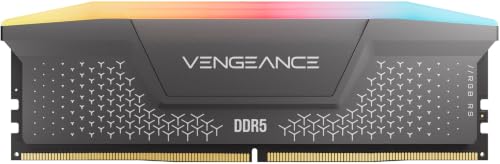
CORSAIR Vengeance RS DDR5
A 32 GB DDR5 kit in two 16 GB modules, rated up to 6000 MHz with CL38 timings, AMD EXPO and Intel XMP 3.0 profiles and onboard voltage regulation.
View on Amazon
Corsair Vengeance RGB RS DDR5
A 64 GB DDR5 kit in two 32 GB modules, rated up to 6000 MHz with CL40 timings, AMD EXPO and Intel XMP 3.0 profiles and individually addressable RGB lighting.
View on Amazon
G.SKILL RipjawsV DDR4 RAM (XMP)
A 32 GB DDR4 kit in two 16 GB modules, rated up to 3200 MT/s with CL16 timings and an Intel XMP profile, in a 288-pin U-DIMM form.
View on AmazonThese come from our ranked list Best RAM for PC, which compares them spec by spec.
FAQ
Does more RAM make games run faster?
It can stop slowdowns that come from running out of memory, but it does not change what your graphics card renders. Check the requirements published for your game to see what it lists.
Can I mix two RAM kits together?
Memory kits are sold in matched sets designed to run together as a set. Mixing kits can cause stability issues or system failure, so use one matched kit.
Does more RAM help with video editing?
Editing holds large files and preview data in memory, so a larger capacity keeps more of that work in RAM instead of moving it to storage. Check the requirements published for your editing software.