What Does DDR4 RAM Look Like?
 By Theo LangUpdated
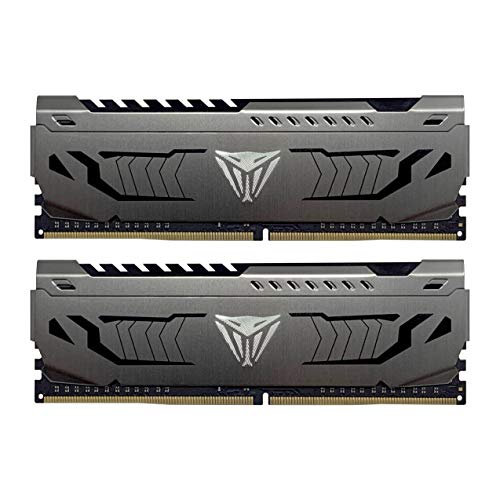
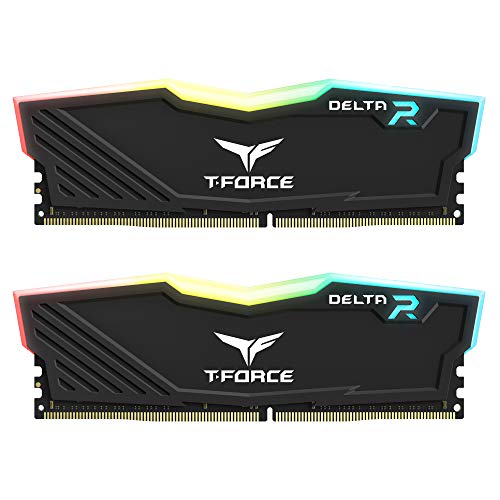
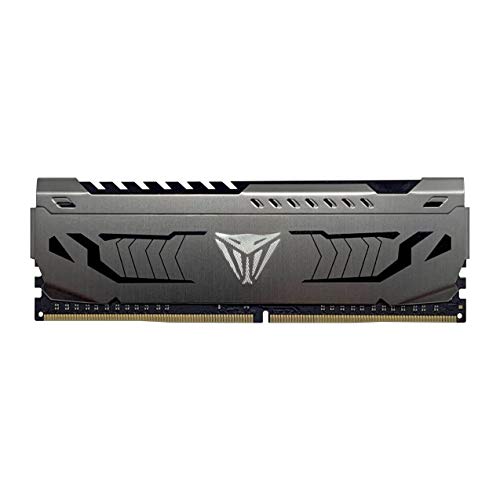
DDR4 RAM for a desktop is a long, narrow stick called a DIMM, with a row of black memory chips along one edge and a 288-pin connector along the bottom. The connector has a notch that lines up with the slot on the motherboard, so the stick only fits one way. Some sticks carry a metal heat spreader over the chips, in black or gray.
The stick and its chips
A DDR4 desktop stick is a narrow printed circuit board with memory chips in a row on one or both sides. The chips are small black rectangles, and the board often has the brand, capacity and speed printed on it. The TEAMGROUP kit and the Corsair kit show the chips under a cooling module or heat spreader.
The 288-pin edge and notch
The bottom edge of the stick is the connector, with 288 pins that slide into the slot on the motherboard. A small notch in that edge lines up with a tab in the slot, so the stick only fits when the notch and the tab meet. DDR4 desktop sticks use this 288-pin layout, and the notch sits in a different place than on other DDR generations, so a DDR4 stick does not fit other DDR slots.
What is printed on the stick
A DDR4 stick has its capacity, speed and generation printed on the board. The kits here show 16GB and 32GB capacities at 3200MHz, with two 8GB sticks, two 16GB sticks or one 16GB stick. It also has the CAS latency, such as CL16 on the TEAMGROUP, Corsair and G.SKILL kits and CL22 on the PNY stick, plus the voltage, such as 1.2V on the PNY stick and 1.35V on the Corsair and G.SKILL kits.
How to spot DDR4 in a PC
Open the case only after you shut the computer down and unplug it, and follow the maker's manual. Inside, look for the long slots near the processor, with a stick in one or more of them. Read the printing on the stick for DDR4 and the capacity, and check it against the manual before you buy a matching kit.
What you need

TEAMGROUP T-Force Vulcan Z DDR4 DRAM
A 16GB kit of two 8GB DDR4 sticks at 3200MHz with a cooling module, XMP2.0 support and a gray finish.
View on Amazon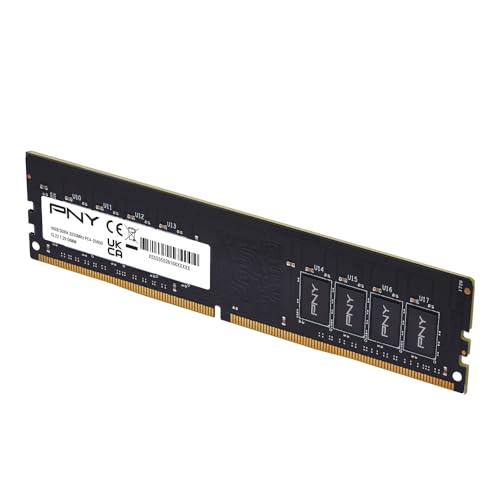
PNY DDR4 16GB
A single 16GB DDR4 stick at 3200MHz with CL22, 1.2V and a 288-pin edge, in black.
View on Amazon
CORSAIR Vengeance LPX DDR4 RAM
A 32GB kit of two 16GB DDR4 sticks at up to 3200MHz with a 34mm low-profile height and an aluminum heatspreader.
View on Amazon
G.SKILL RipjawsV DDR4 RAM (XMP)
A 16GB kit of two 8GB DDR4 sticks at up to 3200MHz with XMP, a JEDEC default profile and a 288-pin U-DIMM layout.
View on AmazonThese come from our ranked list Best DDR4, which compares them spec by spec.
FAQ
How can I tell DDR4 from DDR5?
Read the generation printed on the stick, and check the notch position against the slot. DDR4 sticks use a 288-pin layout, and the notch sits in a different place than on other DDR generations, so a DDR4 stick does not fit other DDR slots.
Does DDR4 RAM always have a heat spreader?
No. The Corsair kit has an aluminum heatspreader and the TEAMGROUP kit has a cooling module, so the look changes from kit to kit. Check the maker's page for the kit you buy to see what covers the chips.
Can I mix DDR4 kits?
Do not mix memory kits: the G.SKILL kit is sold as a matched set, and mixing kits can cause stability issues or system failure. Buy the kit size you want as one matched set.