
How to Measure a Laptop Screen Size
 By Theo LangUpdated
A laptop screen size is the diagonal of the lit display, measured from corner to opposite corner in inches. A 13-inch laptop has a 13-inch diagonal, and a 15.6-inch laptop has a 15.6-inch diagonal. Measure only the part that lights up, not the frame around it.
Measure corner to corner
Place a tape measure at the inside corner of the lit screen and stretch it to the opposite inside corner, keeping the tape straight across the display. Read the length where the tape meets the far corner. That diagonal is the screen size, so a reading of 13 inches means a 13-inch screen and a reading of 15.6 inches means a 15.6-inch screen.
Leave the bezel out
The bezel is the frame around the display, and it does not count toward the screen size. Start the tape where the picture starts, not at the outer edge of the lid. If you include the bezel, the reading comes out larger than the size the maker lists, and a sleeve or screen protector bought by that reading will not fit.
Compare with the listed size
Laptops are sold by the diagonal size, such as 13-inch, 15.6-inch or 16-inch. The laptops here include a 13-inch MacBook Neo, a 15.6-inch Dell laptop, a 16-inch Morostron laptop and a 15.6-inch AKCHART laptop. Compare your tape reading with the size in the laptop manual or on the maker page to confirm which size you have.
Measure the whole laptop too
For a sleeve, bag or screen protector, the diagonal alone is not enough. Measure the width and height of the closed laptop from edge to edge, and check the thickness at the thickest point. Match those measures to the size the sleeve or case maker gives before you buy.
Look up the model number
If the tape reading falls between two sizes, find the model number on the bottom of the laptop or in the system settings. Look the model up on the maker page, which lists the screen size for that exact model. Use the listed size when you buy a sleeve, screen protector or replacement screen.
What you need

Apple MacBook Neo 13-inch Laptop
A 13-inch laptop with a Liquid Retina display, 8GB unified memory, 256GB SSD storage and a 1080p FaceTime HD camera.
View on Amazon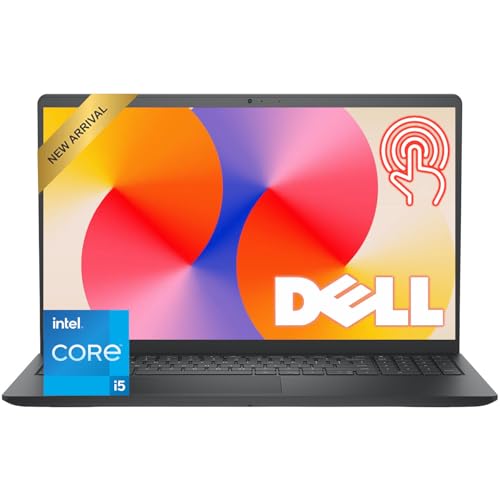
Dell 15.6-inch Touchscreen Laptop
A 15.6-inch Full HD touchscreen laptop with a 120Hz refresh rate, 8GB RAM and 512GB SSD storage.
View on Amazon
Laptop 16-inch
A 16-inch Full HD laptop with a 1920 x 1080 display, 8GB RAM and 256GB SSD storage.
View on Amazon
AKCHART 15.6'' Laptop
A 15.6-inch Full HD laptop with a 1920x1080 IPS display, 12GB RAM and 256GB SSD storage.
View on AmazonThese come from our ranked list Best Laptop Screen, which compares them spec by spec.
FAQ
What does a 15.6-inch screen mean?
It means the lit display measures 15.6 inches from corner to opposite corner. The number is the diagonal, not the width, and it does not include the bezel.
Can I measure the screen with a phone?
A tape measure gives the true reading. A phone app can estimate the size, but check its result against the size in the laptop manual before you buy anything by it.
Why does my screen look smaller than the listed size?
The listed size is the diagonal of the lit display only. The bezel around it makes the lid larger, while the picture area stays at the listed size.


