Laptops With Full-Size Arrow Keys
 By Theo LangUpdated
A laptop with full-size arrow keys has arrow keys that are the same height as the letter keys, in an inverted-T shape at the bottom right of the keyboard. Compact laptops shrink the up and down arrows to half height, which makes them harder to hit by touch.
What full-size arrow keys look like
Full-size arrow keys stand as tall as the letter keys around them, arranged with left and right on one row and up above down in the middle. Half-height arrows are shorter and sit in a single row, so your finger has less key to find without looking. If you move through text or menus with the arrows, the full-size layout is easier to use without checking the keyboard.
Check the keyboard photo and layout
Open the keyboard photo on the maker's page and look at the bottom-right corner, where the arrows sit. Compare the arrow height with the letter keys beside them and look for the inverted-T shape. If the photo is small, open the full-size image and read the keyboard layout in the manual.
Why screen size is a useful clue
A wider laptop has a wider keyboard deck, so it has more room for full-size arrows and a number pad. The HP 17.3-inch laptop here has a full-size keyboard with a 10-key number pad, which shows what that extra width can hold. A 13-inch laptop has less room, so check its arrows with extra care. Screen size is only a clue, so confirm the arrows in the keyboard photo.
Try the layout before you buy
If you write, edit or play games with the arrow keys, try the keyboard in a shop when you can. Press each arrow and feel whether your finger lands on a full-size key or a half-height one, and move through a line of text to feel the difference. A keyboard that feels right at first touch is easier to live with than one you have to learn around.
What you need

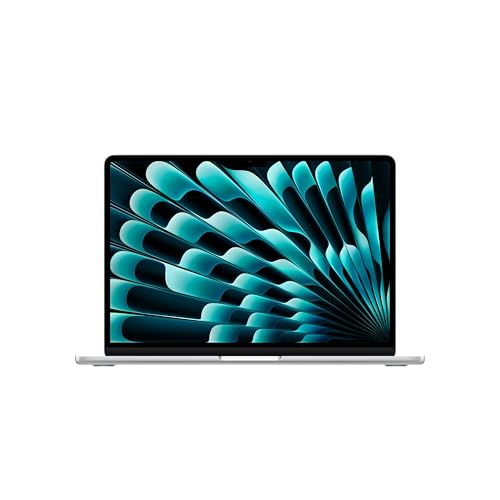
Apple MacBook Air 13-inch Laptop
A 13.6-inch MacBook Air with the M5 chip, 16GB of memory, 512GB of storage, two Thunderbolt 4 ports, MagSafe charging and Touch ID.
View on Amazon
Apple MacBook Neo 13-inch Laptop
A 13-inch MacBook Neo with the A18 Pro chip, 8GB of memory, 256GB of storage, a 1080p FaceTime camera and a color-coordinated keyboard.
View on Amazon
Dell 15.6 Laptop
A 15.6-inch Dell laptop with an Intel Core Ultra 5 processor, 16GB of memory, 512GB of storage, a backlit keyboard and a Copilot key.
View on Amazon
HP 17-inch Laptop
A 17.3-inch HP laptop with an AMD Ryzen 5 processor, 16GB of memory, 512GB of storage and a full-size keyboard with a 10-key number pad.
View on AmazonThese come from our ranked list Best Laptop, which compares them spec by spec.
FAQ
Do all 17-inch laptops have full-size arrow keys?
No. A wide keyboard deck leaves room for full-size arrows, but the maker still chooses the layout. Check the keyboard photo for the laptop you want before you buy.
Does a number pad mean full-size arrow keys?
Not always. A number pad shows the keyboard deck is wide, and the HP 17.3-inch laptop here pairs a full-size keyboard with a 10-key number pad, but the arrows still need their own check in the keyboard photo.
What is an inverted-T arrow layout?
The left and right arrows sit in a row, with the up arrow above and the down arrow below the middle, so each arrow is full height and easy to find by touch.
Can I use an external keyboard for arrow keys?
Yes. A USB keyboard with full-size arrows plugs into a USB port, and the laptop keeps working with its own keyboard for everything else.