Can You Install DDR4 RAM in a DDR3 Slot?
 By Theo LangUpdated
No. A DDR4 module does not fit or work in a DDR3 slot: the notch on a DDR4 module sits in a different place, so the module will not seat, and DDR4 runs at a different voltage than DDR3. To upgrade, you need DDR3 memory for a DDR3 board, or a board built for DDR4.
Check which DDR generation your board takes
Open your board manual or the maker's spec page and find the memory type it lists. A board built for DDR3 takes DDR3 modules only, and a board built for DDR4 takes DDR4 modules only. The type is also printed on the board near the memory slots and on the module. If the manual says DDR3, buy DDR3; if it says DDR4, buy DDR4. Do not trust the slot shape alone.
Why the DDR4 module will not seat
DDR4 desktop modules have 288 pins, and the notch cut into the edge sits in a different place than the notch on a DDR3 module. The slot has a key to match that notch, so a DDR4 module will not drop into a DDR3 slot. Forcing it bends pins and can crack the module or the slot. The PNY DDR4 module runs at 1.2V, and DDR3 boards supply a different voltage, so even a module that fit would not run correctly.
What to buy instead
Match the memory to the board you own. For a DDR3 board, buy DDR3 modules in the capacity and kit size the board manual allows. For a DDR4 board, buy DDR4 modules such as the 16GB and 32GB kits in the list below. Check the board manual for the supported speeds and the number of slots, and buy one matched kit rather than mixing kits from different packs.
Install the new memory
Shut the PC down and unplug it before you open the case, and follow the maker's manual for your board. Touch a bare metal part of the case to discharge static, then press the clips at the ends of the slot outward. Line up the notch on the module with the key in the slot, press down evenly on both ends until the clips snap shut, and plug the PC back in.
What you need

TEAMGROUP T-Force Vulcan Z DDR4 DRAM
A 16GB DDR4 kit of two 8GB modules at 3200MHz with XMP2.0 support for Intel and AMD motherboards.
View on Amazon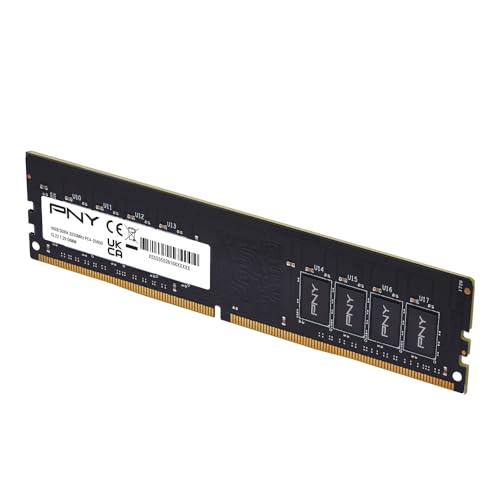
PNY DDR4 16GB
A single 16GB DDR4 module at 3200MHz and 1.2V, rated CL22 and backwards compatible with lower frequencies.
View on Amazon
CORSAIR Vengeance LPX DDR4 RAM
A 32GB DDR4 kit of two 16GB modules at up to 3200MHz, low-profile at 34mm with an aluminum heatspreader.
View on Amazon
G.SKILL RipjawsV DDR4 RAM (XMP)
A 16GB DDR4 kit of two 8GB modules at up to 3200MT/s with XMP and a JEDEC default profile.
View on AmazonThese come from our ranked list Best DDR4, which compares them spec by spec.
FAQ
Can DDR4 RAM fit in a DDR3 slot?
No. The notch on a DDR4 module sits in a different place than the notch on a DDR3 module, so the module will not seat in the slot.
Can I use DDR3 RAM in a DDR4 slot?
No. DDR3 and DDR4 use different slots and different voltages, so a DDR3 module will not fit or run in a DDR4 board. Buy the generation your board manual lists.
How do I know which RAM my board takes?
Check your board manual or the maker's spec page for the memory type. The type is also printed near the memory slots and on the module. Match the generation, and check the supported speeds and slot count.
Can I mix two different DDR4 kits?
Do not mix memory kits. Kits are sold as matched sets designed to run together, and mixing kits can cause stability issues or system failure. Buy one kit in the capacity you want.