How to Clean a Laptop Fan With a Straw
 By Theo LangUpdated
Clean a laptop fan with a straw by shutting the laptop down, unplugging it, and blowing short puffs of air through the vent slots to push dust out. Hold the straw at the vent opening and work along the grille, then wipe the vent with a dry cloth. If the fan still sounds loud, contact the maker instead of opening the case.
Shut down and unplug the laptop
Shut the laptop down and unplug the charger and every cable, then set it on a firm, dry surface. Do not open the case: the straw method works through the vent slots from outside. If the laptop is under warranty, or the manual says to leave the case closed, contact the maker before you go further. Wash and dry your hands so no moisture reaches the vents.
Find the fan vents
Look for narrow vent slots along the sides and the base of the laptop, where warm air leaves the machine. Check the maker's manual for the vent locations on your model, since vents sit in different places on different laptops. Keep the straw and the cloth away from the screen, and work where fresh air moves so loose dust drifts away from you.
Blow dust out with the straw
Hold a clean, dry straw at the vent opening and give short, gentle puffs to push dust out of the slots. Move along the vent a little at a time, and pause between puffs so dust can fall clear. Use short puffs rather than one long blast, so the fan does not spin up fast. Do not push the straw deep into the vent, and do not use water or cleaning sprays inside the vents.
Wipe the vent and check the fan
Wipe the outside of the vent grille with a dry cloth to lift the dust the straw loosened. Plug the charger back in, switch the laptop on, and listen: the fan should settle to a steady sound as the machine warms up. Feel for air moving at the exhaust vent, and open a program you use to see how the laptop behaves. If the fan still sounds loud or the laptop still feels hot, shut it down and repeat the straw pass once more.
Know when to stop and get help
Stop and contact the maker if the fan grinds, rattles or stays loud after cleaning, or if dust stays packed inside the vents. Do not open the case to reach the fan, and do not use a vacuum cleaner on the vents, since a vacuum can pull the fan around and build up static. Clean the vents again when the signs return: a louder fan, warm air from the vents, or a laptop that slows down during ordinary work.
What you need

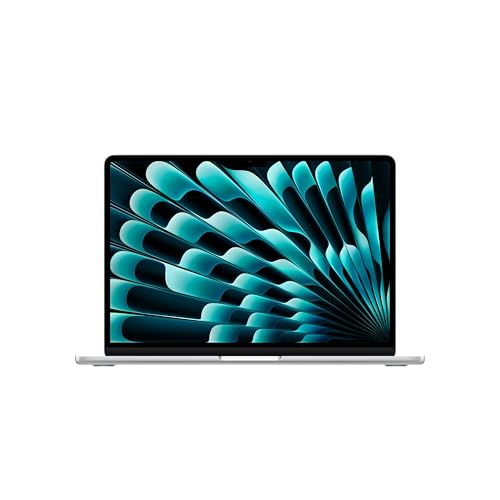
Apple MacBook Air 13-inch Laptop
A 13.6-inch MacBook Air with the M5 chip, 16GB memory and a 512GB SSD, running macOS, with Wi-Fi 7 and a 12MP camera.
View on Amazon
Apple MacBook Neo 13-inch Laptop
A 13-inch MacBook Neo with the A18 Pro chip, 8GB memory and a 256GB SSD, running macOS, with a 1080p FaceTime HD camera.
View on Amazon
Dell 15.6 Laptop
A 15.6-inch Dell laptop with an Intel Core Ultra 5 225U, 16GB RAM and a 512GB SSD, running Windows 11 Home, with Wi-Fi 6.
View on Amazon
HP 17-inch Laptop
A 17.3-inch HP laptop with an AMD Ryzen 5 CPU, 16GB RAM and a 512GB SSD, running Windows 11, with a 720p camera.
View on AmazonThese come from our ranked list Best Laptop, which compares them spec by spec.
FAQ
Can I use a straw to clean any laptop fan?
Yes, on laptops with open vent slots you can reach from outside. If the manual says to leave the case closed, contact the maker instead of opening it.
How often should I clean the laptop fan?
Clean it when the signs show: the fan sounds louder than before, warm air builds up at the vents, or the laptop slows down during ordinary work. A dusty room or a laptop kept on soft surfaces brings the signs back sooner.
How should I blow air through the laptop fan vent?
Short, gentle puffs through the vent work well, but do not use one long blast, and never blow water or cleaning spray into the vents. Shut the laptop down and unplug it first, and contact the maker if the fan sounds wrong after cleaning.