How to Choose a Processor for a Laptop
 By Theo LangUpdated
To choose a processor for a laptop, write down the work you will do on it, check the requirements published for that software, and compare the processor with the memory and storage in the same laptop. The chip alone does not tell you how a laptop will handle your work.
Write down what you will use the laptop for
Write down the work you will do most often, such as writing and browsing, photo editing, video editing, coding, or playing games. Note the software you will use, since different software puts different demands on a processor. Keep this note beside you while you compare laptops, so each choice stays tied to your own work instead of to a chip by itself.
Check the processor family and generation
Look at the full processor name, including the family and the generation shown in it. That tells you which family the chip belongs to, but it does not show how the laptop handles your work. Use it to check the requirements published for your software, and read the memory, storage, screen and ports that come with the processor before you decide.
Match the processor to your software
Check the requirements published for your software or game, and see which processors and operating systems it calls for. A laptop that runs macOS will not run software made only for Windows, and a laptop that runs Windows 11 will not run software made only for macOS. If the software calls for a processor family, look for that family in the laptop, and check the memory and storage with it.
Compare the whole laptop, not the chip alone
A processor never works alone. Compare the memory and storage that come with each laptop, since each laptop comes with a set amount of unified memory or RAM and a set amount of SSD storage. Look at the screen size and resolution, the ports, and the weight of the laptop as well. A laptop that fits your work, your software, and the way you carry it is a better match than a chip on its own.
What you need

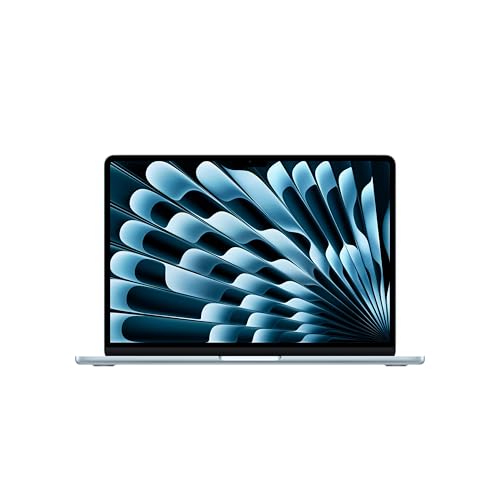
Apple MacBook Air 13-inch Laptop
A 13.6-inch laptop with an M5 chip, 16GB unified memory, 512GB SSD storage, a Liquid Retina display and Wi-Fi 7.
View on Amazon
Apple MacBook Neo 13-inch Laptop
A 13-inch laptop with an A18 Pro chip, 8GB unified memory, 256GB SSD storage and a 1080p FaceTime HD camera.
View on Amazon
Dell 15.6 Laptop
A 15.6-inch laptop with an Intel Core Ultra 5 225U processor, 16GB RAM, DDR5 memory, 512GB SSD and Wi-Fi 6.
View on Amazon
HP 17-inch Laptop
A 17.3-inch laptop with an AMD Ryzen 5 CPU, 16GB RAM, 512GB SSD, a 17.3-inch FHD display and Windows 11.
View on AmazonThese come from our ranked list Best Laptop, which compares them spec by spec.
FAQ
Is one processor family better than another?
No family is better for every reader. Compare the processor with the memory and storage in the same laptop, and check the requirements published for your software before you choose.
Can I change a laptop processor later?
Choose the processor when you buy the laptop, since it is built into the laptop you buy. Check the maker's manual for your model, and contact the maker before you open the laptop.
What should I check first when comparing two processors?
Start with the requirements published for your software, and see which processor families and operating systems it calls for. Then compare the memory and storage in each laptop, since the processor never works alone.