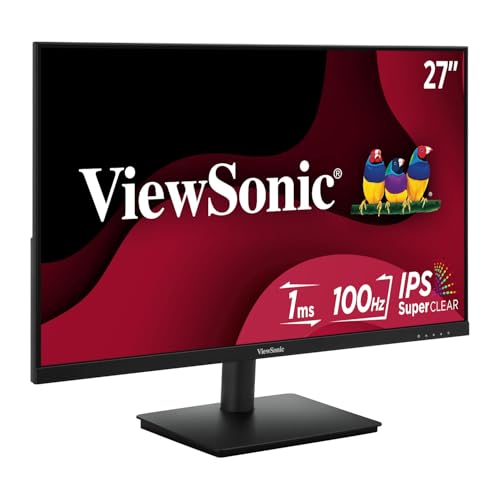
How High to Mount a Monitor on the Wall?
 By Theo LangUpdated
Mount the monitor so the top of the screen sits at or slightly below eye level when you sit in your normal chair. That puts the center of the screen a little below your eyeline, so you look slightly down at the screen. Measure from your seated eye height, not from the desk, and set the mount before you hang the screen.
Find your seated eye level
Sit in your chair the way you sit to work, with your back against the chair and your feet flat on the floor. Look straight ahead at the wall and mark the height of your eyes with a pencil. That mark is the reference for the whole mount: the top edge of the screen should sit at that mark or a little below it. If you share the desk, measure for the person who uses it most and pick a mount with tilt so others can adjust it.
Set the screen center below eye level
With the top of the screen at eye level, the center of the screen lands below your eyeline. A screen mounted too high means you look up at it all day, and a screen mounted too low means you look down at it all day. Aim for the middle of the screen to sit a little below eye level, then tilt the screen back a touch so the face of the screen points at your eyes.
Check the mount and the wall
Match the mount to the monitor's VESA pattern and weight before you drill anything. The Sceptre Prime and the Acer KB242Y are VESA mountable, so look for a VESA arm or wall mount that matches their pattern. Check the mount's instructions for the screws and spacers it needs, find a stud or use the anchors the mount calls for, and check for wiring and pipes in the wall before you drill. Hang the monitor, then adjust the tilt and height before you tighten everything.
Set the distance and the tilt
Sit back in your chair and hold your arm out toward the screen: your fingertips should just reach the screen. That distance keeps text readable without leaning in. Tilt the screen back a touch so the top edge sits a little farther from you than the bottom edge, which cuts glare from lights above. If the screen catches glare from a window, move the screen or close the blinds instead of raising the mount.
What you need

Dell 24 Monitor SE2426H
A 23.8-inch FHD monitor with a 144Hz refresh rate, IPS panel, HDMI and tilt, with a 1-year warranty.
View on Amazon
Dell 27 Gaming Monitor SE2726HG
A 27-inch FHD monitor with a 240Hz refresh rate, IPS panel, HDMI, DisplayPort and tilt, with a 3-year warranty.
View on Amazon
Acer 23.8-inch Office Monitor KB242Y G0bi
A 23.8-inch FHD monitor with a 120Hz refresh rate, IPS panel, HDMI, VGA and VESA mounting, with a 3-year warranty.
View on Amazon
Sceptre 24-inch Gaming Monitor 1ms E248W-FW100T
A 24-inch FHD monitor with a 100Hz refresh rate, HDMI, DisplayPort, built-in speakers and VESA wall mounting, with a limited 1-year warranty.
View on AmazonThese come from our ranked list Best PC with Monitor, which compares them spec by spec.
FAQ
Can I mount a monitor above eye level?
You can, but it means looking up at the screen all day. Keep the top of the screen at or slightly below eye level instead, and use a tilting mount if the screen has to sit higher.
How far should I sit from a wall-mounted monitor?
Sit at arm's length, so your fingertips just reach the screen when you hold your arm out. If words on the screen look small, move the chair closer or increase the display scaling in your settings instead of moving the mount.
Do I need a VESA mount for a wall-mounted monitor?
Monitors made for wall mounting have a VESA pattern, and the Sceptre Prime and the Acer KB242Y are VESA mountable. Match the mount to that pattern and to the monitor's weight, and follow the mount's instructions.