How to Choose a Laptop for Everyday Use
 By Theo LangUpdated
Choose a laptop for everyday use by matching the screen, ports, and software to the tasks you do most, such as browsing, documents, classes, and video calls. Check the processor and memory against the requirements published for your apps, then compare weight, warranty, and included software before you decide.
Note the tasks you will run
Write down the programs and websites you open each day, such as a browser, document editor, email, and video call app. Open the system requirements page for each program and note the processor, memory, and storage figures it lists. Compare those figures with the laptop spec sheet instead of guessing. If a program gives a minimum and a recommended level, use the recommended level as your reference point when you compare models.
Check screen size and resolution
Screen size sets how much you can see without scrolling and how the laptop feels to carry. Resolution sets how sharp text looks. A 14-inch screen with 1366×768 resolution shows less on screen than a 16-inch screen with 1920×1200 resolution, which gives more vertical space for documents and spreadsheets. Look for an anti-glare finish if you work near windows, and check the listed brightness if you often work in bright rooms.
Check ports and wireless connections
List the devices you plug in, such as a monitor, mouse, external drive, or memory card. Then match those devices to the ports on the spec sheet, for example USB-C, USB-A, HDMI, Ethernet, and a card reader. A USB-C port does not always carry video, so check the manual for video output support if you plan to use an external monitor. Also check which Wi-Fi and Bluetooth versions are listed for your router and accessories.
Check software, webcam, and warranty
Check which operating system and office software are included, and whether cloud storage is part of the offer. For classes and meetings, check for a webcam, microphone, and speakers, and look for a backlit keyboard if you type in low light. Read the warranty length and what it covers, and check the weight if you carry the laptop between home, school, or the office each day.
What you need

HP Slim Laptop
A 14-inch HP laptop with an Intel N150 processor, 16 GB memory, 1366×768 display, USB-C, HDMI, and Wi-Fi 6, with Microsoft 365 and 1TB OneDrive cloud storage included.
View on Amazon
HP Slim Laptop
A 14-inch HP laptop with an Intel N150 processor, 1366×768 display, USB-C, HDMI, and Wi-Fi 6, with Microsoft 365 and 1TB OneDrive cloud storage included.
View on Amazon
Cleriver 16-inch Laptop
A 16-inch Cleriver laptop with an i5-8210Y processor, 16 GB memory, 256 GB SSD, 1920×1200 IPS display, HDMI, Ethernet, backlit keyboard, and HD webcam.
View on Amazon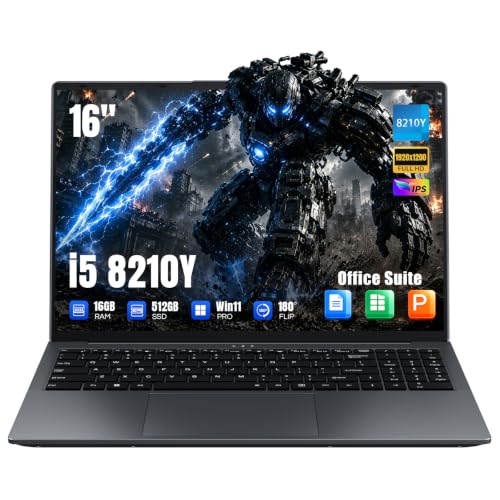
Cleriver 16-inch Laptop 16GB
A 16-inch Cleriver laptop with an i5-8210Y processor, 16 GB memory, 256 GB SSD, and a 1920×1200 IPS display, listed with an office suite and backlit keyboard.
View on AmazonThese come from our ranked list Best Laptop Everyday Use, which compares them spec by spec.
FAQ
How much memory do I need for everyday tasks?
Check the requirements published for the programs you use and compare them with the memory figure on the laptop spec sheet. Memory holds the programs and browser tabs you have open at once, so match the figure to the workload you listed rather than choosing by a general rule.
What screen size should I choose for everyday use?
A smaller screen is easier to carry, while a larger screen shows more of a document or spreadsheet at once. Compare the listed size and resolution together, and consider where you will work most often, such as at a desk or while moving between rooms.
Can I connect an external monitor to these laptops?
Check the ports on the spec sheet. An HDMI port connects a monitor with an HDMI cable. If you plan to use USB-C for video, check the manual to confirm that the USB-C port supports video output, since a USB-C port name alone does not confirm it.