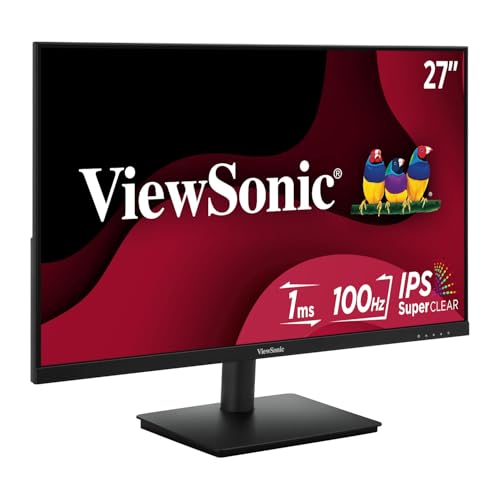
Computer Screen Size Dimensions
 By Theo LangUpdated
Computer screen size is the diagonal measurement of the display, given in inches from one corner to the opposite corner. A 24-inch screen and a 27-inch screen differ by that diagonal, and the same diagonal can still mean a different width, height and resolution. To compare screens, read the diagonal size together with the resolution and the listed width and height.
How screen size is measured
Screen size is the diagonal of the visible display, measured in inches from one corner to the opposite corner. The bezel and the stand are not part of that number, so two screens with the same size can look different on a desk. When a listing gives a size such as 23.8 inches or 27 inches, it is talking about the display itself, not the whole monitor. Check the maker's listed width, height and depth when you need to know whether the monitor fits your desk.
What the resolution tells you
Resolution is the count of pixels across and down the screen, and it decides how much fits on screen at once. A 1920x1080 screen shows the same number of pixels on a 24-inch screen and on a 27-inch screen, so the picture on the larger screen is spread over a wider area. A higher resolution on the same size shows more detail and more room for windows side by side. Read the resolution next to the size to judge how sharp the picture looks.
Measure your desk space first
Measure the width of the desk where the monitor will sit, and leave room for the stand and for cables at the back. A wider screen needs more desk width, and a curved screen needs extra room for depth, since the curve adds depth to the monitor. Check the monitor's listed width, height and depth, and compare those numbers with the space you measured. A screen that fits the desk leaves room for a keyboard, a mouse and papers beside it.
Match the size to your work
A 24-inch screen suits a desk with limited width and keeps windows close together for reading and writing. A 27-inch screen shows the same windows larger and easier to read, while a higher resolution is what fits more windows side by side. Think about how far you sit from the screen and how much desk space you have before you choose. The right size is the one that fits your desk and shows your work at a size you can read with ease.
Check the ports and stand
Look at the ports on the back of the monitor and match them to the ports on your computer. An HDMI port is a common way to connect, and some monitors also have a DisplayPort port for a second way to connect. Check that the stand adjusts in height and tilt, or that the monitor can mount on a wall or an arm, if you want to change its position. These details decide how the monitor connects and sits on your desk.
What you need

Dell 24 Plus Monitor S2425HSM
A 23.8-inch monitor with 1920x1080 resolution, a 144 Hz refresh rate, HDMI connectivity, built-in speakers and height, tilt, pivot and swivel adjustment.
View on Amazon
Dell 27 Plus Monitor S2725HSM
A 27-inch monitor with 1920x1080 resolution, a 144 Hz refresh rate, HDMI connectivity, built-in speakers and height, tilt, pivot and swivel adjustment.
View on Amazon
Sceptre 27-inch Gaming Monitor 1ms E275W-FW100T
A 27-inch monitor with a 100 Hz refresh rate, two HDMI ports, one DisplayPort port and built-in speakers.
View on Amazon
Samsung 24-inch Essential S3 (S36GD) 1800R Curved Computer Monitor
A 24-inch curved monitor with FHD resolution, a 100 Hz refresh rate, HDMI and D-sub ports and a game mode.
View on AmazonThese come from our ranked list Best Computer Monitor Screen, which compares them spec by spec.
FAQ
How is a computer screen size measured?
It is the diagonal of the visible display, measured in inches from one corner to the opposite corner. The bezel and stand are not part of that number.
Does a bigger screen mean a sharper picture?
No. Sharpness comes from the resolution, so a 27-inch screen with 1920x1080 resolution shows the same pixels spread over a wider area than a 24-inch screen with the same resolution.
What screen size fits a small desk?
A 24-inch screen needs less desk width than a 27-inch screen, so measure your desk first and compare it with the monitor's listed width, height and depth.