
Can You Use Whiteboard Cleaner on a Laptop Screen?
 By Theo LangUpdated
No. Whiteboard cleaner is made for a hard whiteboard surface, and it can strip the coating from a laptop screen or leave smears that do not wipe away. Clean the screen with a soft, lint-free cloth slightly damp with plain water instead, and check the manual for the laptop before using any cleaner.
Why whiteboard cleaner harms a laptop screen
Whiteboard cleaner is made to lift dry-erase ink from a hard whiteboard surface. A laptop screen is a coated display panel, and a cleaner made for whiteboards can strip that coating or leave smears that do not wipe away. The damage shows as a cloudy patch or streaks that stay after wiping, and a stripped coating cannot be put back with another wipe.
What to use instead
Use a clean, soft, lint-free cloth, slightly damp with plain water. A cloth made for lenses or screens works well, and a plain cotton cloth works too if it is clean and soft. Keep the cloth barely damp, not wet, so no water drips down the screen. Use plain water only, and do not mix in soap, alcohol or any other cleaner.
Clean the screen step by step
Shut the laptop down and unplug it, then let the screen cool so smudges are easy to see. Wipe dust off with a dry cloth, using light strokes across the screen. Dampen a corner of the cloth with plain water and wipe the screen gently, then dry it with the dry part of the cloth. Do not spray water onto the screen, do not press hard, and keep water away from the edges and the hinge.
Check the maker manual for your model
The manual for the laptop states what to use on the screen and what to keep away from it. Some makers name a specific cleaner, and some warn against alcohol or ammonia cleaners. Follow the manual over any general advice, and when no cleaner is named, plain water on a soft cloth is what to use.
What to do if cleaner already touched the screen
Wipe the cleaner off right away with a cloth slightly damp with plain water, then dry the screen with a dry cloth. Look for smears or a cloudy patch after the screen dries. If the coating looks changed, stop wiping and contact the maker for advice. Do not scrub the spot and do not apply more cleaner to fix it.
What you need

Apple MacBook Neo 13-inch Laptop
A 13-inch laptop with a Liquid Retina display, cleaned with a soft cloth and water rather than whiteboard cleaner.
View on Amazon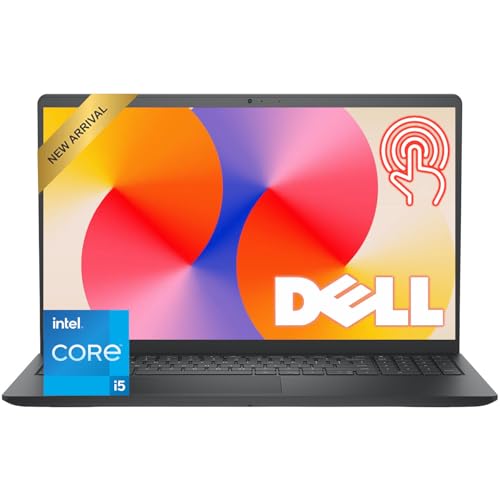
Dell 15.6-inch Touchscreen Laptop
A 15.6-inch Full HD touchscreen with an anti-glare finish, so the coating needs a gentle cleaner, not a whiteboard cleaner.
View on Amazon
Laptop 16-inch
A 16-inch Full HD IPS display with a resolution of 1920 x 1080, wiped with a soft cloth and water instead of whiteboard cleaner.
View on Amazon
AKCHART 15.6'' Laptop
A 15.6-inch FHD IPS display with 1920x1080 resolution, cleaned with a soft cloth and water rather than whiteboard cleaner.
View on AmazonThese come from our ranked list Best Laptop Screen, which compares them spec by spec.
FAQ
Can I use glass cleaner on a laptop screen?
No. Glass cleaner is made for glass, not for a coated display, and it can strip the coating or leave smears. Use a soft cloth slightly damp with water instead, and follow the manual for the laptop.
Can I clean a laptop screen with water?
Yes. Dampen a soft cloth with plain water and wipe gently, then dry the screen with a dry cloth. Never spray water straight onto the screen or let it drip into the edges.
Can I use a paper towel on a laptop screen?
No. Paper towels are rough and can leave scratches or lint on the coating. Use a soft, lint-free cloth instead, and wipe with light pressure.
Does a touchscreen need different cleaning?
The method is the same: a soft cloth slightly damp with water, wiped gently. A touchscreen collects fingerprints faster, so wipe it more often, and keep liquids away from the edges.


