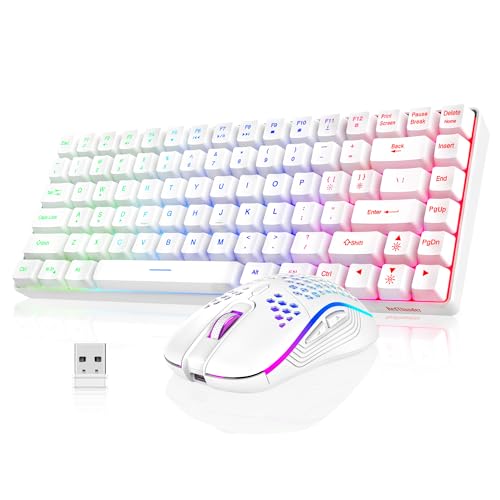
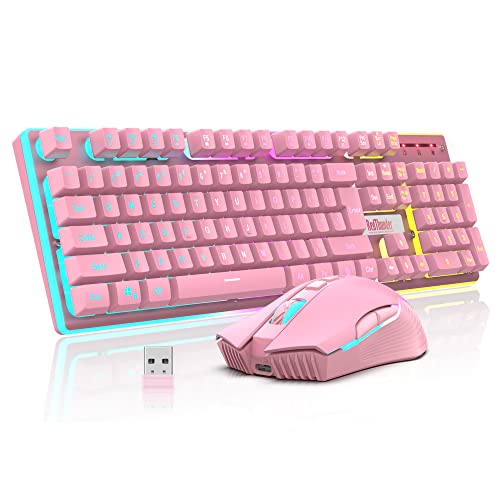
Best Wireless Keyboard and Mouse USB C (2026): 8 Picks Compared
 By Theo LangUpdated
You need one keyboard and mouse set that moves between your Windows laptop and your MacBook without swapping cables, and the ULSOU Wireless Bluetooth Keyboard and Mouse Combo is the pick for that switch, with Bluetooth and 2.4GHz connections for up to two devices. Its full-size scissor-switch keyboard carries a number pad, and its mouse offers 1000, 1600, and 2400 DPI settings. Both parts recharge through USB-C.
Your shortlist at a glance
PCKitHQ scores range from 9.2 to 9.8. See how we pick.
| Product and key specifications | Score and retailer |
|---|---|
01 | 9.8PCKitHQ scoreView on Amazon |
02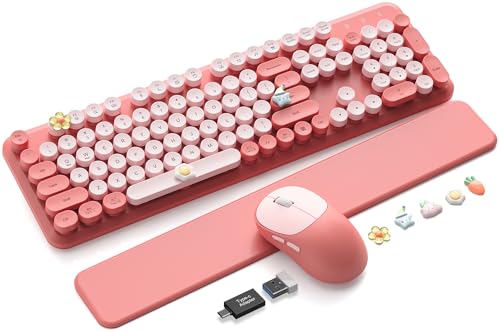 Second Pick Wireless Keyboard and Mouse Combo CK24 | 9.7PCKitHQ scoreView on Amazon |
03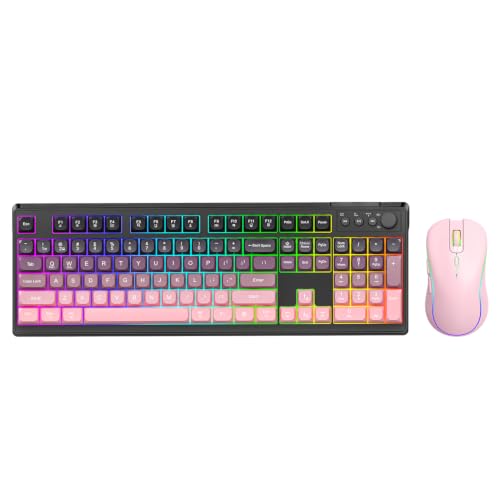 Also Consider Wireless Keyboard and Mouse Combo | 9.6PCKitHQ scoreView on Amazon |
04 Also Consider SABLUTE Wireless Keyboard and Mouse Combo | 9.5PCKitHQ scoreView on Amazon |
05 Also Consider Ergonomic Wireless Keyboard and Mouse Combo | 9.5PCKitHQ scoreView on Amazon |
06 Also Consider Hamile Wireless Keyboard and Mouse Combo | 9.4PCKitHQ scoreView on Amazon |
07 | 9.3PCKitHQ scoreView on Amazon |
08 Also Consider Wireless Keyboard and Mouse Combo | 9.2PCKitHQ scoreView on Amazon |
A closer look at each configuration
Wireless Bluetooth Keyboard and Mouse Combo
score
Bluetooth and 2.4GHz connections for two devices, a full-size scissor-switch keyboard, and USB-C charging define this combo.
- Sensor resolution
- 2400 DPI
- Wireless
- Yes
- Connection
- Bluetooth & 2.4GHz
- Weight
- 2.15 lb
- Warranty
- 12 months
The ULSOU combo connects through one Bluetooth channel and one 2.4GHz USB receiver. One receiver runs both parts. The full-size keyboard uses scissor-switch keys with a number pad. The mouse offers 1000, 1600, and 2400 DPI settings. Both parts recharge through USB-C, and sleep mode starts after 30 minutes. The dual-system layout marks keys for Windows and Mac. It weighs 2.15 lb, with a 12-month warranty.
Choose it if
- You switch one set between a Windows PC and a MacBook
- You want a full-size keyboard with a number pad
Consider another if
- You need a mouse with more than 2400 DPI
- You need one set connected to three devices at once
Wireless Keyboard and Mouse Combo CK24
score
Round typewriter-style keycaps, a wrist rest, and a 2.4G receiver define this pink full-size combo.
- Wireless
- Yes
- Connection
- 2.4G
- Weight
- 2.03 lb
The Trueque combo uses round typewriter-style keycaps on a full-size pink keyboard. A hard plastic wrist rest gives steady palm support, and foldable tilt legs adjust the angle. One 2.4G receiver connects both devices, with mouse DPI levels of 1600, 1200, and 800. The keyboard uses 2 AA batteries and the mouse uses 1 AA battery, not included. A USB-C adapter comes in the box, with a 2-year warranty.
Choose it if
- You want a retro typewriter look on your desk
- You want a wrist rest and tilt legs for typing
Consider another if
- You need Bluetooth pairing for a tablet
- You need a mouse above 1600 DPI
Wireless Keyboard and Mouse Combo
score
Tri-mode Bluetooth, 2.4GHz, and USB-C connections, RGB backlighting, and a media knob define this combo.
- Wireless
- Yes
- Connection
- Bluetooth/2.4GHz/USB-C
- Backlight
- Yes
The XISOGUU combo connects through Bluetooth, 2.4GHz, and wired USB-C, and the mouse switches modes from a button on its bottom. The 104-key keyboard has keycaps and RGB backlighting with 16.8 million colors and 9 preset effects. The keyboard has a 2000 mAh battery and the mouse a 600 mAh battery; the manufacturer states up to 50 hours of use with the light on. The mouse offers four DPI levels from 1600 to 4800.
Choose it if
- You want wired USB-C as well as wireless connections
- You want RGB backlighting with a media knob
Consider another if
- You need a mouse above 4800 DPI
- You need a mechanical keyboard with hot-swappable switches
SABLUTE Wireless Keyboard and Mouse Combo
score
A compact backlit keyboard, a 7-color backlight, and a 24-month warranty define this portable combo.
- Wireless
- Yes
- Connection
- 2.4GHz USB
- Backlight
- Yes
The SABLUTE KM61PRO is a compact backlit set with scissor keys, a 7-color backlight, and 4 brightness levels. It offers Windows and Mac layouts, switching with Fn+W for Mac and Fn+Q for Windows. The keyboard and mouse recharge through a Type-C cable, with auto-sleep when idle. The keyboard measures 14.8 by 5.4 by 0.78 inches, with 102 keys and a number pad. The 6-button mouse adds forward and backward functions.
Choose it if
- You want backlit keys for late-night work
- You want a compact keyboard that travels well
Consider another if
- You need a keyboard wider than 14.8 inches
- You need Bluetooth pairing for a second device
Ergonomic Wireless Keyboard and Mouse Combo
score
A wave design, a leather wrist rest, and 30dB quiet typing define this ergonomic combo.
- Wireless
- Yes
- Connection
- 2.4GHz
- Weight
- 2.3 lb
The SABLUTE ergonomic combo uses a wave design with 2 adjustable tilt angles and a leather wrist rest. Its keys are rated for up to 10 million keystrokes, with a 2-year replacement warranty. Twelve productivity shortcuts cover screenshots, media controls, and screen lock; the Music App, Calculator, and AI Assistant shortcuts are unavailable on macOS. One 2.4GHz receiver connects both parts, and a USB-C adapter is included. The set supports Windows, macOS, ChromeOS, Linux, and Android.
Choose it if
- You want a wave layout for long typing sessions
- You want a leather wrist rest under your palms
Consider another if
- You need a set lighter than 2.3 lb
- You need a rechargeable battery instead of AA and AAA cells
Hamile Wireless Keyboard and Mouse Combo
score
RGB backlighting, a phone holder, and USB-C recharging define this full-size combo.
- Wireless
- Yes
- Connection
- 2.4GHz
- Weight
- 1.45 lb
- Warranty
- 1 year
The Hamile combo has an RGB backlit keyboard with 3 brightness levels and a mouse with 22 lighting effects. It switches between Windows and macOS with a keystroke, and shortcuts adapt when the system changes. A palm rest supports the hands, and a holder docks a phone or tablet. Both parts recharge through a single USB-C cable, with auto-sleep. The mouse offers 800, 1200, and 1600 DPI settings. It weighs 1.45 lb.
Choose it if
- You want a phone holder on your keyboard
- You want RGB lighting for night work
Consider another if
- You need a mouse above 1600 DPI
- You need Bluetooth pairing for a second device
Pink Wireless Keyboard and Mouse Rechargeable Combo for
score
USB-A or USB-C 2.4G connection, a 500mAh battery in each part, and a 104-key layout define this pink combo.
- Connection
- 2.4G USB-A or USB-C
- Weight
- 1.21 lb
The Frixalox combo connects through 2.4G with a shared USB-A receiver and an included USB-C adapter. Each part has a built-in 500mAh battery and recharges in 2 hours; the manufacturer states 300 or more hours of continuous use. The silent ergonomic mouse has four DPI levels and integrated palm support. The 104-key keyboard has a numeric keypad and 12 multimedia function keys. It works with Windows and macOS. It weighs 1.21 lb.
Choose it if
- You want a USB-C adapter in the box
- You want a full-size pink keyboard with a number pad
Consider another if
- You need Bluetooth pairing for a tablet
- You need a set lighter than 1.21 lb
Wireless Keyboard and Mouse Combo
score
A 2-in-1 receiver with a USB-C adapter, four DPI levels, and batteries in the box define this combo.
- Connection
- 2.4GHz
- Weight
- 1.36 lb
- Warranty
- 365 days
The INFINMIND combo shares one 2.4GHz nano receiver, with a USB-C adapter included. The ultra-slim keyboard has matte keycaps, a number pad, and 19 multimedia shortcut keys. The mouse offers 1000, 1600, 2400, and 3200 DPI settings. The keyboard uses 2 AAA batteries and the mouse uses 1 AA battery, with batteries included; the manufacturer states up to 12 months of use. It works with Windows XP through 11 and Mac OS 10.14 or above. It weighs 1.36 lb, with a 365-day warranty.
Choose it if
- You want batteries included in the box
- You want a mouse with 3200 DPI at the top end
Consider another if
- You need Bluetooth pairing for a second device
- You need a rechargeable battery instead of AA and AAA cells
Make the choice for your setup
Match the connection to your ports
Start with the USB-C question the search raises. The ULSOU set charges through USB-C and connects by Bluetooth and 2.4GHz for two devices, while the XISOGUU set adds a wired USB-C mode alongside Bluetooth and 2.4GHz. The Trueque, SABLUTE ergonomic, Frixalox, and INFINMIND sets include a USB-C adapter with a 2.4G receiver. The SABLUTE KM61PRO and the Hamile recharge through a Type-C cable. Check whether your device has a USB-A port, a USB-C port, or both, and whether you want a second device connected at the same time, since only the ULSOU and XISOGUU sets document two-device or tri-mode connections.
Weigh battery style against charging
Rechargeable sets and battery sets ask for different habits. The ULSOU, XISOGUU, SABLUTE KM61PRO, Hamile, and Frixalox sets carry built-in rechargeable batteries, and the ULSOU, KM61PRO, and Hamile recharge through a USB-C or Type-C cable. The XISOGUU keyboard holds a 2000 mAh battery and its mouse a 600 mAh battery, while each Frixalox part holds a 500mAh battery and recharges in 2 hours. The Trueque, SABLUTE ergonomic, and INFINMIND sets run on AA and AAA cells, with the INFINMIND including its batteries and the other two leaving them out. Auto-sleep times also differ, from 30 seconds on the Frixalox to 30 minutes on the ULSOU. Shoppers with a related need can compare our guide to the Best Wireless Keyboard and Mouse Bluetooth.
Compare keyboard size and mouse control
All eight sets use full-size or compact layouts, so the choice turns on smaller details. The ULSOU, Trueque, and Frixalox keyboards are full-size, the KM61PRO measures 14.8 by 5.4 by 0.78 inches with 102 keys, and the INFINMIND is an ultra-slim full-size layout. Mouse DPI tops out at 2400 on the ULSOU, 1600 on the Trueque and Hamile, 4800 on the XISOGUU, and 3200 on the INFINMIND, while the Frixalox mouse offers four levels. Wrist support also differs: the Trueque, SABLUTE ergonomic, and Hamile sets include a wrist or palm rest, so pick the rest shape that fits your hands.
Before you decide, also read Best Wireless Keyboard and Mouse USB.
FAQ: Wireless Keyboard and Mouse USB C
Which sets connect to two devices at once?
The ULSOU set connects to up to two devices through one Bluetooth channel and one 2.4GHz USB receiver, switching between them as needed. It is the only set in this guide with that two-device connection, so it suits a reader who switches one set between two machines.
Which sets recharge through USB-C?
The ULSOU keyboard and mouse both recharge through USB-C, the XISOGUU set offers a wired USB-C mode, and the SABLUTE KM61PRO and Hamile sets recharge through a Type-C cable. The Frixalox set also recharges through a USB-C charging cable. The Trueque, SABLUTE ergonomic, and INFINMIND sets run on AA and AAA batteries instead, and their USB-C adapter serves the 2.4G receiver.
Which sets run on disposable batteries?
The Trueque set uses 2 AA batteries in the keyboard and 1 AA battery in the mouse, with batteries not included. The SABLUTE ergonomic set uses 2 AAA batteries in the keyboard and 1 AA battery in the mouse. The INFINMIND set uses the same cells, with batteries included.