
Best Ultra Wide Monitor for Video Editing (2026): 5 Picks Compared
 By Theo LangUpdated
If your video editing work needs a preview window, a timeline, and media bins open side by side, choose the Gawfolk 45 inch Ultra-Wide Curved Gaming 165Hz PC Monitor. Its 45-inch 32:9 screen at 5120×1440 keeps those windows in one view, and its 120% sRGB coverage and 165Hz refresh rate support color grading and motion. The other four monitors in this guide trade screen size, resolution, or connections for different desks.
Your shortlist at a glance
PCKitHQ scores range from 9.2 to 9.8. See how we pick.
| Product and key specifications | Score and retailer |
|---|---|
01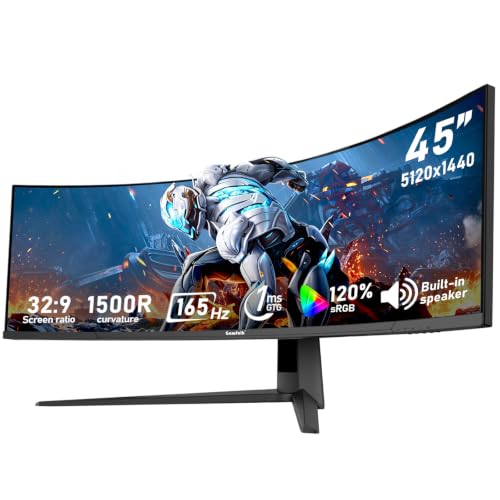 | 9.8PCKitHQ scoreView on Amazon |
02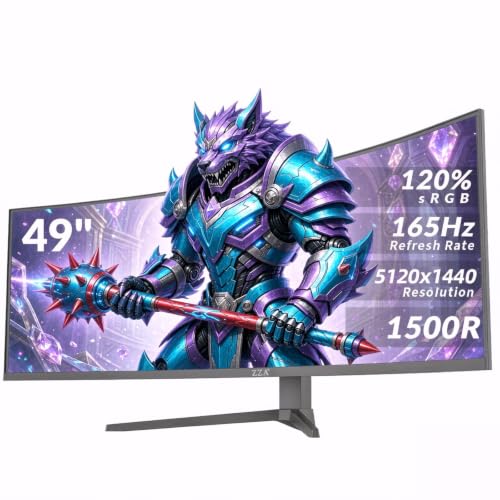 | 9.7PCKitHQ scoreView on Amazon |
03 Also Consider CUNPU V34WV16 34-inch WQHD Curved USB-C USB Hub KVM Productivity Monitor3440 x 1440, 165 Hz | 9.5PCKitHQ scoreView on Amazon |
04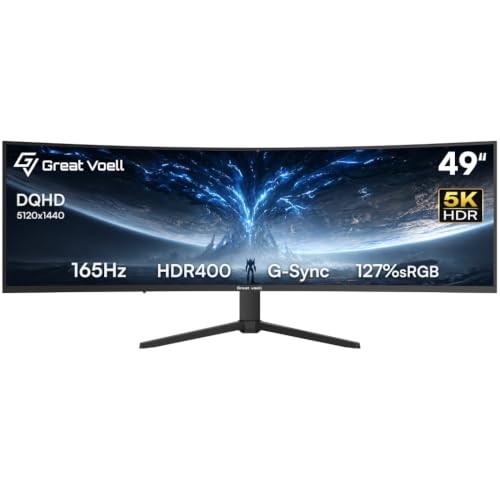 | 9.3PCKitHQ scoreView on Amazon |
05 | 9.2PCKitHQ scoreView on Amazon |
A closer look at each configuration
Gawfolk 45-inch Ultra-Wide Curved Gaming PC Monitor
score
The 45-inch 32:9 screen at 5120×1440 with 120% sRGB coverage and a 165Hz refresh rate fits editing timelines and color work in one panel.
- Resolution
- 5120×1440
- Native refresh rate
- 165 Hz
- Screen size
- 45 in
- Curved screen
- Yes
- Ultrawide screen
- Yes
- HDMI
- Yes
- Weight
- 17.2 lb
- Warranty
- 12 months
The Gawfolk pairs a 45-inch 32:9 screen with a 5120×1440 resolution, so a timeline, a preview window, and media bins sit side by side in one view. Its 165Hz refresh rate and Adaptive Sync keep motion smooth while you scrub, and 120% sRGB coverage with 350cd/m² brightness and a 3000:1 contrast ratio give color work a wide gamut and clear dark-area detail. Connections include 2 HDMI 2.1 and 2 DP 1.4 interfaces for a computer, console, and laptop. A built-in speaker, low blue light, and flicker-free features are included, with 12 months of after-sales service. It weighs 17.2 lb.
Choose it if
- You edit video with a timeline, preview, and bins open together
- You want 120% sRGB coverage for color grading work
Consider another if
- You need a screen larger than 45 inches
- You need a monitor that weighs less than 17.2 lb
ZZA 49-inch Ultra-Wide DQHD Curved Gaming Monitor
score
The 49-inch 32:9 screen at 5120×1440 with 120% sRGB coverage gives video editors room for a timeline, preview, and bins together.
- Resolution
- 5120×1440
- Screen size
- 49 in
- Curved screen
- Yes
- Ultrawide screen
- Yes
- HDMI
- Yes
- DisplayPort
- Yes
- Weight
- 24.75 lb
The ZZA has a 49-inch 32:9 screen at 5120×1440, with a 1500R curve and 120% sRGB coverage for color-critical work in graphic design, video editing, and content creation. Brightness is 330cd/m² with a 3000:1 contrast ratio. AMD FreeSync Premium synchronizes the display refresh rate with your graphics card to eliminate screen tearing and minimize stutter. The stand adjusts for height, tilt, and swivel, and VESA wall-mount compatibility supports a clean setup. HDMI 2.1 and DisplayPort 1.4 ports connect modern PCs and consoles. A 3.5mm audio jack provides audio output for a monitor without built-in speakers. It weighs 24.75 lb.
Choose it if
- You want a 49-inch screen for timeline and preview work
- You want a height-adjustable stand for your desk setup
Consider another if
- You need a screen smaller than 49 inches
- You need built-in speakers for audio
CUNPU V34WV16 34-inch WQHD Curved USB-C USB Hub KVM Productivity Monitor
score
The 34-inch 21:9 screen at 3440 x 1440 with 65W USB-C and KVM fits a laptop-first editing desk.
- Resolution
- 3440 x 1440
- Native refresh rate
- 165 Hz
- Ultrawide screen
- Yes
- USB-C
- Yes
- HDMI
- Yes
- Weight
- 17.9 lb
- Warranty
- 1 Year
The CUNPU has a 34 inch 21:9 screen at 3440 x 1440 with an R1000 curve, a 165Hz refresh rate, 100% sRGB coverage, and a 4000:1 contrast ratio. Its 65W USB-C port carries power, video, and data over one cable, and the built-in KVM lets one keyboard and mouse control two PCs. Picture-in-Picture and Picture-by-Picture put a console feed beside a PC stream, and three full windows sit side by side. HDR support brings out detail in shadows and highlights. It weighs 17.9 lb and carries a 1 Year manufacturer warranty.
Choose it if
- You connect a laptop with one USB-C cable
- You switch one keyboard and mouse between two PCs
Consider another if
- You need a screen wider than 3440 x 1440
- You need a screen larger than 34 inches
Great voell 49-inch Curved Gaming Monitor HDR400
score
The 49-inch 32:9 screen at 5120×1440 with a 165Hz refresh rate and a VA panel suits wide timelines and fast motion.
- Resolution
- 5120×1440
- Native refresh rate
- 165 Hz
- Screen size
- 49 in
- Panel
- VA
- Curved screen
- Yes
- Ultrawide screen
- Yes
- HDMI
- Yes
- Weight
- 24.2 lb
- Warranty
- 3Year
The Great voell is the other 49-inch monitor in this guide: a 32:9 screen at 5120×1440 with a 1500R curved VA panel, a 165Hz refresh rate through DP 1.4, and a 1ms response time. Its 127% sRGB coverage, HDR400, 3000:1 contrast ratio, and brightness up to 400 nits support photo editing and cinematic gaming. The 1500R curve brings the edges of the screen closer to your eyes. FreeSync synchronizes the GPU and the display to limit tearing and stutter. DP 1.4 runs at 165Hz while HDMI 2.0 runs at 100Hz. PIP and PBP modes and 100x100mm VESA support are included. It weighs 24.2 lb and carries a 3Year warranty.
Choose it if
- You want a 49-inch 32:9 screen for editing timelines
- You want 127% sRGB coverage and HDR400 for color work
Consider another if
- You need a screen smaller than 49 inches
- You need a weight below 24.2 lb
INNOCN 40-inch 5K Ultrawide Monitor HDR400 USB C for Laptop/Mac/mini PC
score
The 40-inch 21:9 IPS screen at 5120 x 2160 with 106% DCI-P3 and 65W USB-C fits laptop editing on one cable.
- Resolution
- 5120 x 2160
- Screen size
- 40 in
- Panel
- IPS
- Ultrawide screen
- Yes
- USB-C
- Yes
- HDMI
- Yes
- Warranty
- 1 Year
The INNOCN is the resolution-first pick in this guide: a 40-inch 21:9 IPS panel at 5120 x 2160, the equivalent of two 4K monitors side by side. Delta E under 2 and coverage of 99% sRGB and 106% DCI-P3 support graphic design, photo editing, and video creation. A 65W USB-C port carries a 5K video signal and charges a laptop at the same time, so one cable expands a MacBook, PC, or tablet. The refresh rate runs up to 115Hz with a 100Hz default. Built-in stereo speakers are included, and the stand adjusts for height, tilt, swivel, and lift. It carries a 1 Year manufacturer warranty.
Choose it if
- You edit on a MacBook or laptop over USB-C
- You want an IPS panel with 106% DCI-P3 coverage
Consider another if
- You need a screen larger than 40 inches
- You need a 165Hz refresh rate for motion work
Make the choice for your setup
Match the screen to your timeline
Start with width. The Gawfolk has a 45-inch 32:9 screen at 5120×1440, and the ZZA and the Great voell each have a 49-inch 32:9 screen at 5120×1440. A 32:9 screen at 5120×1440 gives room for a timeline, a preview window, and media bins side by side in one view. The INNOCN has a 40-inch 21:9 screen at 5120 x 2160, which pairs the same 5120-pixel width with a taller 2160-pixel height. The CUNPU has a 34-inch 21:9 screen at 3440 x 1440, the narrowest screen in this guide, for desks where a 45-inch or 49-inch screen does not fit. Match the width to the windows you keep open, and match the height to your timelines.
Weigh color coverage and refresh rate
Color coverage differs across the five monitors. The Gawfolk and the ZZA each have 120% sRGB coverage. The Great voell has 127% sRGB coverage with HDR400, 3000:1 contrast, and brightness up to 400 nits. The INNOCN has 99% sRGB and 106% DCI-P3 coverage with Delta E under 2. The CUNPU has 100% sRGB coverage with a 4000:1 contrast ratio. For motion, the Gawfolk, the CUNPU, and the Great voell each have a 165Hz refresh rate, with the Great voell reaching 165Hz through DP 1.4 and 100Hz through HDMI 2.0. The INNOCN has a refresh rate of up to 115Hz with a 100Hz default. Match the coverage to your color work, and match the refresh rate to the motion you watch. For a closely related choice, read our guide to the Best Monitors for Home Office.
Check connections and desk fit
Connections decide how each monitor joins your desk. The CUNPU and the INNOCN each have a 65W USB-C port, so one cable carries video and power for a laptop. The CUNPU adds a USB hub and KVM, so one keyboard and mouse control two PCs. The INNOCN pairs its USB-C port with a 5K video signal and laptop charging. The Gawfolk has 2 HDMI 2.1 interfaces and 2 DP 1.4 interfaces for a computer, console, and laptop. The ZZA has HDMI 2.1 and DisplayPort 1.4 ports with a height-adjustable stand and VESA support. The Great voell has DP 1.4 and HDMI 2.0 ports with 100x100mm VESA support. Check the weights: the Gawfolk weighs 17.2 lb, the CUNPU weighs 17.9 lb, the ZZA weighs 24.75 lb, and the Great voell weighs 24.2 lb.
Before you decide, also read 24 vs 27 Inch Monitor.
FAQ: Ultra Wide Monitor for Video Editing
Which monitors in this guide have 49-inch screens?
Two monitors in this guide have 49-inch screens: the ZZA and the Great voell, both at 5120×1440 with a 32:9 ratio. The Gawfolk has a 45-inch screen, the INNOCN has 40 inches, and the CUNPU has 34 inches.
Which monitors connect a laptop with one USB-C cable?
The CUNPU and the INNOCN each have a 65W USB-C port. The CUNPU adds a USB hub and KVM for two PCs, while the INNOCN pairs its USB-C port with a 5K video signal and laptop charging. The other three monitors have HDMI and DisplayPort connections.
What warranty terms do these monitors have?
The Gawfolk has 12 months of after-sales service. The CUNPU and the INNOCN each have a 1 Year manufacturer warranty, and the Great voell has a 3Year warranty. Compare those whole-device terms against the cover you want.


