
Best Computer Monitor for Video Conferencing (2026): 7 Picks Compared
 By Theo LangUpdated
A 5MP pop-up webcam decides this search, so choose the CUNPU 24" Monitor with Camera as the best computer monitor for video conferencing if you want video calls without extra gear. Its pop-up 5MP 2K FHD webcam pairs with a dual-channel stereo microphone and speaker on a 24-inch 120Hz IPS panel, and the camera retracts when not in use. The other monitors in this guide trade camera resolution, screen size, and connections for different desks.
Your shortlist at a glance
PCKitHQ scores range from 9.2 to 9.8. See how we pick.
| Product and key specifications | Score and retailer |
|---|---|
01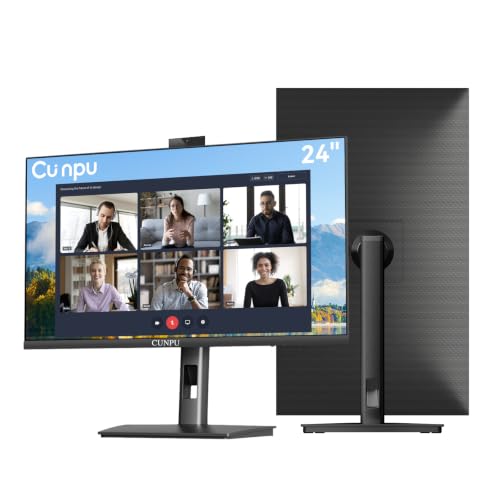 | 9.8PCKitHQ scoreView on Amazon |
02 | 9.7PCKitHQ scoreView on Amazon |
03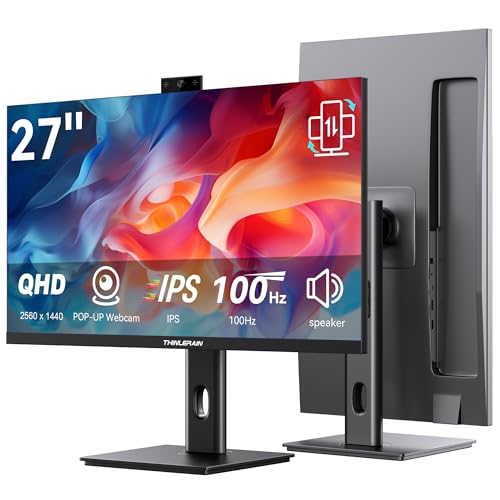 | 9.6PCKitHQ scoreView on Amazon |
04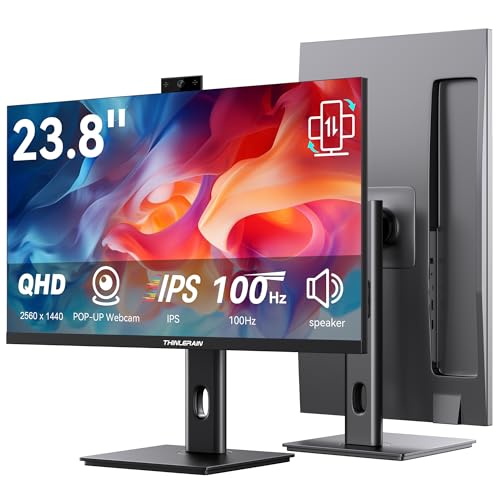 | 9.5PCKitHQ scoreView on Amazon |
05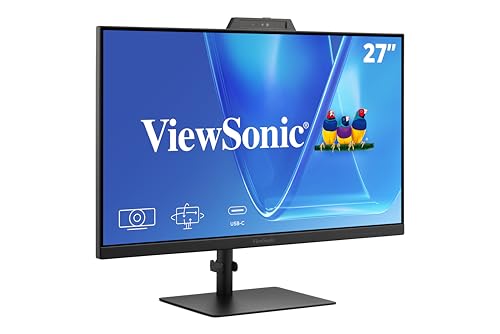 | 9.4PCKitHQ scoreView on Amazon |
06 | 9.3PCKitHQ scoreView on Amazon |
07 | 9.2PCKitHQ scoreView on Amazon |
A closer look at each configuration
CUNPU 24-inch Monitor
score
The 24-inch 1920×1080 IPS panel at 120Hz pairs a pop-up 5MP webcam with a microphone and speaker.
- Native refresh rate
- 120 Hz
- Panel
- IPS
- HDMI
- Yes
This CUNPU monitor has a 24-inch Full HD 1920×1080 IPS panel at 120Hz via HDMI with a 10ms response time. The pop-up 5MP 2K FHD webcam pairs with a dual-channel stereo microphone and speaker for remote work and video calls, and the camera retracts when not in use. USB-B 2.0 upstream connectivity links the webcam to a PC or laptop. The panel shows 16.7 million colors with 96% sRGB coverage and Delta E at 2 or less. The stand adjusts height by 5.31 inches, swivels ±35°, pivots 90°, and tilts -5° to 15°. HDMI 1.4 and VGA inputs plus a 3.5mm audio output cover connections.
Choose it if
- You want a pop-up 5MP webcam for video calls
- You want a 24-inch 120Hz IPS panel
Consider another if
- You need a 2560×1440 panel like the CUNPU 27-inch
- You need a 27-inch screen like the ViewSonic VG2741V
CUNPU 27-inch Monitor
score
The 27-inch 2560×1440 QHD panel at 120Hz pairs a pop-up 5MP webcam with a microphone and speaker.
- Resolution
- 2560×1440
- Native refresh rate
- 120 Hz
- HDMI
- Yes
This CUNPU monitor has a 27-inch 2560×1440 QHD panel at 120Hz via HDMI 2.0 and DP 1.4 with a 10ms response time. The pop-up 5MP 2K HD webcam pairs with a dual-channel stereo microphone and speaker for remote work and video calls, and the camera retracts when not in use. USB-B 2.0 upstream connectivity links the webcam to a PC or laptop. The panel shows 99% sRGB coverage with 16.7 million colors in 8-bit. AMD FreeSync and G-Sync compatibility support tear-free performance. The stand adjusts height by 5.31 inches, swivels ±35°, pivots 90°, and tilts -5° to 15°. HDMI 2.0, DP 1.4, and a 3.5mm audio output cover connections.
Choose it if
- You want a 27-inch 2560×1440 panel for calls
- You want HDMI 2.0 and DP 1.4 inputs
Consider another if
- You need a 34-inch ultrawide screen like the ViewSonic
- You need USB-C like the Thinlerain monitors
Thinlerain 27-inch Monitor
score
The 27-inch 2560x1440 IPS panel at 100Hz pairs a pop-up 3MP webcam with a microphone and dual speakers.
- Resolution
- 2560x1440
- Native refresh rate
- 100 Hz
- Panel
- IPS
- USB-C
- Yes
- HDMI
- Yes
- DisplayPort
- Yes
- Warranty
- 1 Year
This Thinlerain monitor has a 27-inch 2K 2560x1440 IPS panel at 100Hz with 100% sRGB coverage and 178° viewing angles. The 3MP pop-up webcam activates with a press and retracts for physical privacy, with a built-in microphone for clear audio and dual speakers. The webcam and microphone need the included USB-C cable connected to a computer; other monitor functions work on their own. The 350-nit brightness keeps the screen visible in well-lit rooms. The stand adjusts height, tilt, and swivel with a 90° pivot to vertical portrait mode, and VESA mount compatibility is included. HDMI and DisplayPort deliver 2K at 100Hz video and audio.
Choose it if
- You want a 3MP pop-up webcam with a microphone
- You want USB-C to power the webcam and mic
Consider another if
- You need a 120Hz refresh rate like the CUNPU
- You need a 5MP webcam like the CUNPU monitors
Thinlerain 23.8-inch Monitor
score
The 23.8-inch 2560x1440 IPS panel at 100Hz pairs a pop-up 3MP webcam with a microphone and dual speakers.
- Resolution
- 2560x1440
- Native refresh rate
- 100 Hz
- Panel
- IPS
- USB-C
- Yes
- HDMI
- Yes
- DisplayPort
- Yes
- Warranty
- 1 Year
This Thinlerain monitor has a 23.8-inch 2K 2560x1440 IPS panel at 100Hz with 100% sRGB coverage and 178° viewing angles. The 3MP pop-up webcam activates with a press and retracts for physical privacy, with a built-in microphone for clear audio and dual speakers. The webcam and microphone need the included USB-C cable connected to a computer; other monitor functions work on their own. The 350-nit brightness keeps the screen visible in well-lit rooms. The stand adjusts height, tilt, and swivel with a 90° pivot to vertical portrait mode, and VESA mount compatibility is included. HDMI and DisplayPort deliver 2K at 100Hz video and audio.
Choose it if
- You want a 23.8-inch screen for a smaller desk
- You want a 3MP pop-up webcam with a microphone
Consider another if
- You need a 27-inch screen like the Thinlerain 27-inch
- You need a 120Hz refresh rate like the CUNPU
ViewSonic VG2741V 27-inch Webcam Monitor
score
The 27-inch Full HD panel at 120Hz pairs a 5MP IR webcam with Windows Hello, a microphone, and speakers.
- Resolution
- Full HD
- Native refresh rate
- 120 Hz
- USB-C
- Yes
- HDMI
- Yes
- DisplayPort
- Yes
- Warranty
- 3-Year
This ViewSonic monitor has a 27-inch Full HD panel at 120Hz with a built-in 5MP IR webcam, microphone, and speakers for meetings, calls, and collaboration. The 5MP IR webcam adds Windows Hello sign-in for compatible systems, which streamlines authentication in business, hybrid, and shared office setups. USB C, HDMI, and DisplayPort connect compatible laptops and desktops for a streamlined conferencing setup. Eye Care features support extended meetings, documents, and research. The monitor works with laptop, PC, and Mac systems. The 3-Year limited warranty covers parts, labor, and backlight.
Choose it if
- You want a 5MP IR webcam with Windows Hello
- You want USB-C, HDMI, and DisplayPort inputs
Consider another if
- You need a 2560×1440 panel like the CUNPU 27-inch
- You need a 34-inch ultrawide screen like the ViewSonic
Dell 24 Video Conferencing Monitor P2424HEB
score
The 24-inch 1920 x 1080 IPS panel at 60Hz with a 5ms fast response time suits video conferencing on the Dell P2424HEB.
- Resolution
- 1920 x 1080
- Native refresh rate
- 60 Hz
- Panel
- IPS
- Warranty
- 3 year
This Dell monitor has a 24-inch Full HD 1920 x 1080 IPS panel at 60Hz with a 16:9 aspect ratio. The 1920 x 1080 resolution is Full HD. The panel shows 250 cd/m2 brightness with a 5ms gray to gray fast response time and an 8ms normal response time. The panel uses In-Plane Switching technology. The monitor is the Dell P2424HEB model. The 3 year Manufacturer warranty covers the monitor.
Choose it if
- You want a 24-inch 1920 x 1080 IPS panel
- You want a 3 year warranty on the monitor
Consider another if
- You need a 2560×1440 panel like the CUNPU 27-inch
- You need a 120Hz refresh rate like the CUNPU
ViewSonic VG3457CV 34-inch Ultrawide Curved Webcam Monitor
score
The 34-inch 21:9 UWQHD curved panel pairs an IR webcam with 100W USB-C docking and RJ45 Ethernet.
- Resolution
- UWQHD
- Curved screen
- Yes
- Ultrawide screen
- Yes
- USB-C
- Yes
- HDMI
- Yes
- DisplayPort
- Yes
- Warranty
- 3-Year
This ViewSonic monitor has a 34-inch ultrawide curved 21:9 UWQHD panel with an IR webcam for multitasking, communication, and creative work. The integrated camera supports Windows Hello sign-in for virtual meetings, video calls, and hybrid work. USB C provides up to 100W power plus display and data functions for a compatible laptop through one cable. RJ45 Ethernet plus HDMI and DisplayPort cover wired networks and desktops. The curved UWQHD screen, webcam, USB C docking, and professional connectivity suit home office meetings and collaborative work. The 3-Year limited warranty covers parts, labor, and backlight.
Choose it if
- You want a 34-inch ultrawide curved screen for calls
- You want 100W USB-C docking with RJ45 Ethernet
Consider another if
- You need a 24-inch screen like the CUNPU 24-inch
- You need a pop-up webcam like the CUNPU monitors
Make the choice for your setup
Compare webcams and microphones
Cameras separate these seven monitors. The CUNPU 24-inch and 27-inch monitors each carry a pop-up 5MP webcam with a dual-channel stereo microphone and speaker, and the camera retracts when not in use. The Thinlerain 27-inch and 23.8-inch monitors each carry a pop-up 3MP webcam with a built-in microphone and dual speakers. The ViewSonic VG2741V carries a 5MP IR webcam with Windows Hello sign-in, and the ViewSonic VG3457CV carries an IR webcam with Windows Hello sign-in. The CUNPU webcams need a USB-B 2.0 upstream connection, while the Thinlerain webcams need the included USB-C cable. Match the camera resolution to your calls, and check whether the camera retracts or stays fixed.
Compare screen size and resolution
Screen sizes run from 23.8 inches on the Thinlerain to 34 inches on the ViewSonic VG3457CV, with the CUNPU 24-inch, the Dell 24-inch, the CUNPU 27-inch, the Thinlerain 27-inch, and the ViewSonic VG2741V in between. Resolutions run from 1920×1080 on the CUNPU 24-inch and the Dell to UWQHD on the ViewSonic VG3457CV, with 2560×1440 on the CUNPU 27-inch and both Thinlerain monitors in between. The ViewSonic VG2741V shows Full HD on a 27-inch screen, and the ViewSonic VG3457CV shows UWQHD on a 34-inch 21:9 curved screen. Refresh rates run from 60Hz on the Dell to 120Hz on the CUNPU pair and the ViewSonic VG2741V, with both Thinlerain monitors at 100Hz. Match the size to your desk and the resolution to your documents. If that fits your setup better, see our guide to the Best Monitor Right Now.
Choose the best computer monitor for video conferencing
Connections and stands decide how each monitor joins your desk. The CUNPU 24-inch connects through HDMI 1.4 and VGA with a 3.5mm audio output, while the CUNPU 27-inch connects through HDMI 2.0 and DP 1.4. Both Thinlerain monitors connect through HDMI and DisplayPort with USB-C for the webcam and microphone. The ViewSonic VG2741V connects through USB C, HDMI, and DisplayPort, and the ViewSonic VG3457CV adds 100W USB C docking with RJ45 Ethernet. The CUNPU and Thinlerain stands adjust height, swivel, and tilt with a 90° pivot, and the CUNPU stands add 100×100mm VESA mount compatibility. Warranty terms run 1 Year for the CUNPU and Thinlerain monitors and 3 years for the ViewSonic and Dell monitors.
For a wider shortlist, start with 24 vs 27 Inch Monitor.
FAQ: Computer Monitor for Video Conferencing
Which monitors here have a pop-up webcam?
The CUNPU 24-inch and 27-inch monitors each carry a pop-up 5MP webcam, and the Thinlerain 27-inch and 23.8-inch monitors each carry a pop-up 3MP webcam. The CUNPU cameras retract when not in use, and the Thinlerain cameras activate with a press. The ViewSonic monitors carry fixed IR webcams instead.
Which monitors charge a laptop through USB-C?
The ViewSonic VG3457CV provides up to 100W power through USB C with display and data functions. The Thinlerain monitors use USB-C to power the webcam, microphone, and speakers. The CUNPU monitors connect the webcam through USB-B 2.0 upstream instead. Check the USB-C wattage against your laptop before choosing.
What warranty terms do these monitors carry?
The CUNPU and Thinlerain monitors each carry a 1 Year warranty. The ViewSonic VG2741V and VG3457CV each carry a 3-Year limited warranty on parts, labor, and backlight, and the Dell carries a 3 year Manufacturer warranty. Compare those whole-device terms against the cover you want.


