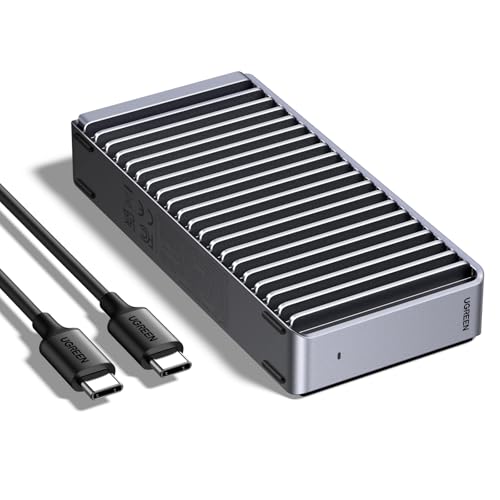
Best Pibox NVMe Enclosure with Fan (2026): 7 Picks Compared
 By Theo LangUpdated
You need a fan-cooled enclosure that keeps an NVMe SSD running at full speed on a Thunderbolt 4 laptop, so choose the Rosewill 40Gbps M.2 NVMe SSD Enclosure with Cooling Fan: its built-in fan and vent design support up to 4 hours of full-speed operation, with read/write speeds up to 3187 MB/s. The ACASIS TB501Pro adds an 80Gbps interface and a fan that starts at 55°C, and the MOKiN adds an LCD display.
Your shortlist at a glance
PCKitHQ scores range from 9.2 to 9.8. See how we pick.
| Product and key specifications | Score and retailer |
|---|---|
01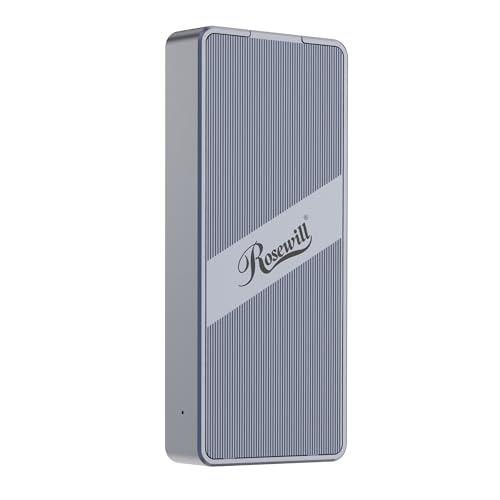 Best Overall Rosewill 40Gbps M.2 NVMe SSD Enclosure | 9.8PCKitHQ scoreView on Amazon |
02 Second Pick ACASIS 80Gbps M.2 NVMe SSD Enclosure | 9.7PCKitHQ scoreView on Amazon |
03 Also Consider MOKiN 80Gbps M.2 NVMe SSD Enclosure | 9.6PCKitHQ scoreView on Amazon |
04 Also Consider ACASIS 40Gbps M.2 NVMe SSD Enclosure | 9.5PCKitHQ scoreView on Amazon |
05 Also Consider ACASIS 80Gbps M.2 NVMe SSD Enclosure 60W PD Charge | 9.4PCKitHQ scoreView on Amazon |
06 Also Consider UGREEN 80Gbps Thunderbolt 5 Portable NVMe SSD | 9.3PCKitHQ scoreView on Amazon |
07 Also Consider UGREEN 40Gbps M.2 NVMe Enclosure | 9.2PCKitHQ scoreView on Amazon |
A closer look at each configuration
Rosewill 40Gbps M.2 NVMe SSD Enclosure
score
The Rosewill pairs a 40Gbps Thunderbolt 4 interface with a built-in fan, 8TB support, and a transparent back plate.
- Interface
- Thunderbolt 4
- Weight
- 0.4 lb
- Warranty
- 1 Year Warranty
The Rosewill RNE-01 uses the ASM2464PD controller with a 40Gbps interface, and it states read/write speeds up to 3187 MB/s over Thunderbolt 4. Its built-in fan and vent design support up to 4 hours of full-speed operation, and the transparent back plate shows the internal components. It supports M.2 NVMe SSDs in 2230 to 2280 sizes up to 8TB on macOS and Windows, weighs 0.4 lb, and carries a 1 Year Warranty. The SSD is not included.
Choose it if
- You move large files over a 40Gbps Thunderbolt 4 connection
- You carry a 0.4 lb enclosure with an SSD up to 8TB
Consider another if
- You need the 80Gbps interface of the ACASIS TB501Pro
- You need the 2 Year Warranty of the ACASIS TB501Pro
ACASIS 80Gbps M.2 NVMe SSD Enclosure
score
The ACASIS TB501Pro pairs an 80Gbps USB4 V2.0 interface with a smart fan and speeds up to 6000 MB/s.
- Interface
- USB4 V2.0
- Form factor
- M.2
- Weight
- 0.67 lb
- Warranty
- 2 Year Warranty
The ACASIS TB501Pro uses the JHL9480 chip with an 80Gbps USB4 V2.0 interface, and it states read and write speeds up to 6000 MB/s. Speeds above 3000 MB/s need a PCIe 4.0 x4 NVMe 1.4 or higher SSD. Its built-in fan auto-starts at 55°C and stops at 40°C, and holding the switch for 1 second forces it on. The enclosure is backward compatible with 40Gbps, USB4 V1.0 and USB 3.2/3.1/3.0, but it is not compatible with Thunderbolt 3 devices. It weighs 0.67 lb and carries a 2 Year Warranty.
Choose it if
- You transfer large files at speeds up to 6000 MB/s
- You want a fan that starts at 55°C and stops at 40°C
Consider another if
- You need Thunderbolt 3 support for your device
- You need the 60W PD charging of the ACASIS TB501 Max
MOKiN 80Gbps M.2 NVMe SSD Enclosure
score
The MOKiN pairs an 80Gbps Thunderbolt 5 interface with an LCD display and a three-speed cooling fan.
- Interface
- Thunderbolt 5
- Warranty
- 18-MONTH
The MOKiN UD1401 uses the Intel JHL9480 and RTL9210B chipset with an 80Gbps Thunderbolt 5 interface, and it states transfer speeds up to 80Gbps for PCIe Gen5 SSDs. Its LCD screen displays real-time temperature readings and fan speed, with icons that alert you to fan issues or overheating. The built-in fan starts at 40°C and has three speed levels. It supports M/B+M key NVMe SSDs in 2280, 2260, 2242 and 2230 sizes up to 8TB on Windows, macOS and Linux. It does not support SATA M.2 SSDs, and it carries an 18-month warranty.
Choose it if
- You watch temperature and fan speed on an LCD display
- You need an 80Gbps Thunderbolt 5 connection
Consider another if
- You need the 60W PD charging of the ACASIS TB501 Max
- You need a 2 Year Warranty like the ACASIS TB501Pro
ACASIS 40Gbps M.2 NVMe SSD Enclosure
score
The FREEGENE ACASIS TBU405Pro pairs a 40Gbps Thunderbolt 4 interface with a switch-activated fan and 8TB support.
- Interface
- Thunderbolt 4
- Weight
- 0.36 lb
- Warranty
- 2 YEAR
The FREEGENE ACASIS TBU405Pro uses the certified Intel JHL7440 dual-chip design with a 40Gbps interface, and it states read/write speeds up to 2805/2734 MB/s with a Samsung 980 Pro on a MacBook. Its built-in silent cooling fan activates with a switch and states the SSD stays at 45°C during heavy workloads. It supports M.2 NVMe SSDs in 2280, 2260, 2242 and 2230 sizes up to 8TB on M1, M2 and M3 Macs, iPad Pro, Windows and Linux. The aluminum enclosure weighs 0.36 lb and carries a 2 year warranty.
Choose it if
- You edit 4K video on a MacBook or PC
- You want a 0.36 lb enclosure for travel
Consider another if
- You need an 80Gbps interface like the ACASIS TB501Pro
- You need the 60W PD charging of the ACASIS TB501 Max
ACASIS 80Gbps M.2 NVMe SSD Enclosure 60W PD Charge
score
The ACASIS TB501 Max pairs an 80Gbps Thunderbolt 5 interface with 60W PD charging and an auto-adjusting fan.
- Interface
- Thunderbolt 5
- Form factor
- M.2
- Weight
- 0.62 lb
- Warranty
- 2 Year Warranty
The ACASIS TB501 Max uses the JHL9480 chip with an 80Gbps Thunderbolt 5 interface, and it states read and write speeds up to 6000 MB/s. Speeds above 3000 MB/s need a PCIe 4.0 x4 NVMe 1.4 or higher SSD. Its 60W PD power delivery powers a compatible laptop while you access external storage through one connection. Its built-in smart fan adjusts cooling based on SSD temperature. The enclosure works with Thunderbolt 5 and USB4 V2.0 at up to 80Gbps, with backward compatibility for 40Gbps, USB4 V1.0 and USB 3.2/3.1/3.0, but it is not compatible with Thunderbolt 3 devices. It weighs 0.62 lb and carries a 2 Year Warranty.
Choose it if
- You charge a laptop with up to 60W PD while using storage
- You transfer files at speeds up to 6000 MB/s
Consider another if
- You need support for Thunderbolt 3 devices
- You need a 0.36 lb enclosure like the FREEGENE ACASIS
UGREEN 80Gbps Thunderbolt 5 Portable NVMe SSD
score
The UGREEN 45789 pairs an 80Gbps Thunderbolt 5 interface with a cooling fan and speeds up to 6600 MB/s.
- Interface
- Thunderbolt 5
- Weight
- 0.42 lb
- Warranty
- 2-year Warranty
The UGREEN 45789 uses the JHL9480 chip with an 80Gbps Thunderbolt 5 interface, and it states speeds up to 6600 MB/s with a Thunderbolt 5 cable and port. Its built-in cooling fan turns on when the internal temperature reaches 40°C. It supports 2280 M key and B&M key NVMe SSDs up to 8TB with PCIe 5.0 on Windows, Linux and macOS. Thunderbolt 3 works only on computers with macOS 15 or higher. It does not support B-key or SATA M.2 SSDs, and it includes a silicone case. It weighs 0.42 lb and carries a 2-year warranty.
Choose it if
- You use a Thunderbolt 5 port at up to 80Gbps
- You fit a 2280 NVMe SSD up to 8TB
Consider another if
- You need Thunderbolt 3 on macOS below version 15
- You need the 60W PD charging of the ACASIS TB501 Max
UGREEN 40Gbps M.2 NVMe Enclosure
score
The UGREEN 15976 pairs a 40Gbps USB4 interface with a PWM turbo fan and triple heat dissipation.
- Interface
- USB4
- Weight
- 0.44 lb
The UGREEN 15976 uses the ASM2464PD chip with a 40Gbps USB4 Type-C interface, and it works with USB4/3.2/3.1/3.0/2.0 and Thunderbolt 3/4. Its triple heat dissipation pairs an aluminum alloy casing with a silicone thermal pad and a high-speed cooling fan, and the PWM turbo fan adjusts speed automatically. It supports M/B+M key NVMe SSDs in 2230, 2242, 2260 and 2280 sizes up to 4TB on Windows, Mac, Linux and Android. It does not support an SSD with a heatsink or a PCIe 5.0 SSD. S.M.A.R.T. technology detects the drive's operating status, and the TRIM command optimizes performance.
Choose it if
- You want a PWM fan that adjusts speed automatically
- You check drive status with S.M.A.R.T. and TRIM
Consider another if
- You need support for an 8TB SSD
- You need an 80Gbps interface like the ACASIS TB501Pro
Make the choice for your setup
Interface speed and fan behavior
The Rosewill, the FREEGENE ACASIS and the UGREEN 15976 run at 40Gbps, while the ACASIS TB501Pro, the MOKiN, the ACASIS TB501 Max and the UGREEN 45789 run at 80Gbps. The Rosewill states read/write speeds up to 3187 MB/s, the FREEGENE ACASIS states speeds up to 2805/2734 MB/s, and the ACASIS pair states speeds up to 6000 MB/s. Fan behavior differs: the Rosewill fan supports up to 4 hours of full-speed operation, the ACASIS TB501Pro fan starts at 55°C, the MOKiN and UGREEN 45789 fans start at 40°C, and the FREEGENE ACASIS fan needs a switch press. The MOKiN LCD shows temperature and fan speed.
Capacity, sizes and compatibility
The Rosewill, the MOKiN, the FREEGENE ACASIS and the UGREEN 45789 support NVMe SSDs up to 8TB, while the UGREEN 15976 supports up to 4TB. The Rosewill, the MOKiN, the FREEGENE ACASIS and the UGREEN 15976 support 2230, 2242, 2260 and 2280 sizes, while the UGREEN 45789 supports 2280 only. The Rosewill works with macOS and Windows, and the MOKiN adds Linux. The FREEGENE ACASIS works with M1, M2 and M3 Pro and Max laptops, iPad Pro, Windows and Linux. The ACASIS TB501Pro and TB501 Max are not compatible with Thunderbolt 3 devices, and the UGREEN 45789 runs Thunderbolt 3 only on macOS 15 or higher. The MOKiN and the UGREEN 45789 do not support SATA M.2 SSDs. Shoppers with a related need can compare our guide to the Best 3.5 Drive Enclosure.
Power delivery, weight and warranty
The ACASIS TB501 Max is the only enclosure here with 60W PD charging, so it powers a compatible laptop through one connection. Weight runs from 0.36 lb for the FREEGENE ACASIS to 0.67 lb for the ACASIS TB501Pro, with the Rosewill at 0.4 lb, the UGREEN 45789 at 0.42 lb, the UGREEN 15976 at 0.44 lb and the TB501 Max at 0.62 lb. Warranty runs from 1 year on the Rosewill to 2 years on the ACASIS pair, the FREEGENE ACASIS and the UGREEN 45789, while the MOKiN carries an 18-month warranty. The UGREEN 15976 includes a silicone case, and the ACASIS pair includes an 80Gbps cable.
Before you decide, also read Best SSD Enclosure.
FAQ: Pibox NVMe Enclosure with Fan
Which enclosures run at 80Gbps?
The ACASIS TB501Pro, the MOKiN, the ACASIS TB501 Max and the UGREEN 45789 run at 80Gbps. The Rosewill, the FREEGENE ACASIS and the UGREEN 15976 run at 40Gbps. The 80Gbps speed needs a matching port and cable.
How do the cooling fans differ?
The Rosewill fan supports up to 4 hours of full-speed operation. The ACASIS TB501Pro fan starts at 55°C and stops at 40°C. The MOKiN fan starts at 40°C with three speeds, the UGREEN 45789 fan turns on at 40°C, and the FREEGENE ACASIS fan needs a switch press.
What SSD sizes and capacities do these enclosures support?
The Rosewill, MOKiN, FREEGENE ACASIS and UGREEN 15976 support 2230, 2242, 2260 and 2280 sizes, while the UGREEN 45789 supports 2280 only. The Rosewill, MOKiN, FREEGENE ACASIS and UGREEN 45789 support SSDs up to 8TB, and the UGREEN 15976 supports up to 4TB.