
Best External Hard Drive for Pictures Mac (2026): 7 Picks Compared
 By Theo LangUpdated
Western Digital WD 20TB Elements Desktop External Hard Drive suits a Mac photo library that needs room to grow, with 20TB of capacity and a USB 3.0 connection. It is a desktop drive, so it stays on the desk. The remaining picks are smaller in capacity and differ in portability, rated read speed, and Mac readiness.
Your shortlist at a glance
PCKitHQ scores range from 9.2 to 9.8. See how we pick.
| Product and key specifications | Score and retailer |
|---|---|
01 | 9.8PCKitHQ scoreView on Amazon |
02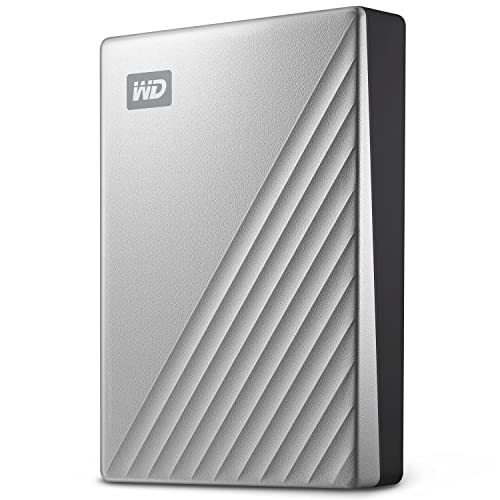 | 9.7PCKitHQ scoreView on Amazon |
03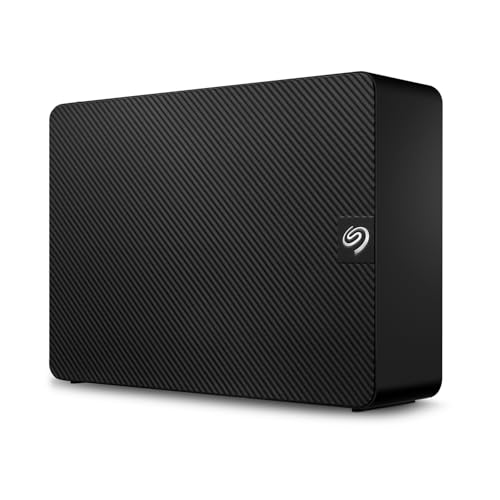 | 9.6PCKitHQ scoreView on Amazon |
04 | 9.5PCKitHQ scoreView on Amazon |
05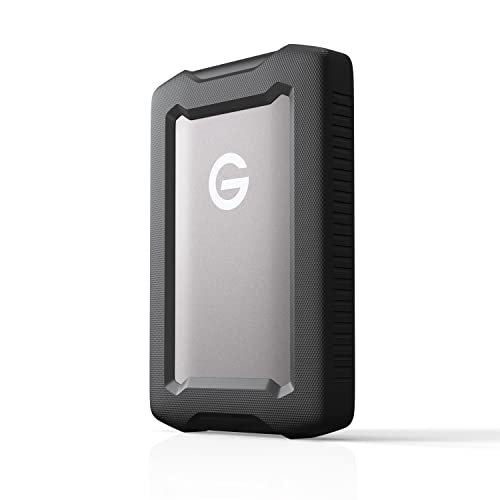 | 9.4PCKitHQ scoreView on Amazon |
06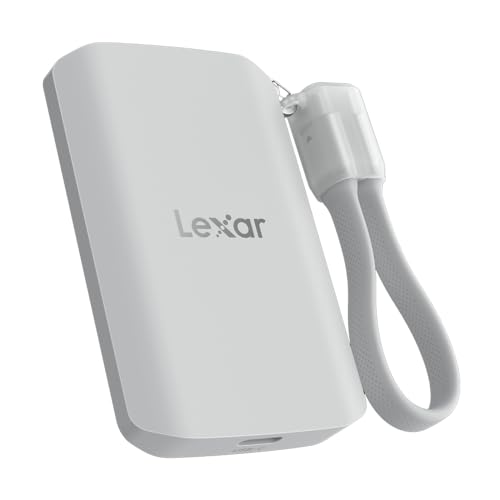 | 9.3PCKitHQ scoreView on Amazon |
07 | 9.2PCKitHQ scoreView on Amazon |
A closer look at each configuration
WD 20TB Elements Desktop External Hard Drive
score
The 20TB capacity and the USB 3.0 connection suit a desktop photo library.
- Capacity
- 20TB
- Interface
- USB 3.0
- Weight
- 1.98 lb
- Warranty
- 2 Year Limited Manufacture Warranty
This Western Digital desktop drive holds 20TB and connects over USB 3.0. It is plug-and-play ready for Windows PCs, and reformatting is required for use with macOS. At 1.98 lb it is a desk drive rather than a pocket drive, and it carries a 2-year limited warranty. The capacity suits a photo library that keeps growing, since one drive holds the full collection. The drive offers fast data transfers.
Choose it if
- Your Mac photo library needs 20TB of desktop storage
- You keep the drive on a desk with a USB 3.0 connection
Consider another if
- You need a portable drive at 0.29 lb
- You need the drive formatted for Mac out of the box
WD 2TB My Passport Ultra
score
This 2TB portable drive arrives formatted for Mac, with a USB-C connection and password protection.
- Capacity
- 2TB
- Interface
- USB 3.1
- Weight
- 0.29 lb
- Warranty
- 3-year limited warranty
This Western Digital portable drive holds 2TB and arrives formatted for Mac, with USB-C and USB 3.1 compatibility. Password protection with 256-bit AES hardware encryption guards the drive, and the included backup software defends against ransomware. The refined metal cover suits a drive that travels. It weighs 0.29 lb. It carries a 3-year limited warranty. The USB-C connection and refined metal cover suit business and personal use.
Choose it if
- You want a portable drive formatted for Mac
- Your photo collection fits within 2TB
Consider another if
- You need the 20TB capacity of the Elements desktop drive
- You need a drive that weighs less than 0.29 lb
Seagate Expansion
score
The 6TB capacity and drag-and-drop saving suit a desktop photo library with Rescue Data Recovery Services included.
- Capacity
- 6TB
- Interface
- USB 3.0
- Weight
- 2.59 lb
This Seagate desktop drive holds 6TB and connects over USB 3.0. Drag-and-drop file saving works right out of the box, and the drive recognizes Windows and Mac computers for simple setup, though reformatting is required for use with Time Machine. It weighs 2.59 lb and includes a limited warranty with Rescue Data Recovery Services. Fast file transfers with USB 3.0 move photo libraries onto the drive.
Choose it if
- Your photo library needs 6TB of desktop storage
- You want Rescue Data Recovery Services included
Consider another if
- You need the 20TB capacity of the Elements desktop drive
- You need a portable drive at 0.26 lb
SanDisk 8TB Desk Drive SSD
score
The 8TB SSD pairs rated 1000 MB/s read speeds with exFAT formatting for Windows and Mac.
- Capacity
- 8TB
- Rated read speed
- 1000 MB/s
- Interface
- USB 3.2 Gen 2
- Weight
- 0.59 lb
- Warranty
- 3 year manufacturer limited warranty
This SanDisk desktop SSD holds 8TB and reads at rated speeds up to 1000 MB/s over USB 3.2 Gen 2. It arrives formatted in exFAT for Windows and Mac use, and it backs up files with Apple Time Machine or Acronis True Image software. At 0.59 lb it is a light desktop drive. It carries a 3-year manufacturer limited warranty. The compact design fits a desk.
Choose it if
- Your photo library needs 8TB on a desktop SSD
- You want rated 1000 MB/s read speeds for large files
Consider another if
- You need the 20TB capacity of the Elements desktop drive
- You need the 2000 MB/s rated read speed of the Lexar ES5
SanDisk Professional
score
The 4TB capacity, USB-C connection, and aluminum enclosure suit photo storage that travels with the Mac.
- Capacity
- 4TB
- Rated read speed
- 130 MB/s
- Interface
- USB 3.2 Gen 1
- Weight
- 0.77 lb
- Warranty
- 3 year limited manufacturer warranty
This SanDisk Professional portable drive holds 4TB and reads at rated speeds up to 130 MB/s over USB-C and USB 3.2 Gen 1. It works with macOS right out of the box, and Windows via reformat. The premium anodized aluminum enclosure and easy-grip bumper suit a drive that moves between desks and bags. The USB-C connection runs at 5Gbps. At 0.77 lb it carries a 3-year limited manufacturer warranty.
Choose it if
- You want a rugged portable drive for 4TB of photos
- You work on macOS and need USB-C backup
Consider another if
- You need the 20TB capacity of the Elements desktop drive
- You need the 2000 MB/s rated read speed of the Lexar ES5
Lexar 2TB ES5 External SSD
score
The rated 2000 MB/s read and write speeds and 2TB capacity suit fast transfers for a Mac photo workflow.
- Capacity
- 2TB
- Rated read speed
- 2000 MB/s
- Interface
- USB 3.2 Gen 2x2
- Weight
- 0.26 lb
- Warranty
- 5-Year Limited Warranty
This Lexar portable SSD holds 2TB and reads and writes at rated speeds up to 2000 MB/s over USB-C and USB 3.2 Gen 2x2. Performance on Mac and other systems not supporting USB 3.2 Gen 2x2 may be lower. It is rated IP65 for dust and water resistance and drop resistant up to 3M. It supports Apple ProRes recording at 4K120FPS and carries a 5-year limited warranty.
Choose it if
- You want rated 2000 MB/s speeds for photo transfers
- You need IP65 dust and water resistance on the go
Consider another if
- You need the 20TB capacity of the Elements desktop drive
- You need the 8TB capacity of the SanDisk Desk Drive
Western Digital
score
The 2TB capacity, rated 400 MB/s read speed, and 0.06 lb weight suit a pocket drive for Mac photos.
- Capacity
- 2TB
- Rated read speed
- 400 MB/s
- Interface
- USB 3.0
- Weight
- 0.06 lb
- Warranty
- 3 Year Limitary Manufacturer
This Western Digital portable SSD holds 2TB and reads at rated speeds up to 400 MB/s over USB 3.0. A compact design and drop resistance up to 2 meters suit a drive that travels, and plug-and-play works right out of the box. It is compatible with PC and Mac. At 0.06 lb it is a light drive to carry, and it carries a 3-year limited manufacturer warranty.
Choose it if
- You want a 0.06 lb drive for travel
- Your photo collection fits within 2TB
Consider another if
- You need the 20TB capacity of the Elements desktop drive
- You need the 1000 MB/s rated read speed of the SanDisk Desk Drive
Make the choice for your setup
Match capacity to the photo library
The Western Digital WD 20TB Elements Desktop External Hard Drive holds 20TB, while the SanDisk Desk Drive holds 8TB and the Seagate Expansion holds 6TB. The SanDisk Professional G-Drive holds 4TB, and the My Passport Ultra for Mac, the Lexar ES5, and the Elements SE each hold 2TB. Measure the photo library first, then choose a capacity above that figure, since a drive that fills up forces a second purchase. Keep the library on one drive where possible, so pictures stay in a single place. The desktop drives hold 20TB, 8TB and 6TB, while the portable drives hold 4TB or 2TB.
Weigh portability against desk storage
The Elements SE weighs 0.06 lb and the Lexar ES5 weighs 0.26 lb, so each travels in a pocket or bag. The My Passport Ultra for Mac weighs 0.29 lb and the G-Drive weighs 0.77 lb. The desktop drives stay on the desk: the SanDisk Desk Drive weighs 0.59 lb, the Elements desktop drive weighs 1.98 lb, and the Seagate Expansion weighs 2.59 lb. The 0.59 lb Desk Drive weighs less than the 1.98 lb Elements desktop drive and the 2.59 lb Seagate Expansion. Choose portable when the library moves between computers, and desktop when it stays in one place. A lighter drive is easier to carry, but a desktop drive holds more pictures. For a closely related choice, read our guide to the Best External Hd for Mac.
Check Mac formatting and rated speed
The My Passport Ultra for Mac arrives formatted for Mac, and the G-Drive works with macOS right out of the box. The SanDisk Desk Drive arrives formatted in exFAT and works on Windows or Mac out of the box. The Elements desktop drive needs reformatting for use with macOS. The Seagate Expansion needs reformatting for use with Time Machine. Rated read speeds run from 130 MB/s on the G-Drive to 2000 MB/s on the Lexar ES5, with the Desk Drive at 1000 MB/s and the Elements SE at 400 MB/s. Confirm the format before the first backup, and match rated speed to file size.
Before you decide, also read Best External Hard Drive.
FAQ: External Hard Drive for Pictures Mac
Which drive holds the most pictures?
The Western Digital WD 20TB Elements Desktop External Hard Drive holds 20TB. The SanDisk Desk Drive holds 8TB and the Seagate Expansion holds 6TB. The remaining drives hold 4TB or 2TB. The G-Drive holds 4TB.
Which drives work with a Mac out of the box?
The My Passport Ultra for Mac arrives formatted for Mac, and the G-Drive works with macOS right out of the box. The SanDisk Desk Drive arrives formatted in exFAT. The Elements desktop drive needs reformatting for use with macOS.
What rated read speeds do these drives state?
The Lexar ES5 states rated speeds up to 2000 MB/s, the SanDisk Desk Drive states rated speeds up to 1000 MB/s, the Elements SE states rated speeds up to 400 MB/s, and the G-Drive states rated speeds up to 130 MB/s.


